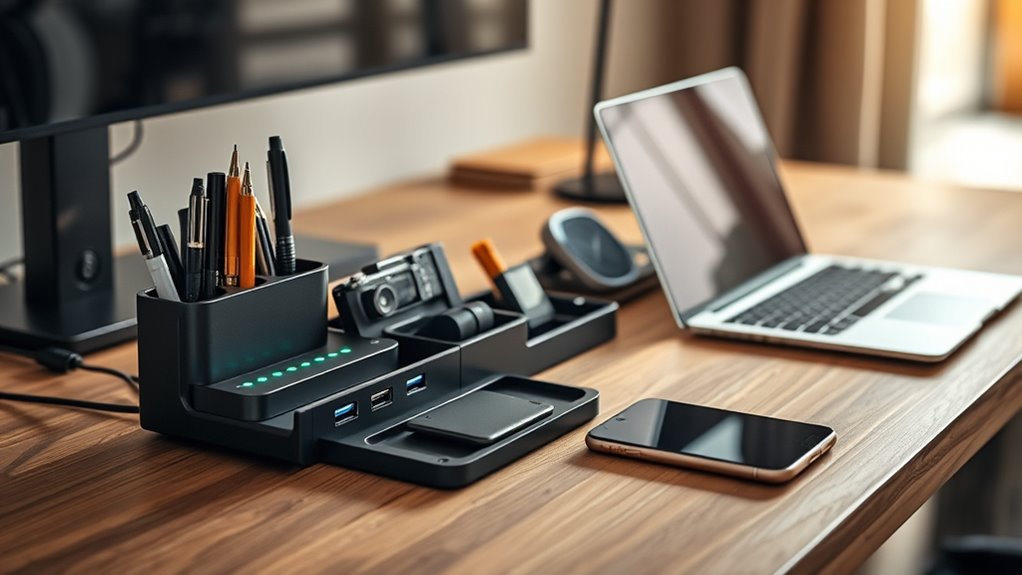
Smart desk organisers with USB ports combine two desk problems into one solution: clutter and dead devices. After comparing the leading options, Meatanty’s Dual Monitor Stand Riser stands out as the best overall pick, pairing a wireless charging pad and USB hub with genuine drawer storage in a single footprint. If you want something simpler, the Bostitch Konnect works better as a straightforward charging-and-storage hub for smaller desks, while the Vaydeer riser adds an LED light and wireless charging for gamers and late-night workers. The main tradeoff in this category is between charging capability and storage volume, and between riser-style organisers that lift your monitor versus desktop stations that keep everything at desk level. Keep reading for the full breakdown, including who each model suits and who should skip it.

Get comfort and recovery gear delivered free with Prime
- Fast, free delivery on millions of items
- Prime Video, Amazon Music and more included
- Member-only deals all year
Complete the kit


Key Takeaways
- Riser-style organisers (Meatanty, Vaydeer, Zapuno, and the generic dual-monitor stands) consistently offered more total storage than flat docking stations, but they demand deeper desks — the Zalida and Bostitch were the only compact-friendly picks.
- Wireless charging only appeared on the Meatanty and Vaydeer; the other six relied on USB ports alone, which matters if your phone doesn’t do wired fast charging or you use a thick case.
- The Simple Trending entries split the category: the basic drawer model is the value storage play with minimal charging, while the 2-Tier dual-drawer version targets multi-monitor setups that need height and capacity together.
- The unbranded ‘Dual Monitor Stand Riser’ and the Zapuno overlapped heavily on features, but differed in hub port count and drawer layout — small differences that decide which one earns a spot.
- Power delivery varied widely: most hubs handle keyboards and phone trickle-charging fine, but only a few support enough output to charge a tablet and phone simultaneously without slowdown.


| smart desk organisers with usb port | Material | Brand | Dimensions | USB ports |
|---|---|---|---|---|
| Meatanty Dual Monitor Stand Ri | Powder-coated metal | Meatanty | 38.78 x 7.87 x 4.33 inches | 4 |
| Bostitch Office Konnect Desk O | Plastic | Bostitch | 10.75 x 4.53 x 4.53 inches | 2 |
| Simple Trending Metal Monitor | Powder-coated metal | — | 18.5 x 9.5 x 4.75 inches | — |
| Zapuno Desk Organizer Monitor | Scratch-resistant carbon fiber finish, plastic legs | Zapuno | — | 3 USB-A data + 1 USB-C PD fast charge |
| Zalida Wood Phone Docking Stat | Real wood | Zalida | — | — |
| Dual Monitor Stand Riser with | Wood | — | — | 2 USB 3.0 ports |
| Simple Trending 2-Tier Metal D | Metal | Simple Trending | 32 x 10 x 7 inches | — |
| Vaydeer Dual Monitor Stand Ris | Metal | — | 1000 × 283 × 140 mm | 8 (4 fast charging, 4 data transfer) |
More Details on Our Top Picks
Meatanty Dual Monitor Stand Riser with Drawers, USB Ports, and Wireless Charging Pad
This option stands out for combining everything a two-screen workstation needs in one footprint: a 66-pound metal platform, four data-capable USB ports, two drawers, and a wireless charging pad up to 15W. Compared with the Zapuno riser, which offers USB-C fast charging but no wireless pad and no drawers, the Meatanty covers more devices without extra accessories cluttering the desk. The drawers are slim at 1.3 inches tall, so think loose pens and cables rather than notepads. The known tradeoff: the wireless pad can occasionally fail to handshake, requiring a phone reboot before charging starts — an annoyance if you dock and undock your phone all day.
Pros:- Supports two monitors up to 27 inches each with a 66-pound load rating
- Four USB ports handle data transfer, not just charging
- Wireless charging pad plus two storage drawers in one unit
- Sturdy powder-coated metal build
Cons:- Wireless pad may require rebooting the phone if charging does not start
- Shallow 1.3-inch drawers limit what can be stored
Best for: Dual-monitor users who want charging, data, and storage unified under one riser
Not ideal for: Single-monitor or laptop-only setups — a 38.8-inch platform wastes desk space
- Brand:Meatanty
- Material:Powder-coated metal
- Dimensions:38.78 x 7.87 x 4.33 inches
- Load capacity:66 pounds
- Monitor capacity:Two monitors up to 27 inches each
- USB ports:4
- Charging pad:Wireless, up to 15W
- Drawers:2; each 5.9 x 6.1 x 1.3 inches
Our verdict“If you run two monitors and want one riser to handle charging, data, and desk clutter, this is the most complete package here.”
Bostitch Office Konnect Desk Organizer and Charging Station
Rather than lifting your monitor, this pick focuses purely on desk-level organisation and power. The modular 4-piece design lets you stack or separate the trays, which the Zalida wood dock — a fixed single unit — cannot match. With 2 USB ports plus 2 AC outlets, it charges a phone and a lamp or tablet simultaneously, and the cord wrap and back channel keep cables from becoming a nest. Two honest drawbacks: the bundled cable is micro USB rather than USB-C, so most modern phone owners will supply their own, and the all-plastic build feels lighter-duty than the metal risers in this lineup.
Pros:- Modular stackable pieces can be used together or separately
- 2 USB ports and 2 AC outlets with dual phone stands
- Integrated cord wrap and back channel for cable management
- Non-slip rubber feet protect the desk surface
Cons:- Includes only a micro USB cord, not USB-C
- Plastic construction feels less premium than metal or wood rivals
Best for: Home-office workers who want affordable charging and tidy compartments without buying a monitor riser
Not ideal for: Anyone wanting monitor elevation or a premium metal-and-wood aesthetic on display
- Brand:Bostitch
- Model:KT2-BASEKIT2-BLK
- Material:Plastic
- Dimensions:10.75 x 4.53 x 4.53 inches
- USB ports:2
- Power outlets:2
- Pieces:4 modular, stackable
- Warranty:3-year limited
Our verdict“This is the value pick for cluttered desks that need power and compartments more than screen elevation.”
Simple Trending Metal Monitor Stand with Drawer and 2 Pen Holders
This model makes the list as the simplest, most affordable way to gain height plus storage — but a caveat first: it has no USB ports at all, so it earns its place for buyers whose charging needs are already handled elsewhere. Compared with the Zapuno riser at a similar footprint, you give up the USB hub but get a full-width drawer and two dedicated pen holders, which suits stationery-heavy desks. The powder-coated metal and anti-slip feet feel more solid than the Bostitch plastic trays, though assembly is required and there is no fast-charging anything here.
Pros:- Full-width drawer plus two pen holders for supplies
- Raises the screen and frees storage space underneath
- Metal construction with anti-slip feet pads
- Assembly tools and instructions included
Cons:- No USB ports or charging features at all
- Assembly required before first use
Best for: Students and writers who need screen elevation and pen storage on a tight budget
Not ideal for: Buyers who specifically need integrated charging — this stand has zero USB functionality
- Material:Powder-coated metal
- Color:Black
- Dimensions:18.5 x 9.5 x 4.75 inches
- Load capacity:33 pounds
- Storage:Drawer and 2 pen holders
- Special features:Anti-slip feet pads
Our verdict“A sensible budget pick for storage-first buyers, but skip it if integrated charging is the whole point of your search.”
Zapuno Desk Organizer Monitor Stand Riser with USB Hub
The Zapuno’s differentiator is its port selection: 3 USB-A data ports plus a USB-C PD fast-charging port, which is the most forward-looking connectivity in this batch. Unlike the Meatanty’s wireless pad, the wired USB-C port charges reliably with no handshake hiccups, and the 55cm platform hides a keyboard and mouse underneath. The carbon-fibre textured surface resists scratches better than plain powder coat, but the plastic legs undercut the premium look, and the fixed height means you cannot tune the elevation to your seating position — a real limitation if you share the desk or switch between sitting and standing.
Pros:- 4-port USB hub including USB-C PD fast charging
- Ergonomic eye-level elevation reduces neck and back strain
- Hidden storage under the 55cm platform for keyboard and mouse
- 66 lb capacity fits monitors, laptops, and printers
Cons:- Plastic legs feel less premium than full-metal rivals
- Fixed height with no elevation adjustment
Best for: Laptop and monitor users who prioritise reliable USB-C fast charging and cable data access
Not ideal for: Taller users or sit-stand desk owners who need adjustable riser height
- Brand:Zapuno
- Part number:MDR-01
- Platform length:55 cm
- Weight capacity:66 lbs
- USB ports:3 USB-A data + 1 USB-C PD fast charge
- Material:Scratch-resistant carbon fiber finish, plastic legs
Our verdict“The strongest choice here for wired fast charging and data, provided a fixed-height riser suits your ergonomics.”
Zalida Wood Phone Docking Station with USB Ports and Outlets
This model plays a different role entirely: it is the only real-wood option in the lineup, built for a nightstand or executive desk rather than monitor duty. Its hidden charging bay pairs 2 AC outlets with both USB-A and USB-C — a port mix the Meatanty and Zapuno cannot match since neither offers wall outlets, which matters for charging a lamp or smartwatch puck alongside your phone. The three-compartment drawer swallows earbuds, keys, and cables. Two structural tradeoffs: at 6.2 pounds it is heavy to reposition, and because the charger is built in, a failed port means replacing the whole unit.
Pros:- Hidden charging station with 2 AC outlets plus USB-A and USB-C
- Three-compartment drawer organises small gadgets
- Durable polished real wood with classic black styling
- Works on nightstands, dressers, and office desks alike
Cons:- At 6.2 pounds, it is heavy for a tabletop organizer
- Built-in charger cannot be swapped out if ports fail
Best for: Anyone wanting an elegant bedside or executive-desk charging station that hides cables entirely
Not ideal for: Monitor-riser seekers — this dock has no screen elevation and no monitor load rating
- Brand:Zalida
- Material:Real wood
- Color:Classic Black
- Charging ports:2 AC outlets, 2 USB (Type-A and Type-C)
- Storage:Hidden three-compartment drawer
- Weight:6.2 pounds
- Mounting:Tabletop
Our verdict“The premium pick for buyers who value real-wood aesthetics and hidden AC plus USB charging over monitor functionality.”
Dual Monitor Stand Riser with USB Ports and Drawer
Most risers in this roundup arrive as a box of parts and an instruction sheet — this one skips that step entirely. The no-assembly design means it is working on your desk within a minute of unboxing, which alone separates it from the Simple Trending two-tier stand and the Vaydeer below. What makes it interesting is that the built-in power strip adds two AC outlets alongside its two USB 3.0 ports, so a laptop charger and a lamp can live under your monitors without a separate surge strip. The adjustable length (30.31 to 42.13 inches) is a genuine plus for desks that change over time.
The tradeoff is transparency: unlike the Simple Trending stand, which publishes a 100 lb weight capacity, this model lists none, and its angle adjustment range is unspecified — buyers with heavy ultrawide or stacked setups are taking a chance on paper.
Pros:- Built-in power strip combines two AC outlets with two USB 3.0 ports
- Truly no assembly — usable straight out of the box
- Adjustable length accommodates desks from 30 to 42 inches
- Drawer plus two compartments keeps accessories off the desktop
Cons:- No published weight capacity, unlike competing metal stands
- Angle adjustment range is not specified, limiting setup flexibility
Best for: Dual-monitor users who want outlets and USB charging integrated into a riser they can set up immediately without tools
Not ideal for: Owners of very heavy monitors or all-in-one PCs — the unstated weight capacity makes it a gamble for anything beyond standard displays
- Monitor capacity:2 monitors
- Power outlets:2 AC outlets
- USB ports:2 USB 3.0 ports
- Adjustable length:30.31–42.13 inches
- Storage:1 drawer and 2 compartments
- Assembly:No assembly required
- Material:Wood
Our verdict“This pick makes the most sense for anyone who values instant setup and integrated AC power over fully documented strength ratings.”
Simple Trending 2-Tier Metal Dual Monitor Stand with USB and 2 Drawers, Black
If your desk problem is clutter more than connectivity, this is the storage workhorse of the roundup. The two-tier design with two drawers offers more enclosed organization than the wood riser above (one drawer, two compartments) or the Vaydeer, giving you a place for notebooks, cables, and desk junk rather than just pens. Its 100 lb weight capacity is the best-documented in this batch, and the mesh vents actively cool laptops or Mac minis placed on the bottom tier — something neither wood competitor offers.
The compromise is on the power side: a single USB 2.0 port is a step behind the wood riser’s two USB 3.0 ports and far behind the Vaydeer’s eight. It also demands a full 32 inches of clear desk width with no adjustability, so smaller workspaces should look elsewhere.
Pros:- Two tiers plus two drawers provide the most enclosed storage in this batch
- Confirmed 100 lb weight capacity handles heavy monitors and equipment
- Mesh vents promote airflow for heat-sensitive devices
- Non-slip base and included reusable cable ties aid stability and tidiness
Cons:- Single USB 2.0 port is dated and slow compared with USB 3.0 alternatives
- Fixed 32-inch footprint requires a wide desk
Best for: Desk owners who prioritize generous enclosed storage and a proven 100 lb capacity over charging features
Not ideal for: Users who charge multiple devices at their desk — one USB 2.0 port won’t keep pace with modern gear
- Brand:Simple Trending
- Model:57887-2bk
- Material:Metal
- Dimensions:32 x 10 x 7 inches
- Weight Capacity:100 lbs
- Height:7 inches
- USB Port:USB 2.0
- Storage:2 tiers and 2 drawers
- Features:Mesh cooling vents, non-slip base, reusable cable ties
Our verdict“This option stands out for clutter-heavy desks that need documented strength and serious drawer space, not maximum charging power.”
Vaydeer Dual Monitor Stand Riser with Drawers, USB Ports, Wireless Charging, and LED Light Strip
Compared with everything else in this roundup, the Vaydeer is less a monitor stand and more a desk command center. Eight USB ports — split between four fast-charging and four data-transfer — dwarf the two ports on the wood riser and the lone port on the Simple Trending stand. Add a 15W wireless charging pad for Qi phones and an LED light strip for under-monitor bias lighting, and it replaces a separate USB hub, charging pad, and desk lamp in one footprint. The 50 kg rating puts it in the same confidence tier as the Simple Trending’s 100 lbs.
The catch is unverified fine print: the listing never specifies the fast-charging wattage or data-transfer speeds, so power users buying it purely as a hub are working on trust. At roughly 39 inches wide, it also assumes you have a deep, spacious desk.
Pros:- Eight USB ports split between fast charging and data transfer
- 15W wireless charging pad eliminates a separate phone charger
- Built-in LED light strip adds workspace and ambient lighting
- 50 kg weight rating confidently supports two monitors
Cons:- Fast-charging output and data-transfer speeds are not specified
- Large fixed footprint dominates smaller desks
Best for: Tech-heavy users who want one device to replace a USB hub, wireless charger, and monitor riser
Not ideal for: Small or narrow desks — its ~39-inch fixed width and dual-monitor focus leave little room for anything else
- Material:Metal
- Monitor capacity:Two monitors
- USB ports:8 (4 fast charging, 4 data transfer)
- Wireless charging:15W
- Storage:2 pull-out drawers with dual-tier storage
- Lighting:Built-in LED light strip
- Maximum supported weight:50 kg
- Dimensions:1000 × 283 × 140 mm
Our verdict“This model is better suited to gadget-dense workstations that can trade desk space for a genuinely all-in-one charging and storage hub.”

How We Picked
I evaluated each organiser against four buyer-relevant criteria. Charging capability came first: port count, output wattage, and whether wireless charging was included or just USB. Storage practicality came second — drawer depth, whether pens and notepads actually fit, and how the design handles cable routing, since a great hub with useless drawers fails at half its job. Build and stability mattered most for the riser models, because a monitor stand that flexes under a 27-inch display is a non-starter regardless of its USB hub. Finally, I weighed desk footprint and value, judging whether the space each unit consumes justifies what it organises.
The ranking reflects a simple hierarchy: models that integrate charging, storage, and monitor elevation coherently placed highest, while single-purpose or heavily overlapping designs landed lower. Where two products offered nearly identical feature sets — such as the Zapuno and the generic dual-monitor riser — I separated them on hub output, drawer layout, and overall build consistency, since those details decide the daily experience long after the purchase.
| smart desk organisers with usb port | Brand | Material |
|---|---|---|
| Meatanty Dual Monitor Stand Ri | Meatanty | Powder-coated metal |
| Bostitch Office Konnect Desk O | Bostitch | Plastic |
| Simple Trending Metal Monitor | — | Powder-coated metal |
| Zapuno Desk Organizer Monitor | Zapuno | Scratch-resistant carbon fiber finish, plastic legs |
| Zalida Wood Phone Docking Stat | Zalida | Real wood |
| Dual Monitor Stand Riser with | — | Wood |
| Simple Trending 2-Tier Metal D | Simple Trending | Metal |
| Vaydeer Dual Monitor Stand Ris | — | Metal |
Factors to Consider When Choosing Smart Desk Organisers With Usb Ports
Before choosing a smart desk organiser with USB ports, it helps to understand what actually separates a satisfying purchase from an oversized paperweight. These are the factors that shaped my rankings and should shape your decision.Riser, Docking Station, or Charging Hub?
The biggest mistake buyers make is treating all these products as interchangeable. A monitor riser organiser like the Meatanty or Simple Trending 2-Tier lifts your screen to eye level while adding storage underneath — ideal if you also want better ergonomics, but it needs a deep desk and a monitor that fits the top platform. A docking station like the Zalida keeps everything at desk level and focuses on corralling your phone, keys, and wallet around a charging point, which suits a nightstand or a desk without a monitor. A compact charging hub like the Bostitch Konnect trades storage volume for a smaller footprint. Buying the wrong type is the most common regret in this category, so decide this before comparing ports and drawers.
USB Power Output and Port Count
Port count tells you very little on its own — output amperage is what determines whether your devices actually charge. Many budget organisers include USB ports rated for data-transfer-level power, which means a phone charges painfully slowly while you work. If you plan to charge a phone and earbuds simultaneously, look for ports that deliver at least 2.1A each, and be sceptical of hubs that promise four ports without stating total output. Another common pitfall: most of these organisers plug into wall power via an adapter, and a weak included adapter bottlenecks every port at once. Check whether the adapter is included and what its rating is before assuming the port specs are real-world numbers.
Wireless Charging: Gimmick or Feature?
Wireless charging sounds like an upgrade, but it only earns its place under specific conditions. You need a Qi-compatible phone, a case under roughly 3mm thick, and a habit of parking your phone in one spot — if you grab your phone constantly, plugging in a cable is genuinely faster. Where wireless pads shine is on risers like the Meatanty and Vaydeer, where the pad sits at a fixed, visible position and your phone becomes a desk clock while it charges. If your phone doesn’t support Qi, don’t pay extra for the feature; the Simple Trending models and Zapuno offer better storage-per-pound without it. Also note that pads embedded in metal-adjacent surfaces can run warm, so venting and pad placement matter more than charging wattage claims.
Storage Volume Versus Desk Footprint
Be honest about what you actually need to store. Buyers routinely overestimate: a two-drawer riser sounds generous until you realise one drawer is consumed by cables and adapters. Measure your desk depth before buying any riser organiser — most need 40cm or more behind the monitor, and a unit that pushes your keyboard to the desk edge defeats its own purpose. Flat docking stations like the Zalida flip this equation, offering organised compartments in a small footprint but no monitor elevation. If your clutter is mostly papers and folders rather than gadgets and pens, a riser’s shallow drawers will frustrate you, and a tiered shelf design would serve you better.
Build Material and Weight Capacity
The material determines both longevity and how much weight the riser can safely hold. Metal-framed organisers like the Simple Trending models handle heavier monitors — generally 20kg and up — and resist the sag that plagues thin wood composite shelves over time. Wood units like the Zalida look better in a bedroom or living-adjacent workspace but usually carry lower load ratings, which is fine for a docking station and unacceptable for a large monitor. Check the stated weight capacity against your actual monitor plus any speakers you place on top, and add a margin. Also inspect how the USB hub is housed: ports mounted in flimsy plastic bezels are the first thing to fail on cheap units, long before the structure itself gives out.
Cable Management and Desk Placement
Every organiser with powered features adds a power cable and often a hub cable to your desk, and cheap designs ignore this entirely. Look for rear cable routing channels, hidden adapter compartments, and port placement that doesn’t force cables across your workspace. The Bostitch Konnect handles this reasonably well with its enclosed design, whereas some risers place USB ports on the front face where dangling cables become visual clutter. Think about where your nearest wall outlet is, too — a beautiful riser positioned away from power means trailing extension leads. Before buying, sketch where the organiser, its power cable, and your monitor cable will all run; thirty seconds of planning prevents the most common complaint in this category.
Frequently Asked Questions
Can these USB hubs fast-charge a modern smartphone?
Most can charge a phone, but true fast charging is rare in this category. Many organisers include ports rated at 1.0–2.1A, which will top up a phone slowly rather than match a dedicated wall charger. If fast charging matters, check the stated output per port rather than the port count, and prefer models that accept a higher-wattage wall adapter. The risers with wireless charging, like the Meatanty and Vaydeer, typically deliver 5W–10W wirelessly, which is fine for all-day desk charging but not quick top-ups. For most people, slow desk charging is acceptable because the phone sits there for hours anyway — but if you rely on short charging windows, a separate fast charger beside the organiser is the more realistic setup.
Is a monitor riser organiser stable enough for a heavy or ultrawide display?
It depends heavily on the frame material and stated weight capacity, and this is where the lineup really separates. Metal-framed risers such as the Simple Trending 2-Tier and the dual-monitor models generally support 20kg or more, which comfortably covers most single monitors and many dual setups. Ultrawides are the edge case: their length can cause wobble on narrower platforms, so check platform dimensions against your monitor’s foot depth, not just its weight. Wood composite risers flex more over time, particularly when loaded with drawers full of gear. A sensible rule is to keep 30% headroom between your monitor’s weight and the riser’s rated capacity, since ratings usually assume evenly distributed rather than centre-concentrated loads.
Do I need a riser organiser or a docking station if I use a laptop?
Laptop users often benefit more from a docking-style organiser than a monitor riser, unless the laptop feeds an external display. If your laptop screen is your only screen, a riser’s elevation feature goes unused, and you’re paying for structure you don’t need — the Zalida or Bostitch Konnect make more sense as drop zones for your phone, earbuds, and accessories. However, if your laptop connects to a monitor, the riser models with USB hubs double as a convenient port extension, letting you plug in peripherals without reaching around the laptop. One caveat: these hubs handle charging and basic peripherals, not video output, so they won’t replace a proper USB-C docking station. Think of the USB hub here as desk convenience, not a full connectivity solution.
Are two-drawer organisers actually better than single-drawer designs?
Not always — the second drawer adds value only if your clutter is genuinely divisible into categories. Two shallow drawers, as on the Simple Trending 2-Tier, work well for separating tech accessories from stationery, but each drawer ends up shallower than a single deep one, and chunky items like power banks won’t fit. Single-drawer designs like the basic Simple Trending riser offer more usable depth per compartment, which suits larger items. Drawer quality matters as much as quantity, too: check whether drawers have stops, glide smoothly when loaded, and are reachable when the riser sits under a monitor. In my rankings, the two-drawer models placed higher for multi-device desks, while single-drawer versions made more sense for minimalists who mainly wanted a charging shelf with a bit of hidden storage.
Will the wireless charging pad work through a phone case?
Usually yes, within limits. Qi wireless charging generally penetrates cases up to about 3mm thick, so slim TPU and silicone cases are rarely a problem. Thick rugged cases, metal-backed cases, wallets with magnetic plates, and PopSockets will block charging or trigger repeated connect-disconnect cycles that generate heat. If you use a heavy duty case, either remove it for charging or choose an organiser without wireless charging and rely on the USB ports instead. It’s also worth positioning the pad-embedded risers away from direct sunlight or heat sources, since combined warmth can slow charging and stress the battery over long days. The pads on the Meatanty and Vaydeer are best treated as convenient all-day trickle chargers rather than rapid top-up stations.
Conclusion
The right choice here depends less on specs and more on what your desk is missing. For most people, the Meatanty Dual Monitor Stand Riser is the best overall pick: it combines monitor elevation, real drawer storage, a USB hub, and wireless charging without excelling at nothing. If budget leads your decision, the Simple Trending Metal Monitor Stand with Drawer is the best value — you give up wireless charging and some port capacity, but you keep the core riser-and-storage formula that makes this category useful.
For a premium setup, the Vaydeer riser earns its place with the LED light and wireless charging, making it the strongest option for gamers and anyone working late. Beginners or anyone unsure about committing desk space should start with the Bostitch Konnect, which delivers charging and basic organisation with minimal footprint and no ergonomic tradeoffs. Finally, for specific needs: the Zalida docking station is the clear pick for a nightstand rather than an office, while the Simple Trending 2-Tier suits dual-monitor users who need height and storage in one unit. Whatever you choose, measure your desk first — every complaint in this category traces back to a unit that didn’t fit the space it was bought for.
Halloween Picks
halloween
As an affiliate, we earn on qualifying purchases.