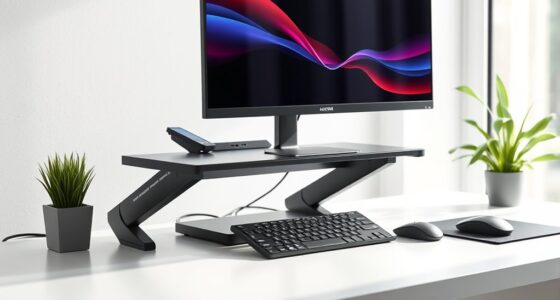

Finding the right sliding drawer tray for your keyboard can significantly improve your workspace comfort and organization. The best options balance ease of use, durability, and compatibility with different desks. The Fellowes Office Suites Underdesk Keyboard Drawer stands out as the overall top pick for its reliable build and smooth sliding mechanism. For those prioritizing ergonomic adjustment, the AX WABER Keyboard Tray offers versatile tilt and height options. Meanwhile, budget-conscious buyers might prefer the Large Under Desk Slide-Out Keyboard Tray for its affordability and straightforward design. Each choice involves tradeoffs between adjustability, size, and installation. Continue reading for a detailed breakdown of these options and what you need to know to pick the perfect tray for your setup.

Get comfort and recovery gear delivered free with Prime
- Fast, free delivery on millions of items
- Prime Video, Amazon Music and more included
- Member-only deals all year
Complete the kit



Key Takeaways
- Size and compatibility are critical: larger trays fit more keyboards but may not suit smaller desks.
- Adjustability features like tilt and height are vital for ergonomic setups, but they often come with a higher price tag.
- Clamp-on models are easier to install and remove but may not be suitable for all desk types, especially with thin surfaces.
- Built-in storage or additional compartments can enhance workspace organization but may limit tray movement or size.
- Materials and build quality vary significantly; investing in a sturdy tray can prevent wobbling and prolong lifespan.
| Fellowes Office Suites Underdesk Keyboard Drawer, Black/Silver |  | Best Overall for Adjustable Ergonomics and Space Efficiency | Color: Black/Silver | Material: Impact-resistant tray | Width: 20 inches | VIEW ON AMAZON | See Our Full Breakdown |
| AX WABER Keyboard Tray Under Desk with Storage Drawer, Height Adjustable, Swivel and Tilt, Ergonomic Mount for Gaming and Home Office, Black |  | Best for Versatile Adjustments and Extra Storage in Gaming and Office Setups | Compatibility: Desks over 25 inches long, flat surface | Adjustments: 180° rotation, 30° tilt, 6.5 inches height | Tray Extension: Up to 9.8 inches | VIEW ON AMAZON | See Our Full Breakdown |
| Large Under Desk Slide-Out Keyboard Tray, 27 x 9.8 inch |  | Best for Spacious Surface and Heavy-Duty Support | Size: W 27 x D 9.8 inches | Material: Cold rolled steel | Weight Capacity: 11 lbs | VIEW ON AMAZON | See Our Full Breakdown |
| VIVO Black Under Desk 25 x 10 in Keyboard Tray, MOUNT-KB03B |  | Best Ergonomic Support with Adjustable Height and Padding | Dimensions: 25 x 10 inches | Track Length: 14.25 inches | Track Width: 6.25 inches | VIEW ON AMAZON | See Our Full Breakdown |
| Kensington SmartFit Under Desk Keyboard Tray, Ergonomic Slide-Out Drawer, Extra-Wide 24.5″ x 11.75″ |  | Best for Large and Ergonomic Keyboards with Custom Fit | Dimensions: 24.5″ x 11.75″ | Total width including mounting arms: 31″–33″ | Total depth: 16″ | VIEW ON AMAZON | See Our Full Breakdown |
| XINLEI Large Under-Desk Keyboard Tray with C-Clamp, 25.6” x 11.8”, Slide-Out Platform, Black |  | Best Overall for Spacious, Versatile Under-Desk Storage | Dimensions: 25.6” x 11.8” (30” with clamps) | Max Slide-Out Length: 7.75” | Max Slide-In Length: 12.24” | VIEW ON AMAZON | See Our Full Breakdown |
| Mount-It! Adjustable Under Desk Keyboard Tray with Mouse Platform |  | Best for Ergonomic Adjustability and Space-Saving Design | Width: 21 inches | Height Adjustment: up to 1.25 inches | Mouse Platform: Adjustable, mountable on left or right | VIEW ON AMAZON | See Our Full Breakdown |
| 22″ x 11″ Under Desk Keyboard Tray with Slide Out and Enclosed Compartment, Black |  | Best for Simple, Organized Sliding Storage | Size: 22″W x 11″D | Material: Plastic | Color: Black | VIEW ON AMAZON | See Our Full Breakdown |
| BONTEC Under Desk Keyboard Tray, Pull-Out Keyboard & Mouse Platform |  | Best for No-Drill, Easy Installation with Solid Support | Item Weight: 9.83 pounds | Product Dimensions: 11.8 x 25.6 x 1.57 inches | Color: Black | VIEW ON AMAZON | See Our Full Breakdown |
| HUNAUO Under Desk Keyboard Tray with Adjustable Mouse Platform |  | Best for Full Ergonomic Control and Comfort | Size: 25″ x 9.84″ | Keyboard Compatibility: up to 17.3″ x 5.5″ | Wrist Rest: Included | VIEW ON AMAZON | See Our Full Breakdown |
| VIVO Black Clamp-on 27 x 11 in Keyboard Tray, Mount-KB05E |  | Best Clamp-On Design for Easy Installation and Stability | Dimensions: 27 x 11 inches | Maximum extension: 8.5 inches | Weight capacity: 11 lbs | VIEW ON AMAZON | See Our Full Breakdown |
| sliding drawer trays for keyboard | Material |
|---|---|
| Fellowes Office Suites Underde | Impact-resistant tray |
| AX WABER Keyboard Tray Under D | — |
| Large Under Desk Slide-Out Key | Cold rolled steel |
| VIVO Black Under Desk 25 x 10 | — |
| Kensington SmartFit Under Desk | Plastic and metal |
| XINLEI Large Under-Desk Keyboa | — |
| Mount-It! Adjustable Under Des | Steel ball-bearing glide tracks |
| 22" x 11" Under Desk Keyboard | Plastic |
| BONTEC Under Desk Keyboard Tra | — |
| HUNAUO Under Desk Keyboard Tra | — |
| VIVO Black Clamp-on 27 x 11 in | Steel and plastic |
More Details on Our Top Picks
Fellowes Office Suites Underdesk Keyboard Drawer, Black/Silver
This keyboard drawer stands out for its adjustable height options, allowing users to fine-tune their ergonomic setup, which is especially beneficial compared to fixed-height trays like the VIVO model. Its spacious platform comfortably fits standard keyboards, and the integrated mouse tray extends as needed to save desk space. However, the installation can be tricky if your desk lacks the necessary clearance or mounting area, and it’s limited to standard keyboard sizes, making it less ideal for oversized or ergonomic keyboards. Compared with the larger, heavier Kensington tray, this option offers more precise height adjustments but may require more effort during setup. This pick makes the most sense for users who want a customizable, space-saving solution with decent ergonomic flexibility.
Pros:- Multiple height adjustment options for ergonomic comfort
- Spacious platform accommodates standard-sized keyboards
- Space-saving mouse tray extends when needed
Cons:- Requires specific mounting space and clearance on desk
- Installation may be challenging on some desks
- Limited to standard keyboard sizes
Best for: Users seeking adjustable height and a spacious platform for standard keyboards in a professional or home office setting
Not ideal for: Those with non-standard or oversized keyboards, or desks with limited clearance for mounting
- Color:Black/Silver
- Material:Impact-resistant tray
- Width:20 inches
- Depth:7 5/8 inches
- Mouse tray dimensions:7.25 x 7.5 inches
- Mounting area:23.5 x 14.5 inches
- Height adjustments:3 options: 3.31, 2.87, 2.48 inches
Our verdict“Ideal for users who prioritize customizable ergonomics and a clean desk setup without oversized keyboard needs.”
AX WABER Keyboard Tray Under Desk with Storage Drawer, Height Adjustable, Swivel and Tilt, Ergonomic Mount for Gaming and Home Office, Black
This tray excels for its high degree of adjustability, offering 180° horizontal rotation and 30° tilt, making it a top choice for those who need to fine-tune their positioning, unlike the simpler Fellowes model. The inclusion of a storage drawer adds functional value, ideal for gamers or multitaskers who want to keep accessories close. Its compatibility requires a desk over 25 inches long and a flat surface, which may exclude some smaller desks. Compared with the VIVO tray’s more limited tilt, this model provides a broader range of ergonomic adjustments but involves a more complex installation process. It’s best suited for users who want maximum flexibility and integrated storage for a clutter-free workspace.
Pros:- Highly adjustable with rotation and tilt capabilities
- Includes a convenient storage drawer for accessories
- Easy to install with provided hardware
Cons:- Requires a desk over 25 inches long and flat surface
- May not fit beveled or curved desks
- More complex setup process
Best for: Gamers and home office users who need high adjustability and integrated storage
Not ideal for: Users with smaller desks or those seeking a straightforward, no-fuss tray
- Compatibility:Desks over 25 inches long, flat surface
- Adjustments:180° rotation, 30° tilt, 6.5 inches height
- Tray Extension:Up to 9.8 inches
- Color:Black
Our verdict“Perfect for those who need maximum ergonomic flexibility combined with additional storage in a gaming or dynamic office environment.”
Large Under Desk Slide-Out Keyboard Tray, 27 x 9.8 inch
This model is designed for users needing a large, durable tray that can support heavier keyboards and offers a broad typing area, outperforming smaller options like the VIVO tray. Its steel construction delivers strength and stability, supporting up to 11 lbs, which makes it suitable for heavier or gaming keyboards. The smooth ball-bearing slides facilitate easy extension and retraction, but the locking stops can limit retracking, which might hinder quick adjustments during work. Installation requires a desk at least 0.78 inches thick, and its limited color options might not match every decor. This tray appeals most to users who prioritize a spacious, sturdy platform for intensive use or larger keyboards, but it may be overkill for casual users or those with smaller desks.
Pros:- Generously sized surface for keyboard and mouse
- Sturdy construction supports heavy keyboards
- Smooth sliding with ball-bearing slides
Cons:- Locking stops may restrict full retracking ease
- Requires desk at least 0.78 inches thick for mounting
- Limited color options
Best for: Power users or gamers requiring a large, sturdy tray for heavy or oversized keyboards
Not ideal for: Users with limited desk thickness or minimal space for a large tray
- Size:W 27 x D 9.8 inches
- Material:Cold rolled steel
- Weight Capacity:11 lbs
- Color:Black
- Mounting:Screw-mounted
- Item Weight:6.69 pounds
Our verdict“Best suited for those who need a spacious, robust tray to support heavy, large keyboards in a dedicated workstation or gaming setup.”
VIVO Black Under Desk 25 x 10 in Keyboard Tray, MOUNT-KB03B
The VIVO tray offers a balance of ergonomic adjustment and comfort, with a 25 x 10-inch surface that supports most keyboards comfortably. Its adjustable height (up to 5 inches) and padding make it a good choice for reducing wrist strain, especially compared to fixed-height models like the Fellowes. However, it requires at least 14.25 inches of clearance from the desk edge, which could be limiting on smaller desks. The installation process can be complex for some users, and the weight (over 12 pounds) suggests a sturdy desk is needed. Compared to the Kensington tray’s extra-wide surface, this model emphasizes ergonomic adjustability and padding but may be less suitable for users with limited space or those who prefer a simpler setup. It’s ideal for users prioritizing comfort and adjustability over size or ease of installation.
Pros:- Adjustable height up to 5 inches for personalized comfort
- Supports most keyboard sizes and includes padding for wrist support
- Easy to support ergonomic posture during long typing sessions
Cons:- Requires at least 14.25 inches clearance from desk edge
- Installation may be complex for some users
- Heavy weight may need sturdy desk support
Best for: Users seeking ergonomic support with adjustable height and wrist padding for daily typing
Not ideal for: Those with small or constrained desk spaces, or who prefer quick, simple installation
- Dimensions:25 x 10 inches
- Track Length:14.25 inches
- Track Width:6.25 inches
- Minimum Desktop Thickness:5/8 inch
- Adjustments:5-inch height
- Weight:12.25 pounds
Our verdict“Great for users who want adjustable ergonomic support and wrist comfort, provided their desk space allows for installation.”
Kensington SmartFit Under Desk Keyboard Tray, Ergonomic Slide-Out Drawer, Extra-Wide 24.5″ x 11.75″
This tray is distinguished by its extra-wide surface, making it suitable for oversized or ergonomic keyboards, unlike narrower options such as the Fellowes or VIVO trays. The SmartFit system allows for personalized height adjustments across four levels, which enhances ergonomic comfort for a variety of users. Its inclusion of a wrist rest and integrated mouse pad adds to its appeal for those who spend hours typing. Installation can be complex, especially for measuring the correct fit, and its size may extend beyond standard desk widths, requiring careful planning. Compared with the smaller AX WABER model, this tray offers a broader surface and more adjustability but at the expense of requiring more space and potentially more complicated setup. It’s best for users who need a large, ergonomic, and customizable tray for extensive use.
Pros:- Extra-wide surface supports all keyboard sizes
- Adjustable height with four positions for ergonomic fit
- Includes wrist rest and mouse pad for comfort
Cons:- Installation can be complex and may require precise measurements
- Size may be incompatible with smaller desks
- Limited color options
Best for: Users with large, ergonomic, or oversized keyboards seeking a customizable, ergonomic workspace
Not ideal for: Those with limited desk space or who prefer a straightforward, less adjustable tray
- Dimensions:24.5″ x 11.75″
- Total width including mounting arms:31″–33″
- Total depth:16″
- Adjustable height positions:4
- Material:Plastic and metal
Our verdict“Ideal for users needing a large, ergonomic, and customizable tray that supports extensive keyboard setups and comfort.”
XINLEI Large Under-Desk Keyboard Tray with C-Clamp, 25.6” x 11.8”, Slide-Out Platform, Black
This large tray stands out for its generous dimensions, providing ample space for both keyboard and mouse, and its smooth, silent sliding rails make it easy to access without disrupting workflow. Unlike smaller options like the 22″ x 11″ tray, this model offers more surface area, making it ideal for multi-device setups or those with limited desk space. Its sturdy C-clamp installation ensures a secure fit without damaging the desk, but it requires a sufficiently deep desk to fully extend. The back baffle helps prevent items from falling off during use, adding to its practicality. The main tradeoff is size: it may not fit on smaller desks or be suitable for those needing a compact solution. Still, for users seeking a spacious, versatile tray, this makes a compelling choice.
Pros:- Very spacious surface for keyboard, mouse, and accessories
- Smooth, silent sliding mechanism
- Sturdy C-clamp mounting without desk damage
- Multiple mounting options for versatility
Cons:- Requires enough desk space for full extension
- Clamp may not fit very thick desks
- Limited color options
Best for: Users with large desks or multiple accessories who need extra space and a stable, easy-to-install tray.
Not ideal for: Those with small desks or limited space, as the large size may be cumbersome or incompatible.
- Dimensions:25.6” x 11.8” (30” with clamps)
- Max Slide-Out Length:7.75”
- Max Slide-In Length:12.24”
- Maximum Desk Thickness:1.63”
- Height Clearance:2.4”
- Total Height:4.45”
Our verdict“This tray suits users who prioritize size, stability, and versatility over compactness.”
Mount-It! Adjustable Under Desk Keyboard Tray with Mouse Platform
This model excels in ergonomic customization, offering adjustable height and a flexible mouse platform, making it suitable for users who want tailored comfort. Compared with the HUNAUO Under Desk Keyboard Tray, which also offers tilt and swivel, Mount-It! provides more precise height adjustments and a mountable mouse platform on either side, enhancing personalized setups. Its steel ball-bearing glide tracks ensure smooth operation, but the adjustable height is limited to 1.25 inches, which may not accommodate all desk heights. Assembly might be necessary for some users, and its width of 21 inches could restrict larger keyboards. Nonetheless, its focus on ergonomic fine-tuning makes it ideal for long hours at the desk.
Pros:- Adjustable height for ergonomic comfort
- Smooth glide with steel ball-bearing tracks
- Customizable mouse platform on either side
- Stows away to save space
Cons:- Limited to desk thickness not specified
- No mention of weight capacity
- Assembly required
Best for: Office workers or gamers seeking a highly adjustable, space-efficient keyboard tray for ergonomic comfort.
Not ideal for: Users with very thick desks or larger keyboards exceeding 21 inches in width, as size and adjustment limits may be restrictive.
- Width:21 inches
- Height Adjustment:up to 1.25 inches
- Mouse Platform:Adjustable, mountable on left or right
- Material:Steel ball-bearing glide tracks
Our verdict“This tray is perfect for users prioritizing precise ergonomic adjustments and space efficiency.”
22″ x 11″ Under Desk Keyboard Tray with Slide Out and Enclosed Compartment, Black
This tray provides a straightforward, space-efficient solution with a built-in enclosed compartment, keeping your keyboard secure and your workspace tidy. It’s ideal for users who want a reliable, no-fuss tray, especially since it includes space for stationery or small items. Compared to the HUNAUO Under Desk Keyboard Tray, which offers full motion and tilt, this model emphasizes simplicity, with a fixed size and basic slide-out function. Its plastic build is lighter but may be less durable over time, and it’s limited to keyboards below 19 inches in length, making it less suitable for larger or ergonomic models. Still, its enclosure feature makes it a good choice for clutter-free workspaces.
Pros:- Smooth sliding mechanism for ease of use
- Enclosed compartment prevents keyboard from sliding off
- Suitable for most standard-sized keyboards
- Easy to install
Cons:- Limited to keyboards below 19″ in length
- Plastic construction may reduce durability
- No tilt or height adjustment
Best for: Users seeking an easy-to-install, organized tray for standard keyboards and small accessories.
Not ideal for: Those with larger or ergonomic keyboards or desks requiring more adjustability and durability.
- Size:22″W x 11″D
- Material:Plastic
- Color:Black
- Compatibility:Keyboards below 19″ L x 8″ W
- Mounting:Clamp
- Track Type:Steel ball bearing glide tracks
- Enclosed compartment:Yes
Our verdict“This tray works well for users needing a simple, organized, and reliable sliding solution for standard keyboards.”
BONTEC Under Desk Keyboard Tray, Pull-Out Keyboard & Mouse Platform
This tray appeals to users who need a quick, no-fuss solution, thanks to its clamp mounting that requires no drilling. Its support for standard keyboard and mouse sizes makes it suitable for a wide range of desks with flat undersides, but it’s limited by a maximum support weight of 11 pounds, which could be restrictive for heavier setups or accessories. The tray’s design maximizes space with a pull-out platform, helping keep the desktop organized. Compared to the Mount-It! option, which offers more adjustability, BONTEC’s simplicity makes it less adaptable but easier to install for renters or those wary of drilling. Overall, it offers straightforward functionality with some size restrictions.
Pros:- Easy no-drill clamp installation
- Space-saving pull-out platform
- Supports standard keyboard and mouse sizes
- Quick to install and remove
Cons:- Limited to desks with flat, unobstructed undersides
- Supports only up to 11 lbs
- Requires specific desk dimensions for fit
Best for: Users needing a quick, tool-free installation on standard desks without heavy equipment.
Not ideal for: Users with curved or beveled desk edges or heavier equipment needing more weight support.
- Item Weight:9.83 pounds
- Product Dimensions:11.8 x 25.6 x 1.57 inches
- Color:Black
- Maximum Support Weight:11 lb
- Installation:No-drill clamp
- Compatibility:Desks with flat, unobstructed undersides, width at least 31.3″ and depth at least 11.8″
Our verdict“Ideal for users seeking a simple, tool-free tray that supports standard equipment and quick setup.”
HUNAUO Under Desk Keyboard Tray with Adjustable Mouse Platform
This full-size tray is designed for maximum ergonomic flexibility, featuring adjustable height, tilt, and swivel, along with a wrist rest for comfort. Its size of 25″ x 9.84″ fits most standard keyboards, but larger or ergonomic models might not be compatible. The full motion capabilities allow users to fine-tune their typing position, reducing strain during long hours at the desk. Compared to the Mount-It! tray, which emphasizes height adjustment, the HUNAUO offers more tilt and swivel options, but its installation may be complex, requiring sufficient space and clearance. The size and multiple adjustments make it suitable for serious ergonomic setups, but it demands space and some effort to install properly.
Pros:- Adjustable height, tilt, and swivel for ergonomic comfort
- Includes wrist rest for added support
- Space-efficient sliding design
- Full motion capabilities
Cons:- Requires sufficient space and clearance for installation
- Installation can be complex for some users
- Size may not fit larger keyboards
Best for: Professionals and gamers prioritizing comprehensive ergonomic customization for long sessions.
Not ideal for: Users with limited space or those needing a simple, fixed tray; larger keyboards may not fit comfortably.
- Size:25″ x 9.84″
- Keyboard Compatibility:up to 17.3″ x 5.5″
- Wrist Rest:Included
- Weight:10 lbs
- Height Adjustment:6.3 inches
- Swivel:180 degrees
- Tilt:6 degrees up, 22 degrees down
Our verdict“This tray is tailored for users seeking maximum ergonomic flexibility and comfort during extended use.”
VIVO Black Clamp-on 27 x 11 in Keyboard Tray, Mount-KB05E
This clamp-on tray from VIVO excels in quick, tool-free attachment, making it ideal for users who want a sturdy, non-permanent solution. Compared with larger trays like the Fellowes Office Suites, this model offers a more compact footprint, which benefits users with limited desk space. Its ergonomic tilt and slide-in/out feature improve typing comfort, but the 11 lbs weight limit means it can’t support heavy accessories or multiple peripherals comfortably. The clamp mechanism is reliable on desks up to 1.25 inches thick, though it won’t fit desks with beveled edges. Its straightforward design and secure attachment make it perfect for temporary setups or rental spaces. However, if you need a tray that supports more weight or has additional storage, this may fall short.
Pros:- Quick and tool-free clamp-on installation
- Space-efficient design helps maximize desk area
- Adjustable tilt for ergonomic typing angles
- Easy to remove and reposition
Cons:- Limited to desks no thicker than 1.25 inches, reducing compatibility
- Maximum weight capacity of 11 lbs restricts heavier peripherals
- Not suitable for desks with beveled edges
Best for: Users who prioritize quick setup, secure attachment, and minimal desk modification.
Not ideal for: Users with very thick or beveled desks, or those needing to support heavier accessories.
- Dimensions:27 x 11 inches
- Maximum extension:8.5 inches
- Weight capacity:11 lbs
- Clamp maximum thickness:1.25 inches
- Total length (clamp to clamp):32.5 inches
- Material:Steel and plastic
Our verdict“This tray suits users seeking a straightforward, clamp-on solution for lightweight, ergonomic keyboard placement on standard desks.”

How We Picked
To evaluate these sliding drawer trays, I focused on key factors such as build quality, ease of installation, adjustability, size compatibility, and overall value. Each product was assessed for how smoothly it slides, how well it accommodates different keyboard sizes, and whether its design supports ergonomic use. I also considered the variety of mounting options—clamp versus permanent—to match diverse desk types. The ranking reflects a balance of these qualities, prioritizing models that offer reliable performance and user-friendly features, while acknowledging tradeoffs like cost and complexity. This approach aims to help buyers find options suited to different needs and budgets, from simple setups to fully adjustable ergonomic trays.| sliding drawer trays for keyboard | Material |
|---|---|
| Fellowes Office Suites Underde | Impact-resistant tray |
| AX WABER Keyboard Tray Under D | — |
| Large Under Desk Slide-Out Key | Cold rolled steel |
| VIVO Black Under Desk 25 x 10 | — |
| Kensington SmartFit Under Desk | Plastic and metal |
| XINLEI Large Under-Desk Keyboa | — |
| Mount-It! Adjustable Under Des | Steel ball-bearing glide tracks |
| 22" x 11" Under Desk Keyboard | Plastic |
| BONTEC Under Desk Keyboard Tra | — |
| HUNAUO Under Desk Keyboard Tra | — |
| VIVO Black Clamp-on 27 x 11 in | Steel and plastic |
Factors to Consider When Choosing Sliding Drawer Trays For Keyboards
Choosing the right sliding drawer tray for your keyboard involves more than just size. It’s important to consider how adjustable it is for ergonomic comfort, how easy it is to install and remove, and whether it fits your desk type and space constraints. Additional features like storage compartments and material quality can influence long-term satisfaction. Understanding these factors helps prevent common pitfalls, such as buying a tray that doesn’t support your keyboard size or one that requires complex mounting. This guide covers the critical considerations to help you find a tray that balances functionality, durability, and ease of use.Size and Compatibility
Before purchasing, measure your desk space and keyboard dimensions to ensure compatibility. Larger trays provide room for ergonomic positioning but may not fit in tight spaces, while smaller trays save space but might limit keyboard options. Check the tray’s width and depth specifications carefully, especially if you use a full-sized keyboard or accessories. Poor fit can lead to instability or limited movement, so matching the tray size to your setup is a key first step.
Adjustability and Ergonomics
Adjustability features like tilt, height, and sliding range influence how comfortably you can position your keyboard. For prolonged typing sessions, ergonomic customization reduces strain and boosts comfort. However, more adjustable models tend to be pricier and sometimes more complex to operate. Consider your specific needs—if you frequently change your setup or need precise positioning, investing in a highly adjustable tray makes sense. For casual use, simpler models might suffice.
Mounting Options and Desk Compatibility
Most trays are mounted via clamps or screws, but clamp-on models are easier to install and remove, making them ideal for renters or temporary setups. Fixed mounts offer greater stability but require permanent installation, which can be a hassle. Always verify if your desk’s material and thickness support your chosen mounting method. Avoid trays that are incompatible with your desk’s surface, as improper mounting can cause wobbling or damage.
Build Quality and Materials
The durability of a sliding tray depends largely on its materials—metal frames and sturdy plastics tend to last longer and provide better stability. Cheaper trays might wobble or wear out quickly, especially with frequent use. Think about your expected usage—if you type intensively or have a heavy keyboard, investing in a robust build pays off. Also, check for smooth sliding mechanisms to prevent jarring movements during use.
Additional Features and Storage
Some trays include extra compartments or features like mouse platforms, which can enhance workspace organization. However, these added features might restrict movement or increase the tray’s size, so consider your workflow needs. If space is limited, prioritize trays that focus solely on providing a stable sliding surface. Conversely, if you want a clutter-free desk, models with integrated storage can be beneficial but may come at a higher cost.
Frequently Asked Questions
Can I install a sliding keyboard tray on any desk?
Most sliding trays are designed to be compatible with a wide range of desks, especially clamp-on models that attach to the edge. However, compatibility depends on the desk’s thickness and surface material. Thin or fragile surfaces may not support certain mounting methods, and some desks might require additional reinforcement. Always check the mounting specifications and measure your desk before purchasing to ensure a secure fit.
Are sliding drawer trays adjustable for ergonomic use?
Many trays offer some level of adjustability, such as tilt or height, to improve ergonomic comfort. While basic models may only slide in and out, more advanced options include multiple tilt angles and height adjustments. Keep in mind that increased adjustability often comes with added complexity and cost. If ergonomic comfort is a priority, select a model with multiple adjustable features that can be fine-tuned to your preferences.
What’s the benefit of clamp-on versus screw-mounted trays?
Clamp-on trays are generally easier to install and remove without permanent modifications, making them ideal for temporary setups or renters. Screw-mounted trays tend to be more stable and less prone to wobbling, which is beneficial for heavy or intensive use. The choice depends on your desk type and how often you plan to change your setup—clamp-on models offer flexibility, while screw-mounted ones provide greater stability.
How do I prevent a sliding tray from wobbling or coming loose?
Ensure the tray is properly mounted according to the manufacturer’s instructions, using the correct mounting hardware suited for your desk. Regularly check and tighten clamps or screws to maintain stability over time. Choosing a tray with a sturdy frame and smooth sliding mechanism also helps prevent wobbling. If the tray wobbles despite correct installation, consider upgrading to a higher-quality model with reinforced materials and better mounting options.
Is it worth paying extra for an adjustable or premium tray?
Investing in an adjustable or premium tray can significantly improve ergonomic comfort and adaptability, especially if you spend long hours at your desk. Higher-quality models often feature smoother slides, more durable materials, and better adjustment mechanisms, reducing frustration and extending lifespan. However, for occasional or light use, a simpler, less expensive tray might be sufficient. Consider your budget and frequency of use when deciding whether to pay more for additional features.
Conclusion
For most users, the Fellowes Office Suites Underdesk Keyboard Drawer provides a reliable, straightforward solution that balances durability with ease of use, making it ideal for general office setups. Those seeking a highly adjustable, ergonomic experience should consider the AX WABER Keyboard Tray, especially if comfort is a priority. Budget-conscious buyers will find the Large Under Desk Slide-Out Keyboard Tray offers good value without sacrificing basic functionality. For users with specific needs, such as extra-wide or clamp-on options, there are tailored choices that fit unique desk configurations. Ultimately, your choice depends on your workspace size, ergonomic needs, and budget constraints—match these factors to the options above to find the perfect sliding tray for your setup.
Halloween Picks
halloween
As an affiliate, we earn on qualifying purchases.