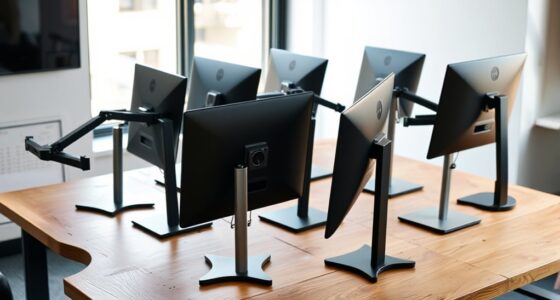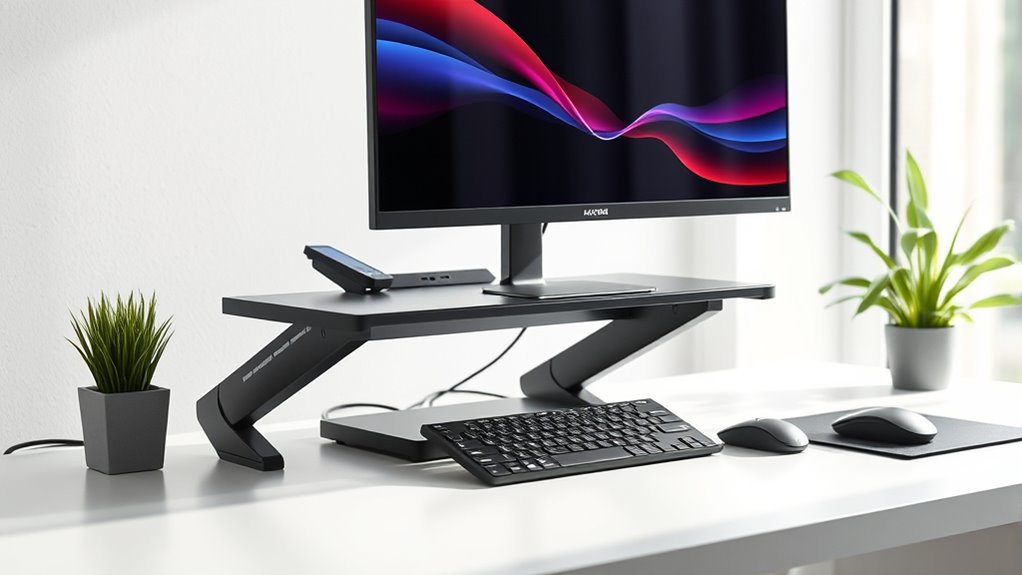

Adjustable monitor stands with USB hubs combine ergonomic flexibility with convenient device connectivity, making them essential for modern desks. The Vaydeer Dual Monitor Stand with USB 3.0 Hub stands out as the best overall choice, offering a versatile design with integrated charging and organization features. For those on a budget, the 3M Monitor Computer Stand provides reliable USB ports and a sturdy surface at a lower price. Meanwhile, the Dual Monitor Stand with RGB Lighting and Wireless Charging adds style and tech extras, ideal for gamers or creative setups. The main tradeoffs involve balancing features like height adjustability, build quality, and additional functionalities. Continue reading to see how each model stacks up and find the perfect fit for your workspace needs.

Get comfort and recovery gear delivered free with Prime
- Fast, free delivery on millions of items
- Prime Video, Amazon Music and more included
- Member-only deals all year
Complete the kit


Key Takeaways
- Most top picks balance height adjustability with integrated USB ports, avoiding models that sacrifice ergonomics for extra features.
- Built-in organization elements like drawers and cable management significantly improve workspace tidiness, but often add to the cost.
- Wireless charging and RGB lighting are common in premium options, appealing to users who prioritize style or tech integration.
- Lower-cost options frequently have fewer USB ports or less sturdy construction, making them suitable for light use but less durable for heavy workloads.
- The best models tend to support dual monitors with adjustable arms, providing flexibility for different setups and ergonomic comfort.
| T1 RGB Monitor Stand Riser with USB Hub & Storage Drawer, Black |  | Best Overall for Versatile Desk Organization | Expanded size: 21.7 × 7.9 × 3.0 in | Folded width: 16.1 in | Supports weight: 72 lb | VIEW ON AMAZON | See Our Full Breakdown |
| Vaydeer Dual Monitor Stand Riser with Drawers, USB Ports, Wireless Charging, and LED Light Strip |  | Best for Multi-Functional Setup with Wireless Charging | Dimensions: 1000mm x 283mm x 140mm | Material: Metal | Weight Capacity: 50kg | VIEW ON AMAZON | See Our Full Breakdown |
| Vaydeer Dual Monitor Stand with USB 3.0 Hub and Desktop Organizer |  | Best for Data Transfer and Office Organization | Monitor Capacity: 2 monitors | USB Ports: 4 USB 3.0 | Dimensions of Storage Area: 36.8 x 7.87 x 2.7 inches | VIEW ON AMAZON | See Our Full Breakdown |
| 3M Monitor Computer Stand with 4-Port USB Hub, 21.6 x 9.4 inches |  | Best for Adjustable Height and Basic Connectivity | Dimensions: 21.6 in x 9.4 in | Max Load: 33 lbs | Height Adjustment: 2.76 to 3.94 inches | VIEW ON AMAZON | See Our Full Breakdown |
| Height Adjustable Dual Monitor Stand Riser with 6-Port USB Hub, Black |  | Best for Heavy-Duty, Ergonomic Dual Monitor Support | Height Adjustment Range: 4.33 to 6.69 inches | Max Load Capacity: 110 lbs | Surface Width: 37.6 inches | VIEW ON AMAZON | See Our Full Breakdown |
| HUANUO Dual Monitor Stand with USB Ports, Adjustable Length & Angle, Black |  | Best Overall | Supports Monitors: Up to 35″ or three 24″ monitors | Weight Capacity: 48.5 lbs | Height Adjustment: Supports elevation of 3.9 inches | VIEW ON AMAZON | See Our Full Breakdown |
| Dual Monitor Stand with USB Ports and Drawer |  | Best Value | Power Strip: 3-in-1 with 2 AC outlets and 2 USB 3.0 ports | Storage: Drawer and 2 compartments | Adjustable Length: 30.31 to 42.13 inches | VIEW ON AMAZON | See Our Full Breakdown |
| Computer Monitor Stand Riser with USB Hub and Charging, Adjustable Height, Phone Holder, White |  | Best for Ergonomics and Tech Integration | USB Ports: 2 rechargeable USB 18W, 2 USB 3.0 5Gbps | Height Adjustment: 4.4-5.7 inches | Max Load: 50 pounds | VIEW ON AMAZON | See Our Full Breakdown |
| Computer Monitor Stand Riser with Storage Drawer, USB Hub, RGB Lighting |  | Best for Gaming and Customization | Dimensions: 20.5″L x 7.9″W x 3.4″H | Weight Capacity: 72 lbs | USB Ports: 4 (3x USB 2.0, 1x USB 3.0) | VIEW ON AMAZON | See Our Full Breakdown |
| Computer Monitor Stand Riser with USB Hub and Charging Station, Adjustable Height, Phone Holder, for PC, Laptop, Printer, TV |  | Best Heavy-Duty Support | USB Ports: 2 rechargeable USB 18W, 4 USB 3.0 ports | Height Adjustment: 4.4-5.7 inches | Max Load: 50 pounds | VIEW ON AMAZON | See Our Full Breakdown |
| Dual Monitor Stand Riser with USB Hub, 15W Wireless Charging & RGB |  | Best Versatile Tech-Integrated Stand | Adjustable Height: Yes | Mounting Type: Tabletop | Ports: USB, Type-C | VIEW ON AMAZON | See Our Full Breakdown |
| adjustable monitor stands with usb hub | Material | USB Ports |
|---|---|---|
| T1 RGB Monitor Stand Riser wit | ABS + metal | — |
| Vaydeer Dual Monitor Stand Ris | Metal | — |
| Vaydeer Dual Monitor Stand wit | Metal, Aluminum alloy | 4 USB 3.0 |
| 3M Monitor Computer Stand with | — | 4 (3 USB 2.0, 1 USB 3.0) |
| Height Adjustable Dual Monitor | Carbon steel | 1 USB-C, 2 USB 3.0, 1 USB-A |
| HUANUO Dual Monitor Stand with | Metal support brackets and pivot joints | 2 USB 3.0 |
| Dual Monitor Stand with USB Po | Wood | — |
| Computer Monitor Stand Riser w | ABS plastic | 2 rechargeable USB 18W, 2 USB 3.0 5Gbps |
| Computer Monitor Stand Riser w | — | 4 (3x USB 2.0, 1x USB 3.0) |
| Computer Monitor Stand Riser w | ABS hard plastic | 2 rechargeable USB 18W, 4 USB 3.0 ports |
| Dual Monitor Stand Riser with | — | — |
More Details on Our Top Picks
T1 RGB Monitor Stand Riser with USB Hub & Storage Drawer, Black
This stand stands out for its adjustable and foldable design, making it a flexible choice for various workspace needs. While it supports up to 72 lbs, its bulkiness when fully expanded can occupy significant desk space, which might be a downside for smaller setups. The inclusion of a storage drawer and device holders adds convenience, especially compared with simpler risers like the 3M Monitor Computer Stand, which lack such features. However, it only offers USB 2.0 ports, limiting data transfer speeds for high-bandwidth devices. Its robust construction supports heavy monitors and accessories, making it ideal for users who need a multi-functional, ergonomic solution.
Pros:- Adjustable and foldable for versatile configurations
- Includes a storage drawer and device holders for organization
- Supports up to 72 lbs, accommodating heavy monitors and peripherals
Cons:- Bulkier when fully expanded, taking up more desk space
- Limited to USB 2.0 ports, which are slower for data transfer
Best for: Users seeking a highly adjustable, multi-purpose stand with integrated storage and device management.
Not ideal for: Small desk users or those prioritizing a lightweight, minimal setup due to its bulk and weight.
- Expanded size:21.7 × 7.9 × 3.0 in
- Folded width:16.1 in
- Supports weight:72 lb
- Material:ABS + metal
- Number of USB ports:4
- Includes:Storage drawer, phone & tablet holder
Our verdict“This stand is best suited for users who want maximum flexibility and storage in an adjustable riser.”
Vaydeer Dual Monitor Stand Riser with Drawers, USB Ports, Wireless Charging, and LED Light Strip
The Vaydeer stand excels for its all-in-one approach, combining dual monitor elevation with integrated USB ports, wireless charging, and LED lighting, making it a comprehensive workspace upgrade. Unlike the Vaydeer Dual Monitor Stand with USB 3.0 Hub, which focuses mainly on data transfer and organization, this model adds wireless charging and aesthetic lighting, perfect for tech enthusiasts. Its sturdy metal build supports up to 50 kg, but the added features and size mean it’s quite heavy, potentially limiting portability. This pick makes the most sense for users who want a visually appealing, highly functional desk setup with multiple features in one unit.
Pros:- Includes wireless charging and LED lighting for enhanced workspace ambiance
- Supports up to 50kg with a sturdy metal construction
- Features two drawers for extra storage and organization
Cons:- Heavy and bulky, less portable for moving between setups
- Limited color options, primarily black
Best for: Home office workers or gamers seeking a feature-rich, organized dual-monitor station.
Not ideal for: Those with limited desk space or who prefer a lightweight, minimalist stand, due to its weight and size.
- Dimensions:1000mm x 283mm x 140mm
- Material:Metal
- Weight Capacity:50kg
- Number of USB Ports:8
- Wireless Charging Power:15W
- Number of Drawers:2
Our verdict“Ideal for users wanting an all-in-one, feature-packed dual monitor stand with modern amenities.”
Vaydeer Dual Monitor Stand with USB 3.0 Hub and Desktop Organizer
This dual monitor stand prioritizes ergonomic elevation alongside a built-in USB 3.0 hub, supporting efficient data transfer for busy workstations. Compared to the 3M Monitor Computer Stand, which offers adjustable height but lacks a data hub, this model adds the convenience of high-speed USB ports and underneath storage for office supplies. Its simple assembly and aluminum alloy construction make it suitable for users who need a straightforward, reliable dual-monitor setup. However, it doesn’t support device charging through its USB ports, which could be a drawback for those wanting a more versatile hub.
Pros:- Elevates two monitors comfortably to reduce strain
- Includes a built-in USB 3.0 hub for fast data transfer
- Large underneath storage space for organizing supplies
Cons:- USB ports do not support charging devices
- Limited to only two monitors, not suitable for multi-screen setups
Best for: Professionals who need reliable data transfer and a clean workspace with dual monitors.
Not ideal for: Users needing charging capabilities through USB or those with more than two monitors, due to limited USB ports and monitor support.
- Monitor Capacity:2 monitors
- USB Ports:4 USB 3.0
- Dimensions of Storage Area:36.8 x 7.87 x 2.7 inches
- Material:Metal, Aluminum alloy
- Assembly:Simple
Our verdict“Best suited for users who prioritize high-speed data transfer and ergonomic dual-monitor support without needing charging ports.”
3M Monitor Computer Stand with 4-Port USB Hub, 21.6 x 9.4 inches
This stand offers adjustable height and a 4-port USB hub, making it a practical choice for users who need basic ergonomic elevation and device connectivity. Compared with the more feature-rich Height Adjustable Dual Monitor Stand with USB Hub, this model is simpler but still provides ample space underneath for storage. The USB ports include both USB 2.0 and 3.0, but require adapters for some devices, which could complicate setup for less tech-savvy users. Its straightforward design makes it a solid choice for those who need a reliable, no-frills stand with USB connectivity.
Pros:- Adjustable height for ergonomic positioning
- Includes a 4-port USB hub for connectivity
- Supports up to 33 lbs, suitable for most monitors
Cons:- USB hub may require adapters for some devices
- Assembly can be slightly complex for some users
Best for: Users seeking adjustable, ergonomic monitor support with basic USB connectivity for everyday office tasks.
Not ideal for: Power users or gamers who need faster data transfer, charging, or additional features like wireless charging or lighting.
- Dimensions:21.6 in x 9.4 in
- Max Load:33 lbs
- Height Adjustment:2.76 to 3.94 inches
- USB Ports:4 (3 USB 2.0, 1 USB 3.0)
Our verdict“Suitable for users who want a simple, adjustable stand with decent USB connectivity for daily use.”
Height Adjustable Dual Monitor Stand Riser with 6-Port USB Hub, Black
This model stands out for its stepless height adjustment from 4.33 to 6.69 inches, supporting up to 110 lbs, making it ideal for heavy-duty setups. Its 6-in-1 USB hub with fast charging and data ports offers versatility, especially compared with the T1 RGB Monitor Stand, which lacks fast-charging capabilities and higher USB port count. The wide surface and industrial design appeal to professionals and streamers needing a durable and adjustable workspace. The need for an adapter cable for iPhone charging is a minor inconvenience, but overall, this stand provides excellent support and connectivity for demanding users.
Pros:- Stepless height adjustment for ergonomic comfort
- Supports up to 110 lbs, excellent for heavy monitors
- Includes a 6-in-1 USB hub with fast charging and data ports
Cons:- Requires an adapter cable for iPhone charging
- May be too wide for compact desks
Best for: Professionals, streamers, or heavy multi-monitor users requiring maximum support and USB port versatility.
Not ideal for: Users with small desks or those who prefer a lightweight, portable stand, due to its width and weight.
- Height Adjustment Range:4.33 to 6.69 inches
- Max Load Capacity:110 lbs
- Surface Width:37.6 inches
- Material:Carbon steel
- USB Ports:1 USB-C, 2 USB 3.0, 1 USB-A
Our verdict“The best choice for users who need a heavy-duty, highly adjustable stand with extensive USB connectivity.”
HUANUO Dual Monitor Stand with USB Ports, Adjustable Length & Angle, Black
This HUANUO stand stands out for integrating a 3-in-1 power strip with USB ports and offering extensive monitor support, making it ideal for multi-monitor setups needing organized power access. Compared with the Vaydeer Dual Monitor Stand with USB 3.0 Hub, it supports larger monitors up to 35 inches and includes adjustable height and angles, enhancing ergonomic flexibility. However, its sturdy metal construction adds weight, making it less portable, and cable management might not suffice for complex setups. This pick is perfect for users with multiple monitors and devices who prioritize integrated charging and organization without sacrificing stability.
Pros:- Built-in USB ports and AC outlets simplify device charging
- Supports up to three monitors with adjustable height and angles
- Includes underneath storage and organizational slots
Cons:- Heavy due to metal materials, reducing portability
- Limited to monitors up to 35 inches or three 24-inch displays
- Cable management features may be inadequate for complex setups
Best for: Professionals with multi-monitor workstations requiring integrated power and flexible positioning
Not ideal for: Users seeking lightweight, portable stands or minimal desk clutter solutions
- Supports Monitors:Up to 35″ or three 24″ monitors
- Weight Capacity:48.5 lbs
- Height Adjustment:Supports elevation of 3.9 inches
- USB Ports:2 USB 3.0
- Power Outlets:2 AC outlets
- Material:Metal support brackets and pivot joints
Our verdict“Ideal for multi-monitor users who need robust support, integrated power, and organized workspace solutions.”
Dual Monitor Stand with USB Ports and Drawer
This dual monitor stand offers a solid combination of charging, organization, and adjustability at an accessible price point. Its built-in 3-in-1 power strip with USB ports, along with a storage drawer and compartments, makes it a practical choice for those wanting a tidy desk without overspending. Unlike the HUANUO stand, it supports only two monitors, but its simple setup and no-assembly design appeal to users who prefer quick deployment. The main tradeoff is its wooden build, which may lack the durability of metal models for heavy or high-use environments.
Pros:- Affordable price with built-in charging ports
- Includes a drawer and compartments for organization
- Adjustable in length and angle for ergonomic comfort
Cons:- Supports only two monitors, limiting scalability
- Material may not match durability of metal alternatives
Best for: Home office workers or students seeking a budget-friendly, organized dual-monitor setup
Not ideal for: Power users with three monitor setups or heavy-duty professional environments
- Power Strip:3-in-1 with 2 AC outlets and 2 USB 3.0 ports
- Storage:Drawer and 2 compartments
- Adjustable Length:30.31 to 42.13 inches
- Material:Wood
Our verdict“Best suited for budget-conscious users who need basic dual-monitor support and workspace organization.”
Computer Monitor Stand Riser with USB Hub and Charging, Adjustable Height, Phone Holder, White
This stand elevates your monitor with a focus on ergonomic comfort, featuring a built-in USB C docking station with multiple ports, including charging. Its adjustable height from 4.4 to 5.7 inches makes it suitable for users prioritizing proper eye level and minimal desk clutter. Compared to the HUANUO stand, it sacrifices large monitor support for a more compact, single-monitor focus with USB-C power, but it lacks charging support for USB 3.0 ports and requires an external power adapter. The hidden phone holder adds convenience but may be unnecessary for some.
Pros:- Includes a versatile USB C docking station with multiple ports
- Adjustable height for ergonomic positioning
- Sturdy design with high weight capacity
Cons:- No charging support for USB 3.0 ports, limiting device compatibility
- Requires external power adapter, adding to clutter
- Size may be too large for limited desk space
Best for: Desk-bound professionals who need a compact, ergonomic solution with high-quality USB-C charging
Not ideal for: Users with multiple monitors or those who require extensive device connectivity without external power adapters
- USB Ports:2 rechargeable USB 18W, 2 USB 3.0 5Gbps
- Height Adjustment:4.4-5.7 inches
- Max Load:50 pounds
- Material:ABS plastic
Our verdict“Great for users seeking a compact, ergonomic monitor riser with integrated USB-C charging and organization, but less suited for multi-monitor setups.”
Computer Monitor Stand Riser with Storage Drawer, USB Hub, RGB Lighting
This stand elevates your workspace with adjustable width and RGB lighting, making it ideal for gaming setups or users who appreciate visual flair. The built-in four-port USB hub supports various peripherals, and the hidden drawer keeps accessories out of sight. Compared with the Dual Monitor Stand with USB Ports and Drawer, it offers RGB lighting, but its size and only black color might limit versatility for small or minimalist desks. The RGB feature is a bonus for aesthetics but may be unnecessary for productivity-focused users.
Pros:- Adjustable width from 16.1 to 21.7 inches for flexible monitor sizing
- Built-in four-port USB hub for device connectivity
- RGB lighting with customizable modes enhances visual appeal
Cons:- RGB lighting may be unnecessary for non-gaming users
- Limited color options (black only)
- Bulkier design may not suit small desks
Best for: Gamers or creative professionals who want a customizable, stylish monitor stand with USB ports
Not ideal for: Users prioritizing simplicity or minimalistic setups without RGB lighting
- Dimensions:20.5″L x 7.9″W x 3.4″H
- Weight Capacity:72 lbs
- USB Ports:4 (3x USB 2.0, 1x USB 3.0)
Our verdict“Perfect for users wanting a visually striking, adjustable stand with USB connectivity and RGB effects for a personalized workspace.”
Computer Monitor Stand Riser with USB Hub and Charging Station, Adjustable Height, Phone Holder, for PC, Laptop, Printer, TV
This stand emphasizes durability with a high weight capacity and multiple USB ports, including a USB C docking station, making it suitable for supporting heavy monitors, printers, or even small TVs. Its adjustable height from 4.4 to 5.7 inches and built-in phone holder add ergonomic and organizational benefits. When compared to the HUANUO stand, it offers similar height adjustability and device support but focuses more on supporting heavier equipment and providing multiple USB 3.0 ports. A notable drawback is its need for an external power adapter, which can add clutter and complicate setup.
Pros:- Supports up to 50 lbs, ideal for heavy equipment
- Includes a USB C docking station with multiple ports
- Adjustable height and built-in phone holder enhance ergonomics and organization
Cons:- Requires external power adapter, adding to desk clutter
- Limited height range (4.4-5.7 inches), which may not suit all ergonomic needs
Best for: Users with heavy or multiple devices needing substantial support and multiple USB ports, such as small offices or multimedia setups
Not ideal for: Minimalist users or those with very limited desk space, due to its size and need for external power
- USB Ports:2 rechargeable USB 18W, 4 USB 3.0 ports
- Height Adjustment:4.4-5.7 inches
- Max Load:50 pounds
- Material:ABS hard plastic
Our verdict“Best for users needing robust support for heavy devices and multiple USB connections in a durable, organized stand.”
Dual Monitor Stand Riser with USB Hub, 15W Wireless Charging & RGB
This stand stands out for its combination of adjustable height and built-in wireless charging, making it ideal for users who want a sleek, multi-functional workspace. Compared with the Vaydeer Dual Monitor Stand with USB and LED, this model offers a more refined aesthetic and wireless charging, but it’s limited to a single color and may face compatibility issues with some monitors due to its compact design. The adjustable height feature supports ergonomic positioning, while the integrated USB and Type-C ports simplify device connectivity. The 15W wireless charging adds convenience, especially for those who frequently use Qi-compatible devices. However, the wireless charging may not work with all phones, and its slim profile could limit some cable connections. This pick makes the most sense for professionals who need a stylish, space-saving solution with simple device management, but not for users with multiple bulky peripherals or non-Qi devices.
Pros:- Adjustable height for ergonomic comfort
- Built-in USB and Type-C ports for easy device connection
- 15W wireless charging adds charging convenience
- Sleek black finish matches any workspace decor
Cons:- Limited color options restrict customization
- Potential compatibility issues with some monitors and devices
- Wireless charging may not support all smartphones or cases
Best for: Tech-savvy professionals who want a sleek, adjustable stand with charging capabilities and limited space.
Not ideal for: Users with multiple bulky peripherals or non-Qi-enabled devices who require more robust power options.
- Adjustable Height:Yes
- Mounting Type:Tabletop
- Ports:USB, Type-C
- Wireless Charging Power:15W
- Color:Black
- Compatibility:Desktop and Laptop
Our verdict“This stand is perfect for professionals who prioritize a tidy, tech-friendly workspace with wireless charging, but it may fall short for those needing more robust device support.”

How We Picked
To evaluate these adjustable monitor stands with USB hubs, I focused on a combination of performance, build quality, versatility, and value. Each product was assessed for its height adjustability, stability, number and type of USB ports, and additional features like wireless charging or storage. Durability, ease of assembly, and cable management options also played a role, ensuring the stands are both functional and long-lasting. The ranking prioritizes models that strike a strong balance between affordability and feature set, with higher scores given to those that excel across multiple categories relevant to everyday use.Factors to Consider When Choosing Adjustable Monitor Stands With Usb Hubs
Choosing the right adjustable monitor stand with a USB hub involves weighing several factors. Beyond basic features, it’s important to consider how well the stand integrates into your workspace, its durability, and whether it offers enough ports for your devices. Additional features like wireless charging, storage drawers, or RGB lighting can enhance your setup but may come at a higher price. Understanding these tradeoffs helps ensure you select a stand that improves your ergonomics and desk organization without overpaying for unnecessary extras.Adjustability and Stability
Look for stands that offer smooth height adjustment and secure locking mechanisms. This ensures you can customize your monitor position comfortably without wobbling or slipping. Stability is especially important if you use larger or multiple monitors; a sturdy base prevents accidents and protects your equipment. Cheaper models might compromise on these points, so prioritize builds with quality materials and positive user reviews on stability.
Number and Type of USB Ports
The variety and speed of USB ports matter depending on your device needs. USB 3.0 ports are standard for fast data transfer, while some models add USB-C for newer peripherals. Consider how many devices you need to connect—more ports mean less clutter and easier access. Beware of models with limited ports or those that require adapters, which can limit convenience and increase the complexity of your setup.
Additional Features and Ergonomics
Features like built-in drawers, cable management, and adjustable arms contribute to a cleaner, more efficient workspace. Wireless charging pads and RGB lighting are appealing for tech enthusiasts but tend to raise costs. Ensure the stand’s adjustability matches your ergonomic needs, especially if you switch between sitting and standing positions frequently. Overly complex models may require more maintenance or setup time, so weigh these extras against your actual workflow.
Build Quality and Material
Sturdy construction from metal or high-quality plastic prolongs the life of your stand and ensures safety. Cheaper options might use lightweight or less durable materials that wobble or degrade over time. Consider the weight capacity and review user feedback on durability. A well-built stand supports your monitors securely, preventing damage or accidents in busy or dynamic work environments.
Price and Value
Higher-priced stands often include more features, better materials, and longer warranties, but may not be necessary for light use. On the other hand, budget options usually cover essential needs but may sacrifice longevity or expandability. Evaluate your specific requirements—if you need multiple USB ports, better stability, or extra features, investing a bit more can pay off in the long run. Ensure the stand you choose offers a good balance of features relative to its price.
Frequently Asked Questions
Can I use an adjustable monitor stand with a USB hub for a curved monitor?
Yes, many adjustable monitor stands with USB hubs are compatible with curved monitors, provided the stand supports the monitor’s weight and size. Ensure the VESA mounting pattern fits your curved monitor and that the stand’s weight capacity is sufficient. Adjustable height and tilt features can help you position a curved display comfortably, making these stands versatile for different monitor types.Are USB hubs integrated into these stands fast enough for data transfer and device charging?
Most stands feature USB 3.0 or higher ports, which support fast data transfer and efficient charging. However, actual performance depends on the quality of the ports and internal wiring. Higher-end models that include USB-C ports or multiple USB 3.1 ports tend to provide better speeds and more reliable charging, making them suitable for data-heavy devices or quick power-ups.Will adding a monitor stand with a USB hub clutter my desk more?
Not necessarily. Many stands are designed with cable management features like clips and grooves to keep cords organized, reducing clutter. In fact, they can help centralize your peripherals and hide messy cables behind the stand. Choosing a model with integrated cable management can significantly improve your workspace tidiness, especially if you connect multiple devices.Is it better to buy a stand that supports dual monitors or just a single monitor?
If your workspace requires dual screens, a stand supporting two monitors offers better flexibility and ergonomic positioning. These models often have adjustable arms and wider bases to accommodate both displays securely. For single-monitor setups, a dedicated stand might be more compact and cost-effective, but dual supports are indispensable for multi-screen workflows.How important is the material quality for the longevity of an adjustable monitor stand?
Material quality directly impacts the durability and stability of a stand. Metal constructions, especially aluminum or steel, resist wobbling and last longer than plastic alternatives. Cheaper plastic stands may develop cracks or wobble over time, especially with frequent height adjustments or heavier monitors. Investing in a well-made stand from quality materials can prevent early replacements and ensure safety.Conclusion
For most users, the Vaydeer Dual Monitor Stand with USB 3.0 Hub offers an excellent balance of adjustability, build quality, and features, making it the best overall choice. Budget-conscious buyers should consider the 3M Monitor Computer Stand for reliable function at a lower price, especially if they only need basic USB connectivity. Those seeking a premium setup with added style and tech features will appreciate options like the Dual Monitor Stand with RGB Lighting and Wireless Charging. Beginners or those with simple needs might prefer straightforward, stable models, while professionals with multi-monitor workflows should opt for stands supporting dual displays with strong adjustability. Matching your specific workspace requirements with these insights ensures you find the ideal monitor stand that enhances comfort, organization, and productivity.