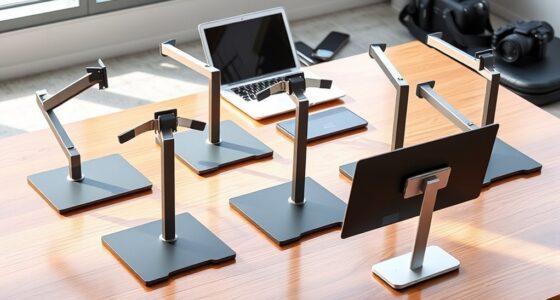
Ergonomic laptop stands solve one of the biggest problems in desk work: the laptop screen sits far too low, forcing your neck into a downward hunch for hours at a time. After comparing 15 popular models on adjustability range, stability, build quality, and price, the Nulaxy Ergonomic Adjustable Laptop Stand stands out as the best overall pick for its wide height range, foldable design, and heat ventilation at a mid-range price. The Lifelong Extra Tall 20″ Riser is the standout for anyone who needs genuine eye-level height, while the Amazon Basics Ergonomic Stand delivers the best budget value. The main tradeoffs you’ll face in this category are between height range and portability, and between rotation features and rock-solid stability. Read on for the full breakdown of all 15 stands and which one fits your setup.
Complete the kit



Key Takeaways
- Height range was the biggest differentiator: only the amazon.com/dp/B08G3YGDJ1?tag=ergodeskguru-20&ascsubtag=dc-683847″ target=”_blank” rel=”nofollow sponsored noopener”>Lifelong 20″ Riser and the telescopic Tounee stand consistently raised screens to true eye level, while most sub-$30 models topped out at a moderate lift that helps posture but doesn’t fully fix neck angle.
- 360° rotating bases (found on the Nulaxy dual-foldable, Tounee, RIWUCT, and two no-name entries) are great for collaboration but consistently introduced wobble — the non-rotating Lamicall and Besign felt noticeably more planted.
- Aluminum construction with open ventilation, as seen on the Lamicall, Besign LS03, and Riwuct, did a better job of passive cooling than the cheaper metal riser holders, which matters for sustained workloads.
- The LOXP wrist-support model was the only stand in the lineup addressing wrist strain directly, making it the niche pick for typists who don’t use an external keyboard.
- Budget stands under $20 (the generic riser holders and Amazon Basics) are functional but cut corners on adjustment mechanisms — expect fewer locked positions and less confidence with heavier 16-17″ laptops.
| Laptop Stand for Desk (360° Rotating), Aluminum Laptop Riser for 10-16 Inch Laptops |  | Best for Height Flexibility | Material: Aluminum alloy | Supported Laptop Size: 10-16 inches | Maximum Load: 11 lbs | VIEW LATEST PRICE | See Our Full Breakdown |
| Nulaxy 360° Rotating Ergonomic Laptop Stand for Desk, Dual Foldable Design |  | Best Overall | Load Capacity: 22 lbs | Rotation: 360° | Hinges: Dual damping hinges | VIEW LATEST PRICE | See Our Full Breakdown |
| Nulaxy Ergonomic Adjustable Laptop Stand for Desk, Dual Foldable Computer Riser with Heat-Vent |  | Best Value | Weight: 1.7 pounds | Compatibility: 10-16 inch laptops | Material: Metal with silicone pads | VIEW LATEST PRICE | See Our Full Breakdown |
| Riwuct Aluminum Alloy Laptop Stand for Desk, Foldable and Adjustable |  | Best Portable Pick | Material: Aluminum alloy | Maximum Height: 7.48 inches | Weight Capacity: 8.8 lbs (4 kg) | VIEW LATEST PRICE | See Our Full Breakdown |
| Lamicall Aluminum Laptop Stand for Desk for MacBook Air Pro Neo 10-17.3” |  | Best for Large Laptops | Compatibility: Laptops 10-17.3 inches, including MacBook, Surface, Dell XPS, Alienware | Material: Aluminum alloy | Dimensions: 12 x 10 x 2 inches | VIEW LATEST PRICE | See Our Full Breakdown |
| Lifelong Aluminum Adjustable Laptop Stand, Extra Tall 20″ Riser, Grey |  | Best Extra-Tall Sit-Stand Pick | Material: Aluminum | Maximum Height: 20 inches | Arm Extension: 13 inches | VIEW LATEST PRICE | See Our Full Breakdown |
| Tounee Telescopic Laptop Stand with 360° Swivel Base, Height Adjustable, Portable Riser for 10-17″ Laptops – Gray |  | Best Heavy-Duty Sit-Stand Option | Material: Aluminum alloy | Height Range: 2.1″ to 21″ | Maximum Load: 22 lbs | VIEW LATEST PRICE | See Our Full Breakdown |
| Besign LS03 Aluminum Laptop Stand, Ergonomic Detachable Computer Stand for 10-15.6″ Laptops, Silver |  | Best Simple Fixed Riser | Compatibility: 10-15.6 inch laptops | Material: Aluminum alloy | Maximum Support Weight: 8.8 lbs | VIEW LATEST PRICE | See Our Full Breakdown |
| Laptop Stand for Desk, Adjustable Laptop Riser Holder |  | Best Budget Adjustable Pick | Material: ABS, Aluminum, Silicone | Weight Capacity: Up to 17.6 lbs (8 kg) | Ventilation: Multiple ventilation holes | VIEW LATEST PRICE | See Our Full Breakdown |
| RIWUCT 360° Rotatable Laptop Stand for Desk Adjustable Height | 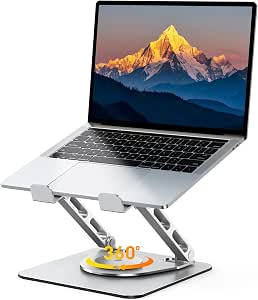 | Best Portable Rotating Stand | Material: Aluminum, POM | Height Range: 1.88″ to 9.88″ | Weight Capacity: Up to 8.8 lbs | VIEW LATEST PRICE | See Our Full Breakdown |
| Amazon Basics Sturdy and Portable Ergonomic Laptop Stand for Desk |  | Best Budget Starter Pick | Height Adjustment: Up to 7 inches | Supported Devices: Laptops and tablets 10 to 15.6 inches | Material: Lightweight, rust-resistant aluminum | VIEW LATEST PRICE | See Our Full Breakdown |
| LOXP Adjustable Laptop Stand for Desk, Portable Airflow Laptop Riser Holder |  | Best Value All-Rounder | Maximum Laptop Size: 15.6 inches | Material: Sturdy metal | Weight Capacity: 15.4 lbs (7 kg) | VIEW LATEST PRICE | See Our Full Breakdown |
| LOXP Laptop Stand for Desk, Aluminum Laptop Riser Holder with Wrist Support |  | Best for Typing Comfort | Height: 2.6 inches (fixed) | Compatibility: Laptops 9.3-17.3 inches, including MacBook Air/Pro, Lenovo, Dell, Asus, HP, Chromebook, Samsung | Material: Aluminum alloy | VIEW LATEST PRICE | See Our Full Breakdown |
| Adjustable Laptop Stand for Desk, Metal Laptop Riser Holder |  | Best Stability for Heavy Laptops | Material: Metal | Support Weight: 17.6 lbs (8 kg) | Compatibility: Laptops 10-15.6 inches, tablets | VIEW LATEST PRICE | See Our Full Breakdown |
| LOXP Adjustable Laptop Stand with 360° Rotating Base |  | Best for Collaboration and Shared Screens | Material: Fiber metal | Rotation: 360° swivel base | Supported Laptop Size: Up to 16 inches | VIEW LATEST PRICE | See Our Full Breakdown |
| ergonomic laptop stand | Material | Compatibility |
|---|---|---|
| Laptop Stand for Desk | Aluminum alloy | — |
| Nulaxy 360° Rotating Ergonomic | — | 10-16 inch laptops including MacBook, ThinkPad, Dell XPS, Surface |
| Nulaxy Ergonomic Adjustable La | Metal with silicone pads | 10-16 inch laptops |
| Riwuct Aluminum Alloy Laptop S | Aluminum alloy | — |
| Lamicall Aluminum Laptop Stand | Aluminum alloy | Laptops 10-17.3 inches, including MacBook, Surface, Dell XPS, Alienware |
| Lifelong Aluminum Adjustable L | Aluminum | Laptops and tablets 10-17 inches |
| Tounee Telescopic Laptop Stand | Aluminum alloy | Laptops 10" to 17" |
| Besign LS03 Aluminum Laptop St | Aluminum alloy | 10-15.6 inch laptops |
| Laptop Stand for Desk | ABS, Aluminum, Silicone | Laptops 10-15.6 inches |
| RIWUCT 360° Rotatable Laptop S | Aluminum, POM | Laptops and tablets 10"-16" |
| Amazon Basics Sturdy and Porta | Lightweight, rust-resistant aluminum | — |
| LOXP Adjustable Laptop Stand f | Sturdy metal | Laptops 10-15.6 inches; MacBook, Dell XPS, HP, ASUS, Lenovo ThinkPad, Acer, Chromebook, Microsoft Surface |
| LOXP Laptop Stand for Desk | Aluminum alloy | Laptops 9.3-17.3 inches, including MacBook Air/Pro, Lenovo, Dell, Asus, HP, Chromebook, Samsung |
| Adjustable Laptop Stand for De | Metal | Laptops 10-15.6 inches, tablets |
| LOXP Adjustable Laptop Stand w | Fiber metal | Laptops 10-16 inches, including MacBook Air/Pro, Dell XPS, HP, ASUS, Lenovo, Acer, Chromebook, Microsoft Surface |
More Details on Our Top Picks
Laptop Stand for Desk (360° Rotating), Aluminum Laptop Riser for 10-16 Inch Laptops
Height range is the main reason this stand earns its spot, reaching up to 11.81 inches — higher than the Riwuct’s 7.48-inch maximum — which matters for taller users who need the screen closer to eye level. The 360° rotating base makes screen-sharing at a desk genuinely easy, something the Lamicall B08M94BTYC doesn’t offer at all. Aluminum construction keeps it rigid, and the open frame helps with airflow. The tradeoff is footprint: compared with the slimmer Nulaxy B0H6M4M946, this stand takes up more desk real estate, and buyers should expect some assembly before first use rather than an unbox-and-go experience. The 11 lb load limit is adequate for most ultrabooks but tighter than the Nulaxy’s 22 lb rating, so owners of heavier workstation laptops should look elsewhere.
Pros:- Tallest height range in this batch at 11.81 inches for true eye-level viewing
- 360° rotation makes collaborative screen sharing effortless
- Aluminum build with a weighted base that resists wobble
- Folds flat for travel despite the generous height range
Cons:- Larger footprint crowds compact desks
- Requires assembly before first use
Best for: Taller desk workers who need maximum elevation to bring the screen to eye level
Not ideal for: Owners of heavy 16-inch workstation laptops — the 11 lb limit leaves little margin
- Material:Aluminum alloy
- Supported Laptop Size:10-16 inches
- Maximum Load:11 lbs
- Height Adjustment:Up to 11.81 inches
- Rotation:360°
- Dimensions:10 x 2 x 2.7 inches
Our verdict“Buy this if standard-height stands leave you hunching — the extra elevation is the whole point.”
Nulaxy 360° Rotating Ergonomic Laptop Stand for Desk, Dual Foldable Design
This Nulaxy model balances everything most buyers actually need: a 22 lb load capacity that comfortably handles 16-inch MacBooks and gaming machines, a dual damping hinge system that adjusts smoothly without sudden drops, and the same 360° swivel as the B09PYPPD9L but in a slightly more compact 9.7 x 9.5 inch footprint. Compared with the Nulaxy B077B9W343, the rotating base is the meaningful upgrade — it turns the stand into a presentation tool, not just a riser. At 840 g, it’s light enough for a laptop bag yet stable enough to stay put while typing. The honest weakness: the material isn’t specified, which is unusual at this price and makes long-term durability harder to predict, and there’s no dedicated cooling structure like the heat-vent design on the B077B9W343.
Pros:- 22 lb capacity handles heavy 16-inch laptops without wobble
- 360° rotating base enables quick screen sharing in meetings
- Dual damping hinges allow smooth, controlled height and angle changes
- Folds down compactly for commuting
Cons:- Material construction is not disclosed by the manufacturer
- No heat-vent or cooling channels for thermally stressed machines
Best for: Hybrid workers with heavier laptops who want one stand for desk, meetings, and travel
Not ideal for: Buyers who want verified premium materials — the unspecified build is a fair hesitation
- Load Capacity:22 lbs
- Rotation:360°
- Hinges:Dual damping hinges
- Compatibility:10-16 inch laptops including MacBook, ThinkPad, Dell XPS, Surface
- Dimensions:9.7 x 9.5 x 2.7 inches
- Weight:840 g
- Color:Black
Our verdict“The safest all-around pick here — strong, swiveling, and portable, with only transparency about materials as a real knock.”
Nulaxy Ergonomic Adjustable Laptop Stand for Desk, Dual Foldable Computer Riser with Heat-Vent
This is the workhorse pick for typical budgets. It skips the rotating base of the Nulaxy B0H6M4M946 and passes the savings on, while keeping the features that affect daily comfort: dual-rod stability, silicone padding that protects the laptop’s finish, and a dedicated heat-vent design that helps sustained workloads run cooler. At 1.7 pounds it’s a little heavier than the Riwuct B0B1L6R9NN, but that extra mass translates into a noticeably planted feel during long typing sessions. The 10-16 inch compatibility covers nearly every mainstream laptop, though buyers with 17-inch machines should step up to the Lamicall B08M94BTYC instead. The absence of a swivel base is the real cost of the lower price — if you regularly turn your screen toward colleagues, the B0H6M4M946 justifies its premium.
Pros:- Heat-vent design keeps thermals in check during long sessions
- Dual-rod support stays rigid and wobble-free
- Silicone pads grip the laptop and prevent scratches
- Folds flat despite the sturdy frame
Cons:- No rotating base, limiting collaboration use
- At 1.7 pounds, heavier than travel-focused alternatives
Best for: Students and home-office users who want proven ergonomics and cooling without paying for a swivel base
Not ideal for: Anyone with a 17-inch laptop or frequent screen-sharing needs
- Weight:1.7 pounds
- Compatibility:10-16 inch laptops
- Material:Metal with silicone pads
- Features:Adjustable, foldable, heat-vent, portable
- Dimensions:11.81 x 11.02 x 2.76 inches
Our verdict“The best price-to-comfort ratio in this batch — skip it only if you need rotation or 17-inch support.”
Riwuct Aluminum Alloy Laptop Stand for Desk, Foldable and Adjustable
At 585 g and folding to roughly an inch thick, this Riwuct is the lightest full-featured stand in this group, making it the clear choice over the Nulaxy B077B9W343 for anyone whose stand lives in a backpack rather than on a desk. The aluminum build still dissipates heat effectively through its open frame. The compromises are real, though: height tops out at 7.48 inches, well below the B09PYPPD9L’s 11.81 inches, so taller users may still crane their necks downward. And with an 8.8 lb weight limit, it’s the least robust option here — fine for an Air or XPS 13, risky for a gaming laptop. A small storage slot under the base is a thoughtful touch for dongles or cable tidies that frequent travelers will appreciate more than desk-bound users.
Pros:- Featherweight 585 g build folds to about one inch thick
- Open aluminum frame aids heat dissipation
- Non-slip pads keep the laptop planted on smooth surfaces
- Under-base storage slot holds dongles or small accessories
Cons:- 8.8 lb weight capacity is the lowest in this lineup
- 7.48-inch max height falls short for taller users
Best for: Commuters and digital nomads with ultrabooks who prioritize packed size and weight
Not ideal for: Heavy laptop owners or taller users — the low max height and 8.8 lb limit are dealbreakers
- Material:Aluminum alloy
- Maximum Height:7.48 inches
- Weight Capacity:8.8 lbs (4 kg)
- Supports:Laptops 10 to 16 inches
- Item Weight:585 g
- Dimensions:9 x 9.2 x 1 inches
- Color:Silver
Our verdict“The travel-first choice — accept the lower height and load limits in exchange for a stand you’ll actually carry.”
Lamicall Aluminum Laptop Stand for Desk for MacBook Air Pro Neo 10-17.3”
Device compatibility is where this Lamicall separates itself: it accepts machines from 10 to 17.3 inches, covering Alienware rigs and 17-inch workstations that every other stand in this batch — all capped at 16 inches — simply can’t claim. The large aluminum base and ventilation holes give bigger, hotter machines room to breathe, addressing the cooling gap left by the Nulaxy B0H6M4M946. Setup is quick once you’ve figured it out, but no assembly instructions ship in the box, which is frustrating for a premium-positioned product. It also lacks the 360° swivel of the B09PYPPD9L, so desk-based collaborators lose that convenience. Stability is excellent on flat surfaces; on an uneven table, the wide base can rock slightly, which matters if you work from cafés rather than a fixed desk.
Pros:- Widest compatibility in the roundup at 10-17.3 inches
- Large weighted aluminum base keeps big laptops steady
- Ventilation holes support the extra heat larger machines produce
- Folds for occasional transport despite the size
Cons:- No assembly instructions included
- Base can rock on uneven surfaces
- Silver-only colorway limits aesthetic options
Best for: Owners of 17-inch gaming or workstation laptops who can’t use mainstream stands
Not ideal for: Frequent café workers — the wide base can feel unstable on uneven tables
- Compatibility:Laptops 10-17.3 inches, including MacBook, Surface, Dell XPS, Alienware
- Material:Aluminum alloy
- Dimensions:12 x 10 x 2 inches
- Mounting Type:Tabletop
- Features:Adjustable, ergonomic, foldable, portable
- Color:Silver
Our verdict“The only real answer here for 17-inch machines — everyone with a smaller laptop has cheaper, more portable options above.”
Lifelong Aluminum Adjustable Laptop Stand, Extra Tall 20″ Riser, Grey
Most laptop stands top out around six inches of elevation, which is fine for sitting but useless if you want to work standing. The Lifelong rises to a full 20 inches, putting it in a different category from desk-level risers like the Besign LS03, whose fixed 5.7-inch height keeps you chained to your chair. With twenty arm positions and a 13-inch extension, this stand lets you dial in screen height for sitting, standing, or even kitchen-counter use. The foldable aluminum build makes it more travel-friendly than its tower form factor suggests, though it’s still bulkier than a flat folding riser. The tradeoff for that height is stability: tall, extended arms mean wobble with heavier 17-inch gaming laptops, and the grey-only finish won’t suit every desk setup. If full sit-stand flexibility on a budget is the goal, this model earns its spot.
Pros:- Extends to a true standing height of 20 inches
- 20 arm positions plus 13-inch arm extension for precise adjustment
- Foldable despite the tall tower design
- Works with laptops and tablets from 10 to 17 inches
Cons:- Stability suffers with heavier laptops at maximum extension
- Bulkier than flat folding stands when packed
- Only available in grey
Best for: Remote workers who alternate between sitting and standing at a regular desk and need serious elevation without buying a standing desk
Not ideal for: Owners of heavy 17-inch gaming laptops — the extended arm gets wobbly at full height with heavier machines
- Material:Aluminum
- Maximum Height:20 inches
- Arm Extension:13 inches
- Arm Positions:20
- Compatibility:Laptops and tablets 10-17 inches
- Mounting:Desk, freestanding
- Portability:Foldable design
Our verdict“Buy this if you want genuine sit-stand ergonomics from a portable stand; skip it if you run a heavy gaming rig.”
Tounee Telescopic Laptop Stand with 360° Swivel Base, Height Adjustable, Portable Riser for 10-17″ Laptops – Gray
Where the Lifelong stand prioritizes raw height, the Tounee pairs a similar 21-inch maximum with far greater load capacity — 22 pounds, enough for the beefiest gaming laptops that would shake cheaper stands apart. The telescopic design collapses down to 2.1 inches, so it can sit nearly flush on a desk or extend for standing work, while the 360-degree swivel base lets you spin the screen toward a colleague or a second viewing position without moving the whole stand. That rotation matches what the RIWUCT B25 offers, but the Tounee backs it with far more lifting range. The compromises are weight and aesthetics: at roughly two pounds it’s heavier than true travel stands, and like the Lifelong, gray is your only color choice. This model makes the most sense for users who need one stand that handles both a desk and standing desk scenario without flexing.
Pros:- Supports up to 22 lbs, far beyond typical stands
- Height range from 2.1 to 21 inches covers sitting and standing
- 360-degree rotating base for easy screen sharing
- Folds compactly despite the tall format
Cons:- Heavier than dedicated travel stands
- Single color option
- Telescopic mechanism adds setup time versus fixed risers
Best for: Gaming laptop owners and multi-monitor users who need serious weight capacity plus sit-stand height range
Not ideal for: Frequent travelers who count grams — it’s noticeably heavier than folding risers like the RIWUCT
- Material:Aluminum alloy
- Height Range:2.1″ to 21″
- Maximum Load:22 lbs
- Rotation:360°
- Compatibility:Laptops 10″ to 17″
- Color:Gray
- Portability:Compact and foldable
Our verdict“The strongest pick here for heavy laptops that still need full sit-stand adjustability and screen rotation.”
Besign LS03 Aluminum Laptop Stand, Ergonomic Detachable Computer Stand for 10-15.6″ Laptops, Silver
Not everyone needs twenty inches of adjustability. The Besign LS03 takes the opposite approach from the Tounee: one fixed elevation of about 5.7 inches, no moving parts, and nothing to fiddle with. That simplicity is the appeal — there’s no mechanism to loosen over time, and the open aluminum frame doubles as passive cooling while keeping the laptop rock-solid at typing height. It detaches into pieces for flat storage or a drawer, though it’s less pocketable than a folding stand like the RIWUCT B25, which collapses to 2.3 inches thick. Two real limits shape who should buy it: the 15.6-inch size cap excludes larger laptops, and the 8.8-pound load rating is modest compared with the Tounee’s 22 pounds. For a permanently parked workstation with a 13- or 14-inch machine, this fixed design beats adjustable rivals on stability-per-dollar.
Pros:- Rock-solid stability with no adjustable parts to wear out
- Open-frame design provides excellent ventilation
- Detaches for flat, easy storage
- Attractive silver aluminum suits most desks
Cons:- Fixed height only — no adjustability beyond the single elevation
- Limited to 15.6-inch laptops and 8.8 lbs
- Detachable parts make it less grab-and-go than one-piece folders
Best for: Anyone with a 13-15.6 inch laptop who wants a set-and-forget riser that lives permanently on one desk
Not ideal for: Users who want sit-stand flexibility or own 16-inch-plus laptops — the fixed height and size cap rule both out
- Compatibility:10-15.6 inch laptops
- Material:Aluminum alloy
- Maximum Support Weight:8.8 lbs
- Elevation Height:Up to 14.5 cm / 5.7 inches
- Color:Silver
- Assembly:Detachable, easy assembly
Our verdict“A dependable no-frills riser for a dedicated desk setup with a smaller laptop — just don’t expect flexibility.”
Laptop Stand for Desk, Adjustable Laptop Riser Holder
This generic adjustable riser covers the middle ground the Besign LS03 leaves empty: real height and angle adjustment at a price that undercuts most name-brand options. The 17.6-pound weight rating beats the Besign’s 8.8-pound limit, so slightly heavier machines are fine, and the perforated surface with ventilation holes keeps thermals in check during long sessions. Anti-skid silicone pads do the unglamorous work of keeping the laptop planted when you adjust the angle. Against the Tounee, it gives up both the 360-degree rotation and the standing-height range — this is a seated-only riser — but it also costs considerably less and packs flatter for a commute bag. The build leans more utilitarian than premium, and the mixed ABS-and-aluminum construction won’t appeal to anyone chasing a minimal MacBook-matching aesthetic. For students and home-office buyers on a tight budget, the tradeoffs land in the right places.
Pros:- Height and angle adjustments at a budget-friendly price
- 17.6 lb capacity handles most standard laptops
- Ventilation holes provide solid heat dissipation
- Folds flat for travel and storage
Cons:- Caps out at 15.6-inch laptops
- Utilitarian design won’t match sleek desk setups
- ABS and aluminum build feels less premium than all-metal rivals
Best for: Students and budget-conscious home-office workers who want adjustable ergonomics without premium pricing
Not ideal for: Style-sensitive MacBook owners or anyone needing standing height — it’s seated-only with a utilitarian look
- Material:ABS, Aluminum, Silicone
- Weight Capacity:Up to 17.6 lbs (8 kg)
- Ventilation:Multiple ventilation holes
- Foldable:Yes
- Compatibility:Laptops 10-15.6 inches
- Adjustability:Height and angle
Our verdict“The value play for seated ergonomic upgrades — as long as your laptop is 15.6 inches or smaller.”
RIWUCT 360° Rotatable Laptop Stand for Desk Adjustable Height
The RIWUCT B25 splits the difference between the towering sit-stand models and the desk-bound fixed risers. Its height tops out near 9.9 inches — enough to bring a screen to eye level while seated, but well short of the Tounee’s 21-inch standing range. What it offers instead is portability plus rotation: the base swivels a full 360 degrees for screen sharing, and the whole unit folds to just 2.3 inches thick, sliding into a laptop sleeve far more easily than either the Tounee or the Lifelong tower. The dual-rod support with industrial bearings is rated for 10,000 adjustments, which speaks to real mechanical durability, though the 8.8-pound load limit means heavier laptops should stay off it at full extension. With a 4.6-star average across hundreds of ratings, this is the pick for coffee-shop regulars and hybrid workers who move between locations daily.
Pros:- Folds to just 2.3 inches thick for genuine portability
- 360-degree rotating base for meetings and screen sharing
- Dual-rod support and bearings rated for 10,000 adjustments
- Large hollowed-out panel keeps laptops cool
Cons:- Maximum height under 10 inches rules out standing work
- 8.8 lb weight limit excludes heavier machines
- Typing directly on the laptop requires an external keyboard for best stability
Best for: Hybrid and travel-first workers who want a rotating, height-adjustable stand that fits in a laptop bag
Not ideal for: Standing-desk users and owners of heavy gaming laptops — the 9.9-inch max height and 8.8 lb cap fall short
- Material:Aluminum, POM
- Height Range:1.88″ to 9.88″
- Weight Capacity:Up to 8.8 lbs
- Rotation:360°
- Compatibility:Laptops and tablets 10″-16″
- Folded Thickness:2.3 inches
- Weight:0.88 kg
- Warranty:1 year
Our verdict“The best traveling companion in this lineup — if you stay seated and your laptop isn’t a heavyweight.”
Amazon Basics Sturdy and Portable Ergonomic Laptop Stand for Desk
Amazon Basics delivers the most predictable entry point in this roundup: a 7-inch height range, ventilated aluminum deck, and a foldable frame that slips into a bag at 1.7 lbs. Compared with the LOXP Adjustable Stand, it offers a taller maximum lift, which matters if your main goal is raising the screen closer to eye level rather than just angling the keyboard. The tradeoff is stability — the lightweight frame that makes it travel-friendly also means heavier 15.6-inch machines can feel wobbly, and it genuinely needs a flat, rigid desk to perform. Unlike the Lifelong Extra Tall riser, it won’t replace a monitor arm, but for the price it covers the ergonomics basics without fuss. Buyers wanting rock-solid footing for a gaming laptop should step up to a heavier metal model like the Adjustable Metal Riser (B0C7BKZ883), which carries 17.6 lbs.
Pros:- Up to 7 inches of height adjustment for genuine posture improvement
- Ventilated aluminum deck keeps thermals in check
- Folds to 10 x 8.7 x 1.8 inches and weighs only 1.7 lbs
- Rust-resistant build at a budget price
Cons:- Stability suffers with larger or heavier laptops
- Requires a flat, solid surface — no lap or soft-desk use
Best for: Students and first-time stand buyers who want a cheap, portable posture fix for a 13-15 inch laptop
Not ideal for: Owners of heavy 15.6-inch gaming or workstation laptops — the 11 lb capacity and light frame invite wobble
- Height Adjustment:Up to 7 inches
- Supported Devices:Laptops and tablets 10 to 15.6 inches
- Material:Lightweight, rust-resistant aluminum
- Load Capacity:11 lbs (5 kg)
- Folded Size:10 x 8.7 x 1.8 inches
- Weight:1.7 lbs (0.77 kg)
Our verdict“The low-risk first purchase for lighter laptops, as long as you don’t need heavyweight stability.”
LOXP Adjustable Laptop Stand for Desk, Portable Airflow Laptop Riser Holder
This LOXP riser hits a sweet spot the Amazon Basics model misses: a 15.4 lb load rating paired with independent height and angle tuning, so you can dial in both screen height and keyboard tilt separately. That dual adjustment is what separates a genuinely ergonomic stand from a simple riser, and here it comes without a premium price. The ventilated metal frame disperses heat well during long sessions — a step ahead of solid-deck budget stands. Against the LOXP Wrist Support model, it gives up the palm rest but gains far more positioning flexibility, which most ergonomics-focused buyers will value more. The honest limitation is size: like most of this roundup, it stops at 15.6 inches, so 16- and 17-inch laptop owners should look at the LOXP 360° Rotating stand or the Lamicall 10-17.3 inch model instead. For everyone else, it’s the balanced default choice.
Pros:- Independent height and angle adjustment for finer ergonomic tuning
- Sturdy metal build rated for 15.4 lbs (7 kg)
- Open frame design promotes strong heat dissipation
- Folds flat for commuting and travel
Cons:- Hard 15.6-inch ceiling excludes larger machines
- Non-slip pads can mark softer desk finishes over time
Best for: Remote workers with 13-15.6 inch laptops who want adjustable height and angle without overspending
Not ideal for: Owners of 16-inch or larger laptops, which exceed the 15.6-inch size limit
- Maximum Laptop Size:15.6 inches
- Material:Sturdy metal
- Weight Capacity:15.4 lbs (7 kg)
- Foldable:Yes
- Compatibility:Laptops 10-15.6 inches; MacBook, Dell XPS, HP, ASUS, Lenovo ThinkPad, Acer, Chromebook, Microsoft Surface
Our verdict“The best blend of adjustability, stability, and price for mainstream 15-inch-and-under laptops.”
LOXP Laptop Stand for Desk, Aluminum Laptop Riser Holder with Wrist Support
Most stands in this roundup solve neck strain and ignore your hands. This LOXP model takes a different route: a fixed 2.6-inch lift paired with a built-in wrist support bar that cushions your palms during long typing sessions. That makes it the clear pick for writers, coders, and anyone whose pain lives in their wrists rather than their neck. The open suspended frame allows airflow across roughly 90% of the laptop’s underside — better cooling than the closed frames of the Amazon Basics riser. It also accepts laptops from 9.3 up to 17.3 inches, a wider range than nearly every rival here, including the LOXP Airflow model. The catch is that 2.6 inches is modest: if you need the screen near eye level, the Lifelong Extra Tall 20-inch riser or an external monitor is the better answer, possibly paired with a separate keyboard. Choose this for typing comfort, not maximum lift.
Pros:- Integrated wrist support reduces typing fatigue
- Widest device range in the lineup, up to 17.3-inch laptops
- Open-frame design exposes ~90% airflow for cooling
- Screw-free, tool-free assembly and disassembly
Cons:- Fixed single-height design limits ergonomic flexibility
- Lower lift height than adjustable rivals like the LOXP Airflow stand
Best for: Heavy typists and writers with wrist strain who use a moderate lift and want palm support
Not ideal for: Buyers chasing true eye-level positioning — the fixed 2.6-inch rise falls well short
- Height:2.6 inches (fixed)
- Compatibility:Laptops 9.3-17.3 inches, including MacBook Air/Pro, Lenovo, Dell, Asus, HP, Chromebook, Samsung
- Material:Aluminum alloy
- Weight:0.49 kg (1.08 lbs)
- Special Feature:Wrist/palm support
- Assembly:Detachable, no screws required
- Warranty:3 years
Our verdict“The only pick here built around wrist health rather than screen height — buy it for typing comfort, not tall risers.”
Adjustable Laptop Stand for Desk, Metal Laptop Riser Holder
Where the Amazon Basics stand wobbles under 15-inch machines, this metal riser carries a class-leading 17.6 lbs (8 kg) — enough headroom for gaming laptops and older, heavier hardware that lighter stands can’t safely hold. It matches the LOXP Airflow stand on the fundamentals: adjustable height and angle, a foldable frame, and a ventilated deck with anti-slip contact points. What it gives up is refinement. At 780 g it’s one of the heavier foldables here, so daily commuters may prefer the slimmer Nulaxy dual-foldable designs, and the folding hinges are the component most likely to loosen after months of repeated collapsing — a fair concern for anyone packing it weekly. For a stationary desk setup with a chunky laptop, though, that heft becomes an advantage: the stand stays planted even during enthusiastic typing. This is the pick when stability outranks portability.
Pros:- Highest load rating in this batch at 17.6 lbs (8 kg)
- Adjustable height and angle for ergonomic positioning
- Ventilated metal deck with anti-slip features
- Folds for occasional transport
Cons:- Heavier than competing foldables, hurting everyday portability
- Folding mechanism may loosen with repeated use
- Still capped at 15.6-inch laptop sizes despite the strong weight rating
Best for: Owners of heavy gaming or workstation laptops up to 15.6 inches who prioritize a rock-solid desk setup
Not ideal for: Frequent travelers — at 780 g with folding hinges that can wear, it’s better left on the desk
- Material:Metal
- Support Weight:17.6 lbs (8 kg)
- Compatibility:Laptops 10-15.6 inches, tablets
- Weight:780 g (1.72 lbs)
- Adjustment:Height and angle
- Portability:Foldable
Our verdict“The sturdiest platform here for heavy laptops, provided it mostly stays on your desk.”
LOXP Adjustable Laptop Stand with 360° Rotating Base
The standout feature here is the 360° rotating base, which no non-swivel stand in this roundup can match. In practice, that means one-handed spins to show a colleague a spreadsheet, or pivoting between a monitor and a client across the table — something the LOXP Airflow model and the Amazon Basics riser simply can’t do without lifting the whole stand. Like the Nulaxy 360° Rotating stand, it combines the swivel with height and angle adjustment plus a foldable frame, but its fiber-metal construction stretches compatibility to 16-inch laptops, covering the larger MacBook Pro tier that 15.6-inch rivals exclude. The compromises are real: a rotating base adds a failure point and behaves less confidently on uneven or padded surfaces, where the rigid Adjustable Metal Riser stays planted. If your desk is flat and your work involves sharing your screen, though, the swivel earns its place every single day.
Pros:- 360° rotating base for instant screen sharing
- Supports laptops up to 16 inches, including larger MacBook Pros
- Height and angle adjustability for ergonomic positioning
- Foldable and portable for travel between workspaces
Cons:- Rotation mechanism reduces stability on uneven surfaces
- Swivel base is an extra moving part that can develop play over time
Best for: Office and studio workers who frequently share their screen with colleagues or clients beside them
Not ideal for: Anyone with an uneven or soft desk surface — the rotating base needs a flat, solid foundation to stay stable
- Material:Fiber metal
- Rotation:360° swivel base
- Supported Laptop Size:Up to 16 inches
- Compatibility:Laptops 10-16 inches, including MacBook Air/Pro, Dell XPS, HP, ASUS, Lenovo, Acer, Chromebook, Microsoft Surface
- Adjustment:Height and angle
- Portability:Foldable
Our verdict“The right pick when turning your laptop toward other people matters as much as raising it toward your eyes.”
How We Picked
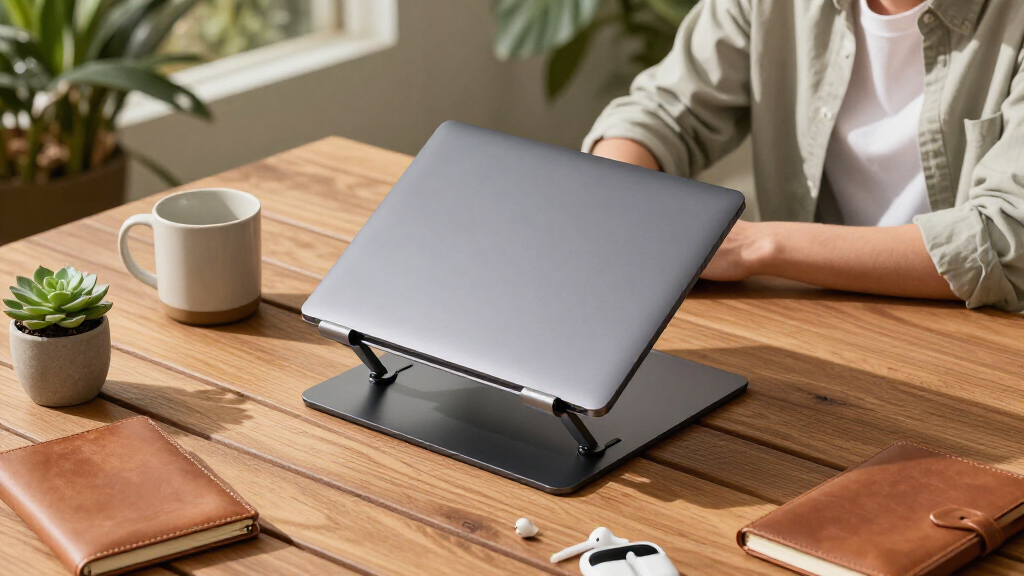
My ranking logic starts with ergonomic range: a stand only earns its name if it can raise a screen enough to straighten your neck, so I weighted maximum height and number of adjustable positions heavily. From there, I judged stability under real use — typing pressure, screen tapping, and heavier 16-inch laptops — because a wobbly stand defeats the purpose. Build quality and cooling came next, favoring ventilated aluminum over solid metal plates. Finally, I scored portability and value: foldable designs that fit in a bag earn bonus points, and price was always weighed against what a stand actually delivers.
The ordering reflects a simple philosophy: stands that solve the core ergonomic problem reliably rank above stands with flashy extras. That’s why rotation and swivel features boosted convenience scores but couldn’t rescue models with shaky bases, and why the extra-tall Lifelong ranks highly despite being less portable. Value picks appear lower only when their adjustment range is genuinely limited — not just because they’re cheap.
Factors to Consider When Choosing Ergonomic Laptop Stands
Choosing an ergonomic laptop stand is less about features and more about matching the stand to your body, your desk, and your workflow. Before buying any of the 15 models above, work through these factors — they explain most of the price differences in this category.Height Range and Your Actual Eye Level
The most common mistake buyers make is settling for a stand that lifts the screen only a few inches. Proper ergonomics puts the top of the screen at or slightly below eye level, which for most people at a standard desk means raising the laptop 6-10 inches — more if you’re tall or your chair sits high. Measure this before shopping: sit at your desk, look straight ahead, and note where your eyes land relative to the closed laptop lid. Most budget stands max out well below that target, which is why taller models like the Lifelong 20″ riser command attention despite costing more. If a stand’s maximum height doesn’t reach your eye line, its ergonomic benefit is only partial, and you may still need to crane your neck. Also check the number of locked positions — continuous adjustment sounds nice, but click-stop increments hold weight more securely.
Stability Versus Rotation Tradeoffs
A rotating base is genuinely useful if you frequently turn your screen toward clients, classmates, or a second person, but it introduces a mechanical failure point. Every swivel joint adds a small amount of play, and over months of use that play tends to grow. If you mostly work alone, a fixed-base stand will feel more solid and cost less. When you do want rotation, look for stands where the swivel sits under a wide, heavy base rather than a narrow column — the difference in wobble is easy to feel. Typists should also press down on any stand before buying (or check return policies), because keystroke force travels straight into the platform. Heavier laptops amplify every weakness, so owners of 16-inch machines should prioritize rigid single-piece or dual-arm designs over compact folding tripods.
The External Keyboard and Mouse Question
Here’s the tradeoff most roundups gloss over: the higher a stand raises your screen, the worse it makes your typing angle. Once a laptop is at proper eye level, its own keyboard becomes unusable, so a full ergonomic setup requires an external keyboard and mouse. If you’re not willing to carry or buy those, a moderate-height stand with a wrist-support edge — like the LOXP wrist-support model — is the more honest choice, since it improves neck angle slightly without wrecking your wrists. Buyers who want maximum benefit should budget for peripherals on top of the stand. This single question separates the audience for tall risers from the audience for low-profile stands more than any spec sheet does. If you already own a keyboard and mouse, prioritize height without hesitation.
Portability and Folded Size
Dual-foldable designs that collapse flat matter if your laptop moves between home, office, and coffee shops, but portability always costs rigidity. A stand that folds into a laptop sleeve is usually built from thinner aluminum and narrower arms, which flexes more under typing. Ask yourself how often you’ll actually pack it: daily commuters should pay for a flat-folding design, while desk-bound users get more stability per dollar from a fixed or detachable stand like the Besign LS03. Also weigh the stand itself — anything over 1.5 pounds starts feeling like a second device in your bag. Check the folded thickness too; an inch may not sound like much until it won’t fit alongside a 16-inch laptop in a slim backpack. Telescopic models split the difference but tend to have the least rigid platforms.
Cooling and Material Quality
Laptop stands do passive cooling two ways: raising the machine off the desk for airflow underneath, and using aluminum to pull heat away. Stands with open frameworks and ventilated cutouts outperform solid platforms noticeably during sustained workloads like video calls, compiling, or gaming. This matters more than it seems, because thermal throttling slows your machine and shortens battery health over time. Solid metal risers can actually trap heat against the chassis if they make full contact — the cheap stamped-steel holders are the worst offenders here. Anodized aluminum also resists scratches and won’t mark your laptop’s finish, while raw or painted edges on budget stands sometimes scuff after a few weeks. If you run a powerful machine hot, treat ventilation as a hard requirement rather than a bonus.
Compatibility and Weight Limits
Most stands advertise a size range like 10-16 inches, but the honest number to check is the weight limit, since gaming laptops and 16-inch MacBooks can push past four pounds. A stand rated for light ultrabooks will flex, creak, or slowly lose its locking tension under a heavier machine. Depth matters too: laptops with forward-hinged screens can overhang the front edge of narrow platforms, and very small devices can sit awkwardly on stands designed around larger footprints. Check whether rubber pads cover all contact points — bare metal edges can scratch a laptop’s bottom case over time. Finally, verify the front lip height if your laptop is thin; a lip designed for thicker machines may block USB-C ports along the front edge or press against the trackpad area.
Frequently Asked Questions
Is a rotating laptop stand worth the extra money?
Rotation is worth paying for only if you regularly share your screen with someone sitting beside you — think client meetings, pair programming, or study groups. If that describes your week, a 360° base like the Nulaxy dual-foldable or Tounee saves you from swiveling your entire laptop by hand. If you work solo, the rotation feature mostly adds cost and a small amount of wobble that fixed-base stands avoid entirely. In this comparison, the non-rotating Lamicall and Besign felt noticeably more planted under typing pressure than any swivel model. My advice: treat rotation as a convenience you pay a stability premium for, not an ergonomic feature.
Can I use an ergonomic laptop stand without an external keyboard?
You can, but only with a low-to-moderate height stand, because raising the screen high enough for your neck pushes the built-in keyboard into an angle that strains your wrists. If you plan to type on the laptop itself, look at stands with a gentle incline and a wrist-friendly front edge — the LOXP wrist-support model in this lineup exists exactly for that use case. For full-height stands like the Lifelong 20″ riser, an external keyboard and mouse aren’t optional; they’re part of the system. The honest framing is that the stand fixes your neck and the peripherals fix your wrists — you need both for a complete ergonomic setup. Budget accordingly if you’re buying your first stand.
How tall does a laptop stand actually need to be?
The target is the top of your screen sitting at or just below eye level when you sit upright. For most people at a standard 29-30 inch desk with an adjustable chair, that translates to lifting the laptop roughly 6-10 inches, though taller users or lower desks need more. You can measure this at home before shopping: sit properly, gaze straight ahead, and have someone mark the gap between your eye line and the laptop’s top edge. Many popular stands max out below that number, which is why the Lifelong and telescopic Tounee earn their spots despite tradeoffs in portability. A stand that only gets you halfway still helps, but it shouldn’t be marketed as a full fix — match the height to your body, not the average user’s.
Do aluminum laptop stands really help with cooling?
Yes, but the design matters more than the material alone. Open-framework stands with ventilated cutouts let air circulate under the chassis, and aluminum acts as a heat sink pulling warmth away from the base — the Lamicall and Besign designs are good examples of this done right. Solid metal platforms that make full contact with the laptop can be counterproductive, trapping heat against the case rather than dispersing it. The benefit shows up in sustained workloads: long video calls, exports, or gaming sessions where thermal throttling would otherwise slow your machine. It won’t replace an active cooling pad for a hot gaming laptop, but for typical ultrabooks a ventilated aluminum stand keeps fan noise and temperatures noticeably lower.
What’s the cheapest stand here that’s still worth buying?
The Amazon Basics Ergonomic Stand is the floor I’d recommend — it offers height adjustment, ventilation, and a foldable frame for under $20 without the flimsy locking mechanisms of the generic riser holders. Below that price point in this lineup, you’re mostly trading away adjustment range and platform rigidity, which are the two features that make a stand ergonomic in the first place. The no-name adjustable risers at positions 9 and 14 work, but their fewer locked positions and lighter gauges show up with heavier laptops. If your budget is strict, the Riwuct foldable is a step up worth stretching for, since its stability-to-price ratio was one of the best in the comparison. Spending less than the Amazon Basics price usually means buying twice.
Conclusion
After comparing all 15 stands, the right pick depends less on specs and more on how you work. For best overall, the Nulaxy Ergonomic Adjustable Laptop Stand balances height range, ventilation, foldability, and price better than anything else here. The best value pick is the Amazon Basics Ergonomic Stand, which covers the fundamentals for under $20. For best premium, the Lifelong Extra Tall 20″ Riser is the only option that genuinely reaches eye level for most users — pair it with an external keyboard. Beginners should start with the Riwuct Aluminum Foldable, which is forgiving, stable, and simple to adjust. For specific needs: the Tounee telescopic suits travelers who want height on the go, the LOXP wrist-support model fits those typing on the laptop itself, and the Besign LS03 is ideal for anyone prioritizing a rock-solid,collaboration-free desk setup. Whatever you choose, remember that the stand is half the equation — your neck gets the benefit only when your wrists get a keyboard.