
You can quickly create an ergonomic space by using portable, lightweight furniture like foldable desks and adjustable chairs. Arrange these in any available area and modify their height to suit your comfort, ensuring proper posture. Keep essentials nearby for efficiency and stay flexible to adapt to your environment. With the right tools, any space becomes a productive workstation in minutes. Keep exploring to learn more tips for setting up your perfect temporary workspace.
Key Takeaways
- Use lightweight, portable desks that are easy to set up and adjust for ergonomic comfort in any space.
- Incorporate height-adjustable furniture to customize the workspace for optimal posture and reduce strain.
- Arrange essentials nearby to create an organized, efficient environment that promotes focus and productivity.
- Choose ergonomic chairs with adjustable height and lumbar support to support healthy sitting habits.
- Quickly transform any area by positioning furniture and accessories to suit your ergonomic needs.

Have you ever needed a quick, flexible workspace that doesn’t require a long-term commitment? If so, a temporary workstation could be exactly what you’re looking for. Whether you’re working remotely, setting up a temporary office, or just need a space to focus for a few hours, creating an ergonomic environment quickly is essential. The good news is that you can easily transform any space into a productive workspace with a portable setup and adjustable furniture. These solutions are designed to be versatile, easy to move, and tailored to your needs, making it simple to set up and pack down without hassle.
A portable setup is the cornerstone of a flexible workstation. It includes lightweight, easy-to-transport items like foldable desks, mobile workstations, or compact desks that can be carried from room to room or even taken on the go. These options mean you’re not tied down to a single location and can adapt your workspace to fit your current environment. For example, a foldable desk can be tucked away when not in use, freeing up space and maintaining a clutter-free area. Plus, portable setups often come with built-in storage or compartments, helping you keep your essentials organized and accessible without permanent fixtures.
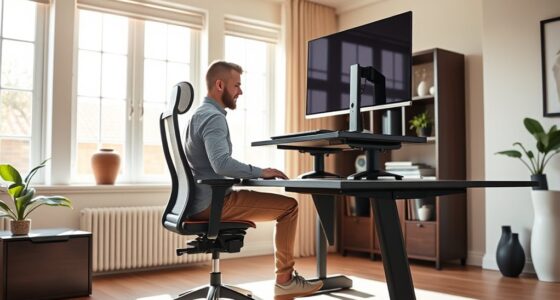
Adjustable furniture plays a key role in making any space ergonomic. Items like height-adjustable desks, sit-stand desks, and adjustable chairs let you customize your setup for maximum comfort. When you’re working temporarily, you won’t want to be stuck in an uncomfortable position that could lead to strain or fatigue. With adjustable furniture, you can easily change your position throughout the day, reducing the risk of back pain and improving your focus. For instance, a desk that can switch from sitting to standing helps you stay active and alert, even during long work sessions. An ergonomic chair with adjustable height and lumbar support ensures proper posture, which is essential when you’re working in a space that’s not your usual office. Incorporating sound design principles like proper acoustic treatment can also improve your environment’s comfort and productivity, even in temporary settings.
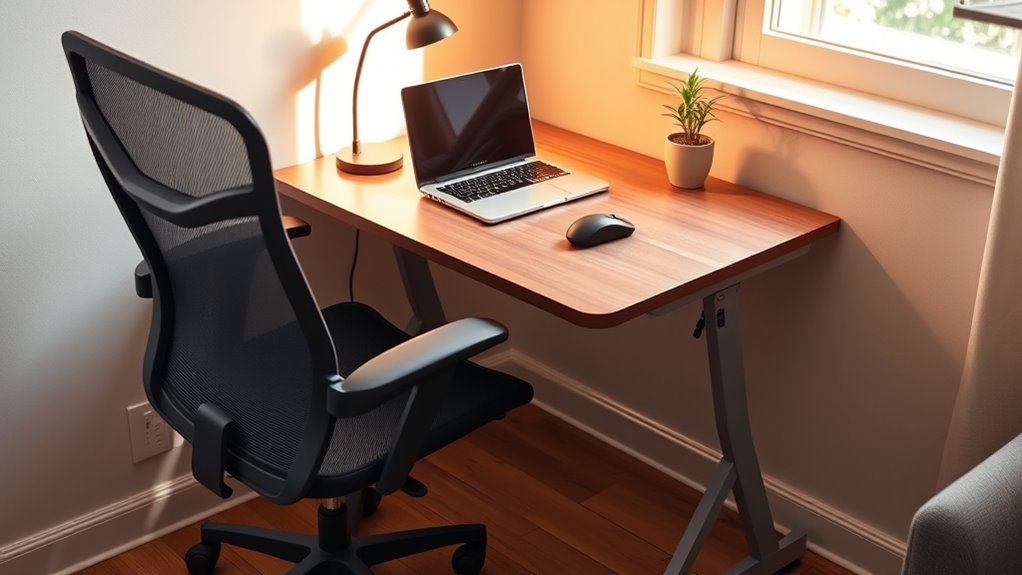
Setting up a temporary workstation using these tools is straightforward. Just position your portable desk in the space you have available, adjust your furniture to suit your height and comfort, and organize your essentials nearby. You don’t need a dedicated office or permanent fixtures—just a little planning and the right equipment. This flexibility allows you to create a productive environment in a matter of minutes, whether you’re in a spare room, a shared space, or even outdoors.
In short, a temporary workstation built with portable setups and adjustable furniture lets you quickly turn any space into an ergonomic workspace. It’s all about flexibility, comfort, and efficiency—allowing you to work effectively without the constraints of a traditional office.
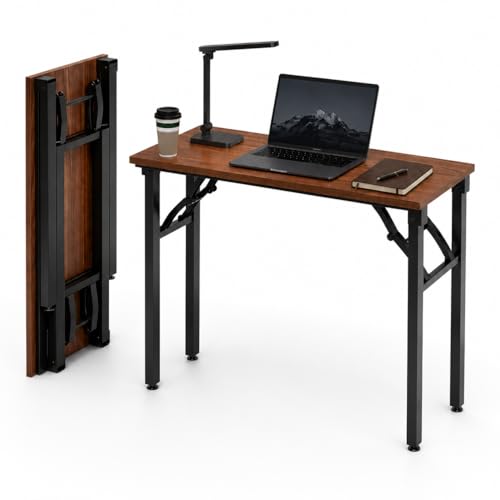
Frylr Small Folding Computer Desk – Portable 35.8 Inch Foldable Laptop Table, No-Assembly, Collapsible and Compact for Easy Storage, Lightweight for Small Spaces, Craft and Study Use, Dark Walnut
👍𝗔𝗦𝗦𝗘𝗠𝗕𝗟𝗘𝗦 𝗜𝗡 𝗦𝗘𝗖𝗢𝗡𝗗𝗦 — No Tools Needed – Designed for ultimate convenience, this folding desk requires no installation—just…
As an affiliate, we earn on qualifying purchases.
As an affiliate, we earn on qualifying purchases.
Frequently Asked Questions
What Are the Best Portable Ergonomic Accessories?
The best portable ergonomic accessories include adjustable laptop stands, compact ergonomic keyboards, and portable wrist rests. These ergonomic gadgets help you maintain proper posture and reduce strain on your neck, wrists, and back. Look for lightweight, foldable designs that easily fit into your bag. Using these portable accessories guarantees you can create a comfortable, ergonomic workspace anywhere, boosting productivity and preventing discomfort during long work sessions on the go.
How Do I Prevent Back Pain in Temporary Setups?
To prevent back pain in temporary setups, you should use a portable chair with good lumbar support and an adjustable desk to maintain proper posture. Adjust the chair height so your feet are flat on the ground and your knees are at a 90-degree angle. Keep your monitor at eye level, and take regular breaks to stretch. These steps help keep your back aligned and reduce discomfort during temporary work.
Can Ergonomic Solutions Be Cost-Effective?
Yes, ergonomic solutions can be cost-effective. While some items may seem pricey upfront, you’ll save in the long run by reducing discomfort and potential health issues. Look for budget-friendly options like adjustable chairs, ergonomic accessories, or DIY modifications—these offer long-term savings by preventing pain and boosting productivity. Investing in ergonomic gear today means you won’t spend as much on healthcare or lost work days later.
How Do I Ensure Proper Lighting in a Temporary Workspace?
You can guarantee proper lighting by balancing ambient lighting with task illumination. Use natural light when possible, but supplement with adjustable desk lamps to focus on your workspace. Position lights to avoid glare on screens and reduce shadows. Choose soft, warm bulbs for comfort, and make sure the light levels are bright enough for your tasks without causing eye strain. Proper lighting enhances focus and reduces fatigue in your temporary workspace.
What Are Quick Tips for Reducing Eye Strain?
Your eyes are working overtime, so you need quick relief. Try eye exercises like blinking frequently and focusing on distant objects to reduce strain. Use blue light filters on screens to cut down harsh light that causes fatigue. Additionally, take regular breaks, ideally every 20 minutes, to rest your eyes. These simple steps can make your workspace more comfortable and protect your eyesight from long-term damage.

Sweetcrispy Tall Drafting Desk Chair – Ergonomic High Stool Computer with Adjustable Height and Comfy Lumbar Support, Office Rolling Counter with Flip-up Arm and Footrest, Black
𝐂𝐨𝐦𝐟𝐨𝐫𝐭𝐚𝐛𝐥𝐞 𝐒𝐩𝐨𝐧𝐠𝐞 𝐂𝐮𝐬𝐡𝐢𝐨𝐧: The larger and thicker seat of this drafting chair is made from upgraded foam with…
As an affiliate, we earn on qualifying purchases.
As an affiliate, we earn on qualifying purchases.
Conclusion
Think of your temporary workstation as a blank canvas—you have the power to turn it into a space that works for you. With a few simple adjustments, you’re painting a picture of comfort and productivity. Remember, even a fleeting space can become a sanctuary when you add a touch of ergonomics. So, embrace the opportunity to craft a space that supports you, turning temporary into timeless comfort.

HUANUO 32" Small Electric Standing Desk Adjustable Height, 4 Memory Height Settings, Sit Stand Up Desk for Home Office & Computer Workstation, LightWalnut
【32” x 19” Perfect for Small Spaces & Corner】 Specially designed with a compact 32" x 19" desktop,…
As an affiliate, we earn on qualifying purchases.
As an affiliate, we earn on qualifying purchases.
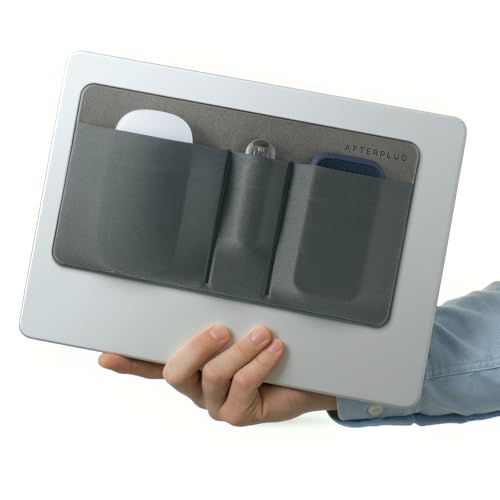
Afterplug 3-Pocket Adhesive Hard Drive Holder for Laptop | Stick-On Pouch for External SSD, HDD, Mouse and More – Gray
VERSATILE STORAGE: Features 3 separate pockets perfect for organizing laptop accessories like hard drives, SSDs, USB drives, mice,…
As an affiliate, we earn on qualifying purchases.
As an affiliate, we earn on qualifying purchases.