
To make certain your desk lighting works with your monitor arm instead of fighting it, position your lamp to reduce glare and shadows while keeping it far enough from the monitor to prevent reflections. Use adjustable lamps to fine-tune light direction and match the workspace setup. Select bulbs with suitable color temperatures to boost comfort and focus. If you want a workspace that’s both comfortable and efficient, there’s more to consider ensuring everything aligns seamlessly.
Key Takeaways
- Position the lamp to avoid shadows and reflections that conflict with the monitor arm’s placement.
- Use adjustable lighting to fine-tune direction and minimize glare as monitor arm positions change.
- Place the light on the side opposite your dominant eye to prevent glare and improve visual comfort.
- Coordinate lighting angles with monitor arm adjustments for consistent workspace ergonomics.
- Select lighting with adjustable color temperature to complement monitor setup and reduce eye strain.
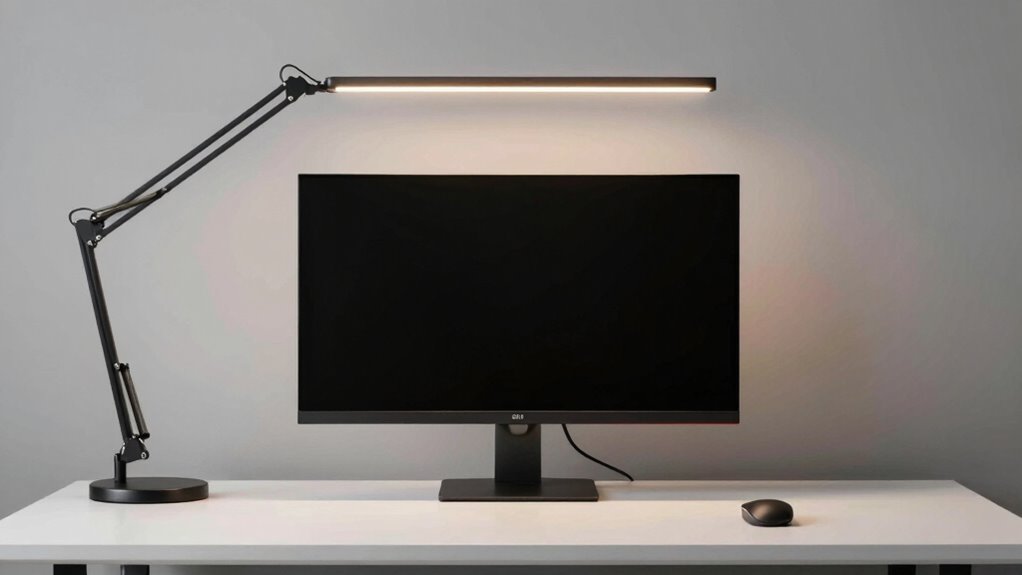
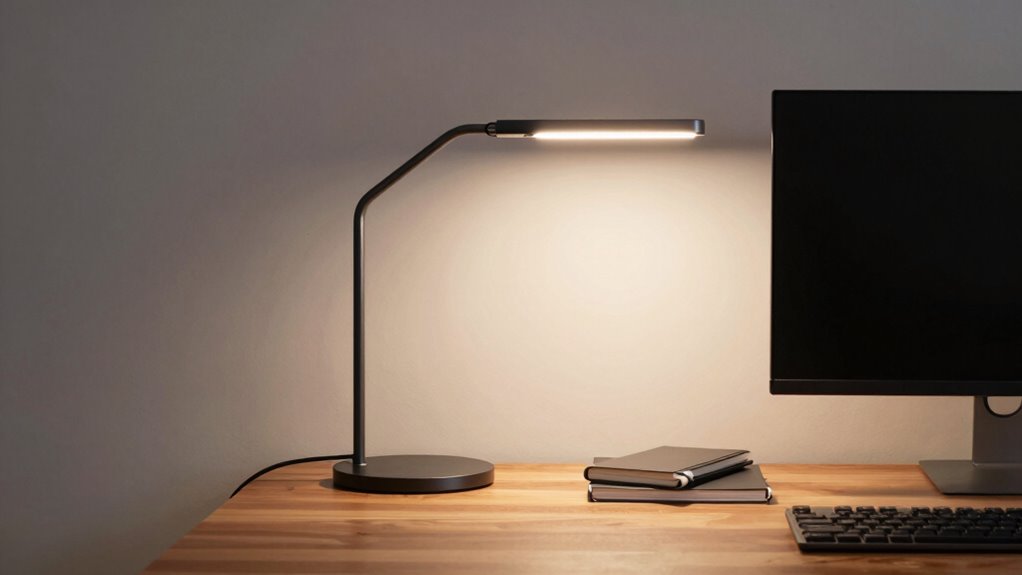
When setting up your workspace, it’s easy to overlook how your desk lighting interacts with your monitor arm. You might focus on positioning your monitor perfectly, but if your desk lamp placement isn’t well thought out, glare and shadows can still cause strain. The key is to ensure your lighting complements your monitor arm’s position, not conflicts with it. Properly positioning your desk lamp can reduce eye fatigue and improve overall comfort. You want to angle your desk lamp so it illuminates your workspace without shining directly into your monitor, which can cause glare and reflections. Adjustable lamps are ideal because you can fine-tune the light direction as your workspace evolves. Think about placing your lamp on the side opposite your dominant eye to prevent glare from hitting your screen directly.
Position your desk lamp to reduce glare, improve comfort, and complement your monitor arm for a balanced workspace.
Lighting color temperature also plays a crucial role in creating an ergonomic setup. Cooler temperatures, around 5000K to 6500K, mimic natural daylight and can boost alertness during work hours. Warmer tones, closer to 2700K to 3500K, create a cozy atmosphere and reduce eye strain in the evening. When selecting your desk lamp, consider a bulb with adjustable color temperature settings. This way, you can switch from cool to warm light depending on the time of day or your task. The goal is to match the lighting to your activity and monitor placement, so the illumination doesn’t conflict with the screen’s glare or color accuracy.
Additionally, understanding how lighting interacts with monitor placement can help you create a more comfortable and efficient workspace. Your desk lamp placement should also consider the proximity to your monitor arm. Keep the lamp far enough away to avoid casting shadows on your work surface or creating reflections on your screen. Positioning the lamp at an angle rather than directly above or behind your monitor helps prevent unwanted glare. If you have a monitor arm with a flexible design, take advantage of its adjustability to keep your monitor and lighting in harmony. Being aware of how lighting direction impacts your workspace can help you make more informed adjustments for optimal comfort. Proper lighting placement can also influence the overall visual comfort in your workspace, making it easier to work for longer periods without discomfort. In addition, selecting the right lighting setup can significantly enhance your workspace ergonomics by reducing unnecessary strain. It’s also beneficial to consider the lighting angle to ensure your workspace remains well-lit without causing visual discomfort. Remember, the goal is a seamless setup where your lighting enhances your workspace without fighting against your monitor arm’s position.
In the end, thoughtful desk lamp placement combined with appropriate lighting color temperature creates a balanced environment. It reduces eye strain, improves focus, and makes your workspace more comfortable. When your lighting works with your monitor arm, you prevent unnecessary adjustments and create a harmonious setup that supports your productivity and well-being.

Pzloz Led Desk Lamp for Office Home – Eye Caring Architect lamp with Clamp,Dual Screen Computer Monitor Work Smart Light: 24W 5 Color Flexible Adjustable Lighting Table Lamp for Study Drafting
- Multiple Lighting Modes: 25 modes with 5 color temps and brightness levels
- Fully Adjustable Design: 360° stand, 180° swing, 270° lamp head
- Wireless Remote Control: Easy mode and brightness adjustments
As an affiliate, we earn on qualifying purchases.
As an affiliate, we earn on qualifying purchases.
Frequently Asked Questions
Can I Use LED Lights With a Monitor Arm?
Yes, you can use LED lights with a monitor arm. Look for LED compatibility and make certain the lights are easy to integrate with your monitor arm setup. Flexible LED strips or clip-on lights work well, allowing you to position them without interfering with monitor movement. Proper monitor arm integration ensures your lighting remains effective and unobtrusive, creating a comfortable workspace without fighting your equipment.
How Do I Prevent Glare From Desk Lighting?
Did you know that glare can reduce your productivity by up to 20%? To prevent glare from desk lighting, aim for an ambient glow that softly illuminates your workspace without creating harsh reflections. Position lights away from your monitor and use diffusers or shades to diffuse light evenly. This way, you enhance task focus without straining your eyes, making your workspace both comfortable and efficient.
Are Clamp-On Lights Better Than Stand-Alone Lamps?
Clamp-on lights are better than stand-alone lamps because they offer flexible placement, allowing you to optimize ambient lighting and task-specific illumination without cluttering your workspace. You can position clamp-on lights precisely where needed, reducing glare and shadows. Stand-alone lamps often take up more space and may not provide the same level of adjustable focus. For a tidy, well-lit desk, clamp-on lighting is a more versatile and effective choice.
What’s the Ideal Brightness for Desk Lighting?
Did you know that roughly 70% of people find poor lighting strains their eyes? For ideal brightness, aim for a level that provides enough task illumination without creating glare or shadows. An ambient glow around your workspace complements task lighting, reducing eye fatigue. Adjust your desk lighting to be bright enough for detailed work but soft enough to avoid overexposure, ensuring comfort and focus during long hours.
Can I Adjust Lighting Without Moving the Monitor?
Yes, you can adjust your lighting without moving the monitor by using adjustable desk lamps or wall-mounted lights. Focus on maintaining an ergonomic posture and creating an ambient light balance that reduces glare and eye strain. Position lights to complement your monitor setup, ensuring even illumination. This way, you stay comfortable and productive, while the lighting seamlessly integrates with your workspace without interfering with your monitor or posture.

Motumen Led Desk Lamp for Home Office, Eye-Care Desk Light Clamp, Black
- Bright, Eye-Caring Dual-Head Design: Wide, flicker-free illumination
- Customizable Lighting Settings: 5 color temps and brightness levels
- Memory Function for Last Settings: Remembers preferred lighting setup
As an affiliate, we earn on qualifying purchases.
As an affiliate, we earn on qualifying purchases.
Conclusion
Remember, a stitch in time saves nine. By choosing desk lighting that seamlessly works with your monitor arm, you prevent future headaches and create a more efficient workspace. Don’t let poor lighting clash with your setup; instead, make sure they complement each other. When your desk accessories cooperate, work feels smoother and more comfortable. So, invest in lighting that adapts with your monitor arm—you’ll thank yourself every time you sit down to work.

LEPOWER Desk Lamp, 800LM LED for Home Office, True Eye-Caring for Reading
- Eye-Caring RG0 Certification: Prevents blue light and eye fatigue
- Upgraded Wide Lamp Panel: Covers 50-inch lighting area
- High Brightness Output: 800 lumens with 1400 lux
As an affiliate, we earn on qualifying purchases.
As an affiliate, we earn on qualifying purchases.

PORLEI Wired Trackball Mouse with RGB Lighting, Ergonomic Thumb Control to Reduce Muscle Strain, 5 Adjustable DPI, Dual USB-C & USB-A Connectivity, Compatible with PC, Laptop, Mac, Windows-Blue
- Ergonomic Design for Comfort: Fits hand naturally with thumb control
- Adjustable DPI Settings: 5 levels from 100 to 1200 DPI
- Dual USB-C & USB-A Connectivity: Stable wired connection with 1.8m cable
As an affiliate, we earn on qualifying purchases.
As an affiliate, we earn on qualifying purchases.