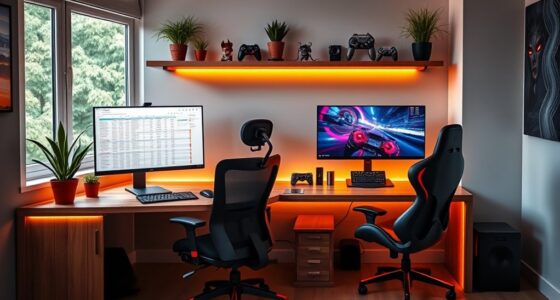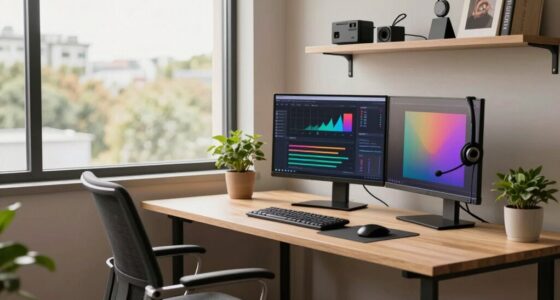
Simply adding extra surface space for dual monitors on a standing desk isn’t enough—you need to take into account ergonomic positioning. Elevate screens to eye level using adjustable arms, and place the primary monitor directly in front. Make sure cables are organized to prevent clutter, and consider accessories like risers or sit-stand converters for comfortable posture shifts. Proper setup reduces strain and boosts productivity. Keep going, and you’ll discover how to create a balanced, health-conscious workspace.
Key Takeaways
- Proper ergonomic positioning prevents neck and eye strain, which surface area alone cannot address.
- Adjustable monitor arms ensure optimal height and angle, enhancing comfort during extended use.
- Cable management is crucial to maintain a tidy workspace and avoid distractions or accidental disconnections.
- Dynamic setups like sit-stand converters promote movement, reducing fatigue and improving overall ergonomics.
- Balanced workspace design integrates accessories and placement for sustainable comfort and productivity.
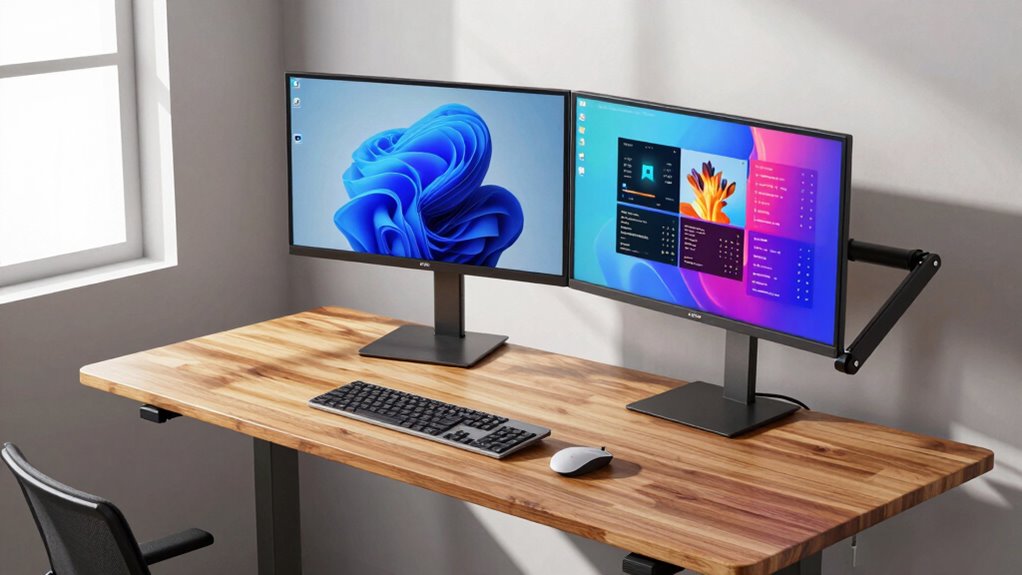
Setting up dual monitors on a standing desk can considerably boost your productivity and comfort. But it’s not just about adding extra screen space; it’s about creating an ergonomic workspace that supports your health and efficiency. To do this effectively, you need to think beyond simply placing two monitors on your desk. Ergonomic accessories like monitor stands or arms help position your screens at eye level, reducing neck and eye strain. Proper height alignment prevents you from tilting your head downward or upward, which can cause discomfort over long periods. When you invest in quality ergonomic accessories, you make sure your setup promotes good posture, minimizes fatigue, and keeps you comfortable throughout your workday. Additionally, incorporating ergonomic principles ensures your workspace supports long-term comfort and health.
Creating an ergonomic dual monitor setup enhances comfort, reduces strain, and boosts productivity on your standing desk.
Using adjustable monitor arms also allows for greater flexibility in monitor positioning, helping to tailor your setup to your specific needs. Cable management also plays an essential role in creating an efficient and clutter-free workspace. When you have multiple monitors, cables can quickly become tangled and messy, distracting you and making adjustments cumbersome. Using cable clips, sleeves, or under-desk channels helps organize cords neatly, preventing accidental pulls or disconnections. Good cable management not only improves the visual appeal of your setup but also reduces the risk of tripping or damaging your equipment. It allows you to focus on your work instead of dealing with tangled cords or searching for the right connection.
A common mistake is to think that simply adding more surface area will improve your work experience. However, without proper ergonomic positioning and cable management, you might end up with discomfort and frustration. Dual monitors should be positioned so that your primary screen is directly in front of you, with the second slightly to the side, forming a comfortable viewing angle. This reduces the need to twist your neck or shift your gaze repeatedly. An adjustable monitor arm can help you fine-tune the placement, ensuring each screen is at the ideal height and angle, which further enhances your ergonomic setup.
Furthermore, integrating accessories like a sit-stand converter or an adjustable desk riser allows you to switch between sitting and standing positions easily. When combined with dual monitors, these accessories help you maintain a dynamic, healthy posture. Remember, the goal isn’t just to add more screens but to create a balanced workspace that adapts to your needs. Proper ergonomic accessories, thoughtful cable management, and flexible mounting options are key to transforming your dual monitor setup from a cluttered surface to a productivity powerhouse that supports your health and work performance.

HUANUO FlowLift™ Dual Monitor Stand, Fully Adjustable Gaming Monitor Desk Mount for 13–32″ Computer Screens, Full Motion VESA 75×75/100×100 with C-Clamp & Grommet Base, Each Arm Holds 4.4 to 19.8 lbs
- Monitor Compatibility: Supports 13-32 inch, 4.4-19.8 lbs, VESA 75×75/100×100
- Desk Compatibility: Fits wooden desks 0.59-3.54 inches thick
- Secure Mounting: Dual C-clamp and grommet options for stability
As an affiliate, we earn on qualifying purchases.
As an affiliate, we earn on qualifying purchases.
Frequently Asked Questions
How Do Dual Monitors Affect Ergonomic Posture?
Dual monitors can improve your ergonomic posture if positioned correctly, promoting proper posture alignment and reducing strain. Keep both screens at eye level to prevent eye strain and neck discomfort. Avoid leaning forward or twisting your neck by adjusting the monitors so they’re directly in front of you. Proper placement encourages better posture, minimizes fatigue, and helps you work comfortably for longer periods.
What Are the Best Mounting Options for Dual Monitors?
Did you know that properly mounted monitors can boost productivity by up to 20%? For dual monitors, the best mounting options include adjustable arm mounts or a dual monitor stand, which help guarantee ideal monitor alignment. These solutions allow you to customize height, angle, and distance, reducing neck strain and improving ergonomics. Choose mounting solutions that offer stability and flexibility, making it easier to maintain comfortable, efficient work habits.
Can Dual Monitors Improve Productivity Beyond Workspace?
Yes, dual monitors can substantially boost your productivity beyond just workspace. They improve multitasking efficiency by allowing you to view multiple applications simultaneously, reducing the time spent switching between windows. Additionally, with proper mounting options, you can optimize visual clarity, preventing eye strain and enhancing focus. This setup helps you work more comfortably and efficiently, making it easier to manage complex tasks and stay organized throughout your day.
How Do I Manage Cable Clutter With Dual Monitors?
Taming cable clutter is like orchestrating a symphony—organized and seamless. You manage cables by using cable management solutions like clips, sleeves, or trays to keep wires tidy. Label each cable for easy identification, and route them along the desk’s edges. Not only does this reduce visual chaos, but it also enhances your workspace’s aesthetic. A clean setup boosts focus and makes your dual monitors a sleek, functional centerpiece.
Are There Health Risks Associated With Dual Monitor Setups?
Yes, there are health risks like eye strain and visual fatigue associated with dual monitor setups. You might experience discomfort if screens aren’t positioned correctly or if you don’t take regular breaks. To reduce risks, make sure your monitors are at eye level, use proper lighting, and follow the 20-20-20 rule: every 20 minutes, look at something 20 feet away for at least 20 seconds.

Cable Management Under Desk, Enhanced up to 15 Cord Organizer 20 Pair-Black
- Under-Desk Cable Management: Includes 20 hook-and-loop cable holders
- Flexible Narrow-Space Design: Adjusts easily without full removal
- Low-Profile Fit: Fits tight corners effortlessly
As an affiliate, we earn on qualifying purchases.
As an affiliate, we earn on qualifying purchases.
Conclusion
You might think adding dual monitors to your standing desk is just about extra space, but it’s more than that. Proper setup boosts productivity and reduces strain, making your workday smoother. Did you know that workers using dual monitors are 20-30% more efficient? So, don’t just focus on surface area—invest in ergonomic accessories and positioning to truly optimize your workspace. Your body and your output will thank you for it.

FITUEYES Height Adjustable Standing Desk 32” Wide Sit to Stand Converter
- Spacious Work Surface: 31.5” x 15.7” tabletop for multiple setups
- Height Adjustment Range: Adjusts from 4.3” to 19.8” high
- Dual Gas Spring Mechanism: Smooth sit-to-stand transitions
As an affiliate, we earn on qualifying purchases.
As an affiliate, we earn on qualifying purchases.
HUANUO FlowLift™ Dual Monitor Stand, Fully Adjustable Gaming Monitor Desk Mount for 13–32″ Computer Screens, Full Motion VESA 75×75/100×100 with C-Clamp & Grommet Base, Each Arm Holds 4.4 to 19.8 lbs
- Monitor Compatibility: Supports 13-32 inch, 4.4-19.8 lbs, VESA 75×75/100×100
- Desk Compatibility: Fits wooden desks 0.59-3.54 inches thick
- Secure Mounting: Dual C-clamp and grommet options for stability
As an affiliate, we earn on qualifying purchases.
As an affiliate, we earn on qualifying purchases.