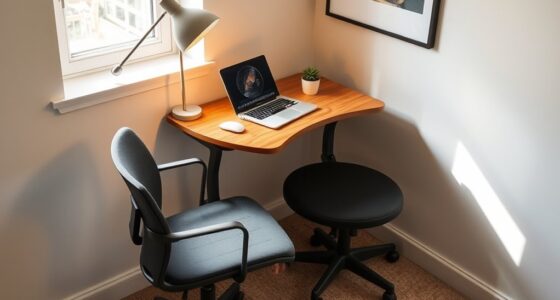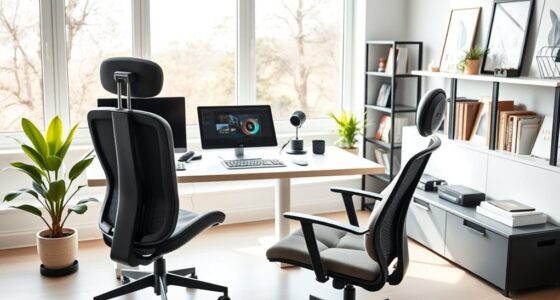
To work comfortably from your couch, choose a sturdy, lightweight laptop desk that slides onto armrests or sits nearby. Adjust it to keep your laptop at eye level, reducing neck strain, and add ergonomic accessories like wrist rests and cushions for extra support. Make sure your workspace has good lighting and stays clutter-free for focus and efficiency. Creating this setup will turn your couch into a pain-free, productive space—keep exploring to discover more tips!
Key Takeaways
- Choose a sturdy, lightweight laptop desk that can slide onto armrests and keep your screen at eye level.
- Use ergonomic accessories like wrist rests, lap pads, and lumbar supports for long-term comfort.
- Position your workspace near natural light and add adjustable lamps to reduce eye strain.
- Keep your workspace organized with portable storage to enhance efficiency and reduce clutter.
- Regularly review and adjust your setup to maintain proper posture and prevent neck or back pain.
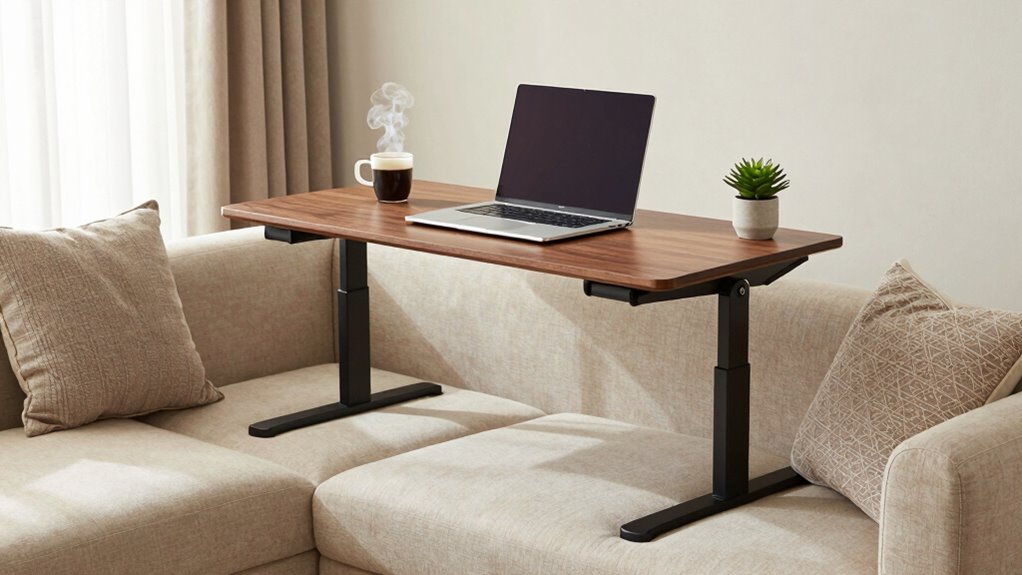
Working from your couch can be comfortable, but without the right setup, it can also lead to discomfort or poor posture. If you love the flexibility of working from your sofa, investing in a proper laptop desk setup is essential. A well-designed setup transforms your couch into a true portable workspace, allowing you to stay productive while avoiding the aches and pains that come with poor ergonomics. The key is incorporating ergonomic accessories that support your body and create a comfortable environment, no matter where you work.
Start by choosing a sturdy, lightweight laptop desk that can easily slide onto your couch armrest or be positioned nearby. The right portable workspace keeps your laptop at eye level, preventing neck strain and encouraging good posture. An adjustable stand or laptop riser can help achieve this, making it easier to look straight ahead rather than down. This not only reduces neck fatigue but also minimizes eye strain, especially during long work sessions. Incorporating ergonomic design principles can further support your comfort and efficiency. Additionally, selecting ergonomic accessories designed to promote proper alignment can significantly improve your overall comfort during extended periods of use.
Choose a lightweight, adjustable laptop stand to maintain eye level and promote better posture while working on your couch.
In addition to a stable surface, ergonomic accessories such as a supportive wrist rest or a cushioned lap pad can make a noticeable difference. These accessories provide cushioning and help keep your wrists aligned, reducing the risk of repetitive strain injuries. If you tend to work for extended periods, consider a portable ergonomic keyboard and mouse. These tools allow you to maintain proper hand positioning and keep your arms relaxed, even when your laptop’s built-in keyboard isn’t ideal. Incorporating ergonomic principles into your setup can further enhance comfort and productivity.
Lighting is another important consideration. Position your portable workspace near a natural light source or add a small adjustable lamp to reduce eye strain. Good lighting makes a significant difference in maintaining focus and comfort. Proper lighting can also help you stay alert and reduce fatigue during long work hours. Also, keep a small cushion or lumbar support behind your back to support your lower spine, especially if you’re sitting for hours. This simple addition encourages better posture and prevents back pain.
Additionally, it’s important to be aware of website performance metrics that can help you optimize your workspace setup and ensure you stay productive. Regularly reviewing these metrics can help you identify and address potential issues that affect your work efficiency. Finally, organize your workspace to stay clutter-free. Use portable storage solutions like small trays or organizers that can be easily moved with your setup. Keeping your essentials within reach minimizes unnecessary movement and helps maintain a smooth workflow. Remember, creating a dedicated, ergonomic portable workspace on your couch isn’t just about comfort—it’s about protecting your body and improving your efficiency. With the right accessories and thoughtful arrangement, you can turn your couch into a productive, pain-free workspace that makes working from home a pleasure rather than a chore.

BUYIFY Foldable Laptop Bed Desk for Couch, Sofa – Large Lap Desk Tray Table with Cup Holder and Tablet Slot – Portable Notebook Stand for Eating, Writing, Studying and WFH -NEW-006-USA Original Patent
PERFECT FOLDABLE DESIGN: 23.43"(L)x15.75"(W)x9.25"(H).This laptop bed desk is designed to be foldable, allowing you to easily open the…
As an affiliate, we earn on qualifying purchases.
As an affiliate, we earn on qualifying purchases.
Frequently Asked Questions
How Do I Prevent My Laptop From Overheating on a Couch Setup?
To prevent your laptop from overheating on a couch setup, guarantee proper laptop cooling by elevating it on a sturdy surface or cooling pad. Use ergonomic cushions that allow airflow underneath, preventing heat buildup. Avoid placing your laptop directly on soft surfaces like cushions or blankets, which trap heat. Regularly clean vents and fans, and keep the environment cool. These tips help maintain ideal performance and extend your laptop’s lifespan.
What’s the Best Way to Secure My Laptop From Falls?
To safeguard your laptop from falls, focus on laptop stability and desk cushioning. Use a non-slip mat or grip pads underneath your laptop to prevent slipping. Consider a sturdy, flat surface with a slight incline for better stability. Adding padding around the edges of your desk or tray can cushion impacts and prevent accidental slips. Always keep your setup clutter-free to avoid knocking your laptop off balance and guarantee it stays secure.
Can I Use a Standing Desk With a Couch Setup?
Yes, you can use a standing desk with your couch setup. Look for an adjustable height desk that fits over your couch or a portable desk converter. Pair it with ergonomic cushions for added comfort and support. This setup allows you to switch between sitting and standing easily, promoting better posture and reducing strain during long work sessions. Just make certain your desk is stable and accommodates your preferred ergonomic adjustments.
How Can I Improve My Posture While Working on the Couch?
To improve your posture on the couch, start by adding ergonomic cushions to support your lower back and keep your spine aligned. Use adjustable armrests to prevent shoulder strain and keep your arms comfortable while typing. Sit upright, avoiding slouching, and take regular breaks to stretch. Combining these enhancements helps you maintain better posture, reduces discomfort, and makes your couch workspace much more ergonomic and supportive.
What Accessories Are Essential for a Comfortable Couch Workspace?
You should invest in ergonomic cushions to support your back and neck, reducing strain during long work sessions. Wireless accessories, like a keyboard and mouse, minimize clutter and improve mobility, making your workspace more comfortable. Double-check research suggesting that wireless options can decrease muscle tension by promoting better posture. These essentials help you stay comfortable and productive, transforming your couch workspace into a more ergonomic and efficient setup.

Lamicall Adjustable Laptop Stand, Portable Laptop Riser, Aluminum Laptop Stand for Desk Foldable, Ergonomic Computer Notebook Holder for MacBook Air Pro HP, Office Desk Accessories (10-17.3'')- Silver
Wide Compatibility: The laptop stand for desk is compatible with all laptops from 10" up to 17.3", including…
As an affiliate, we earn on qualifying purchases.
As an affiliate, we earn on qualifying purchases.
Conclusion
Now, with this cozy laptop desk setup, you can work from your couch comfortably and efficiently. Say goodbye to awkward angles and strained necks—your productivity will thank you. Remember, even the most modern workspaces can benefit from a touch of vintage charm, like a classic typewriter or a rotary phone. So, go ahead and transform your lounging spot into a smart, stylish workspace—because who says you can’t have the best of both worlds?

GORILLA GRIP Silky Memory Foam Wrist Rest for Computer Keyboard, Mouse, Ergonomic Design for Typing Pain Relief, Desk Pads Support Hand and Arm, Mousepad Rests, Stain Resistant, 2 Piece Pad, Black
ULTRA THICK MEMORY FOAM: experience more comfort while you work; thickest memory foam interior of the wrist rest…
As an affiliate, we earn on qualifying purchases.
As an affiliate, we earn on qualifying purchases.

Giryuhd LED Desk Lamp for Office Home & Battery Operated Lamp Rechargeable Lamp Foldable & Portable Light, LED Desk Light Strip, 3 Brightness Dimmable Small Desk Lamp Wireless Reading Lamp (White)
【BATTERY POWERED LIGHT RECHARGEABLE, PORTABLE AND FOLDABLE】The battery powered light has a rechargeable built-in 2000mAH battery. After charging,…
As an affiliate, we earn on qualifying purchases.
As an affiliate, we earn on qualifying purchases.