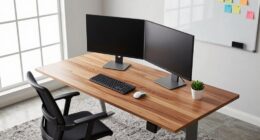
If your standing desk shakes, start by checking for uneven surfaces or loose parts, and tighten any screws or bolts. Confirm the desk is fully level using adjustable feet or shims, and consider adding braces or crossbars for extra support. Make certain your workspace is on a solid, supportive surface and away from external vibrations. Regularly inspect and maintain your desk to keep it stable. For more tips, uncover the next steps to stabilize your desk effectively.
Key Takeaways
- Tighten all screws, bolts, and adjustable feet to ensure the desk components are secure.
- Check for an uneven or unstable surface and level the desk using shims or adjustable feet.
- Add structural supports like crossbars or braces to reinforce the frame.
- Place the desk on a stable, flat, and supportive flooring surface.
- Remove external vibrations by positioning away from draft sources and using anti-vibration mats.
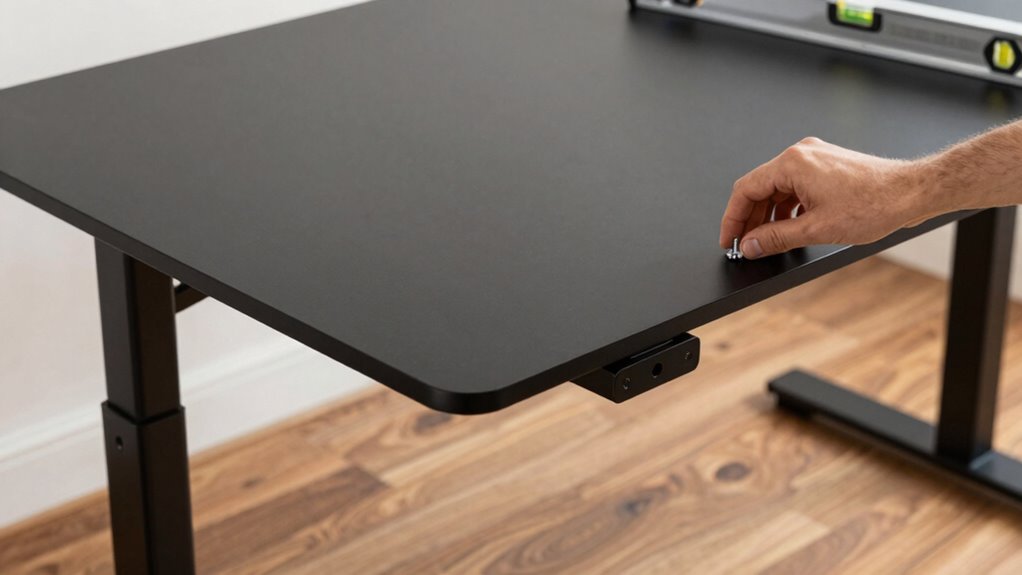
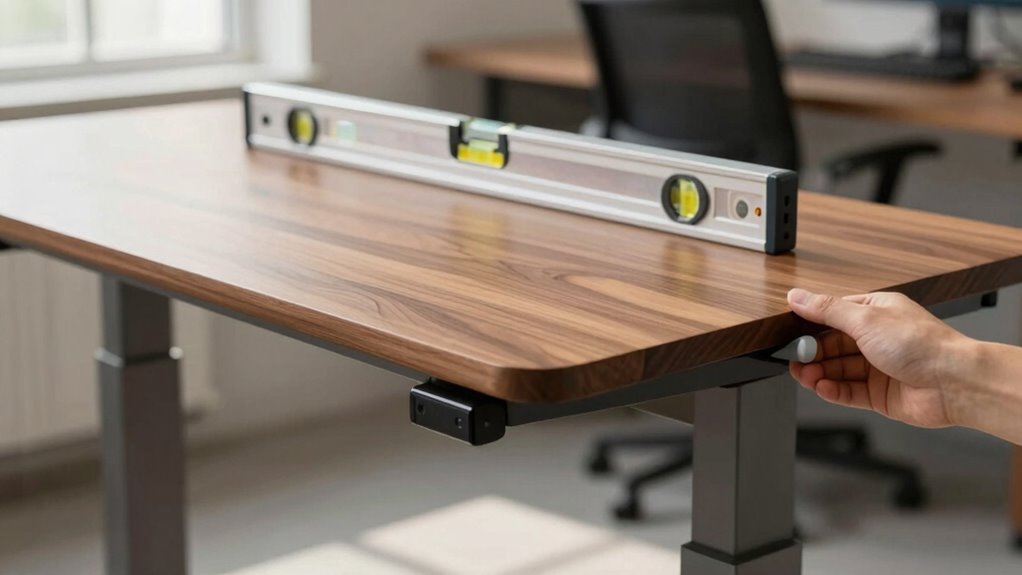
If you’ve started experiencing shakes or tremors while using a standing desk, you’re not alone. Many people encounter this issue, often because their desk isn’t stable enough to support long periods of standing. Fortunately, there are straightforward fixes you can try first that usually make a big difference. One of the most effective steps is to assess your desk’s stability and incorporate ergonomic accessories to improve its steadiness. Sometimes, the problem stems from an uneven surface or loose components, so tightening screws or leveling the desk can immediately reduce wobbling. Using adjustable feet or shims under the legs can also help you achieve a more even surface, which is critical for reducing unintended movement.
Ensure your standing desk is stable by tightening screws, leveling, and using shims for a wobble-free workspace.
In addition to checking the physical stability of your desk, applying some desk stability tips can go a long way. For instance, placing your standing desk on a flat, solid surface ensures it’s less prone to shaking. If your desk has adjustable height features, make sure they’re locked into position securely. Sometimes, the height mechanism can cause instability if it’s not fully engaged or if the locking mechanisms are worn out. You might also consider supporting your desk with additional braces or crossbars, especially if it’s larger or prone to movement. These structural enhancements provide extra support, helping to eliminate tremors caused by sagging or weak frames. Proper desk support is a crucial factor often overlooked. Additionally, selecting durable materials for your desk frame can help prevent warping or bending over time, contributing to overall stability. Incorporating quality hardware during assembly can also prevent loosening over time and maintain stability.
Ergonomic accessories can further stabilize your workspace. Anti-vibration mats, for example, not only reduce vibrations from external sources but also add an extra layer of stability under your desk. Using a desk mat designed for ergonomic support can also absorb some of the movement, making your standing experience more comfortable and steady. Furthermore, ensure your monitor and accessories are firmly attached to the desk, avoiding any loose cables or attachments that could cause imbalance. Keeping your workspace organized and minimal prevents unnecessary weight shifts that might contribute to shaking. Additionally, choosing appropriate flooring can influence stability, so selecting a supportive surface can make a difference.
Finally, consider the placement of your standing desk. Position it away from windows, fans, or other sources of drafts and vibrations. If your floor is uneven, placing a thick, stable mat underneath your desk can help level it out and dampen vibrations. By taking these simple steps—tightening fittings, utilizing ergonomic accessories, and applying desk stability tips—you often can greatly reduce or eliminate the shaking. Additionally, be aware that flooring type can influence stability, so choosing a supportive surface can make a difference. Remember, a stable and well-supported standing desk not only enhances your comfort but also helps maintain good posture and productivity, making these initial fixes well worth the effort.

Furniture Leveler 12pcs Kit Size Variety | Multi-Purpose Rubber Shim for Leveling Feet Stable | Anti-Wobble Pad for Uneven Table, Dresser Leg, Toliet and More Furniture | Prevent from Wobbling
- Multiple Size Options: Variety of sizes for perfect fit
- Customizable and Durable: Cuttable, stackable, holds 22,000 lbs
- Versatile Home Use: Stabilizes furniture and fixtures
As an affiliate, we earn on qualifying purchases.
As an affiliate, we earn on qualifying purchases.
Frequently Asked Questions
Can Temperature Affect My Standing Desk’s Stability?
Temperature effects can impact your standing desk’s stability, especially if it experiences extreme heat or cold. Fluctuating temperatures can cause materials to expand or contract, affecting the desk’s balance. Over time, this can weaken material durability, making joints or supports less reliable. To maintain stability, keep your workspace within a moderate temperature range, and regularly check for signs of material wear or loosened screws.
Are Certain Desk Materials More Prone to Shaking?
Certain desk materials, especially lightweight or flimsy ones, are more prone to shaking. You’ll notice that less durable materials like particleboard or thin metal struggle with stability, especially on uneven surfaces. A sturdy, durable desk surface—such as solid wood or high-quality steel—provides better balance and prevents wobbling. When choosing a desk, prioritize material durability, ensuring your workspace stays steady and secure, no matter how much you work or move around.
How Often Should I Check My Desk for Loose Parts?
You should check your desk for loose parts at least once a month to maintain stability and guarantee ergonomic posture. Regular inspections help identify any loosened bolts or screws that could affect desk height adjustment and cause shaking. By keeping your standing desk secure, you promote better posture, prevent accidents, and extend its lifespan. Make it a habit to tighten any loose components promptly for a safe, comfortable workspace.
Does the Weight of Accessories Impact Desk Stability?
Yes, accessory weight can impact your desk’s stability. Heavy accessories, like large monitors or speakers, put more pressure on the desk’s frame and joints, which may cause wobbling or shaking. To maintain stability, distribute accessory weight evenly and avoid overloading one side. Regularly check how accessory weight affects your desk’s balance, and consider lighter options if you notice shaking or instability. Proper weight management keeps your desk steady and secure.
Can Improper Installation Cause Persistent Shaking?
Did you know that improper installation accounts for nearly 40% of standing desk stability issues? Yes, faulty setup can cause persistent shaking because it compromises the desk’s structural integrity. When installation issues aren’t addressed, the entire frame can wobble or become unstable over time. To fix this, double-check all screws and bolts, ensure the desk is level, and follow the manufacturer’s instructions carefully. Proper installation is key to a steady, secure workspace.

Upgraded Double-Sided Non-Slip Surface Mat for Vibration Plate Machine – Anti Vibration Pad & Exercise Mat for Most Vibration Platform Machines, Reduce Noise Accessories, Protect Floors & Carpet
- Double-Sided Non-Slip Design: Provides maximum stability and safety
- Firm Grip on Surfaces: Prevents shifting on floors and machines
- Protects Floors and Carpets: Reduces scratches, dents, and wear
As an affiliate, we earn on qualifying purchases.
As an affiliate, we earn on qualifying purchases.
Conclusion
So, next time your standing desk wobbles, try these simple fixes first—tighten the bolts, check the level, and adjust the feet. These quick solutions can often stabilize your workspace and save you from frustration. Don’t let a shaky desk disrupt your focus or comfort. Isn’t it worth making a few easy adjustments to create a steadier, more productive environment? After all, a stable desk helps you stay centered and work better.
desk support braces and crossbars
As an affiliate, we earn on qualifying purchases.
As an affiliate, we earn on qualifying purchases.

Mr. Pen- Nuts and Bolts Assortment Kit, 810 pcs
- Piece Count: 810 pieces for various projects
- Material Quality: Made from durable stainless steel
- Corrosion Resistance: Resistant to corrosion and rust
As an affiliate, we earn on qualifying purchases.
As an affiliate, we earn on qualifying purchases.