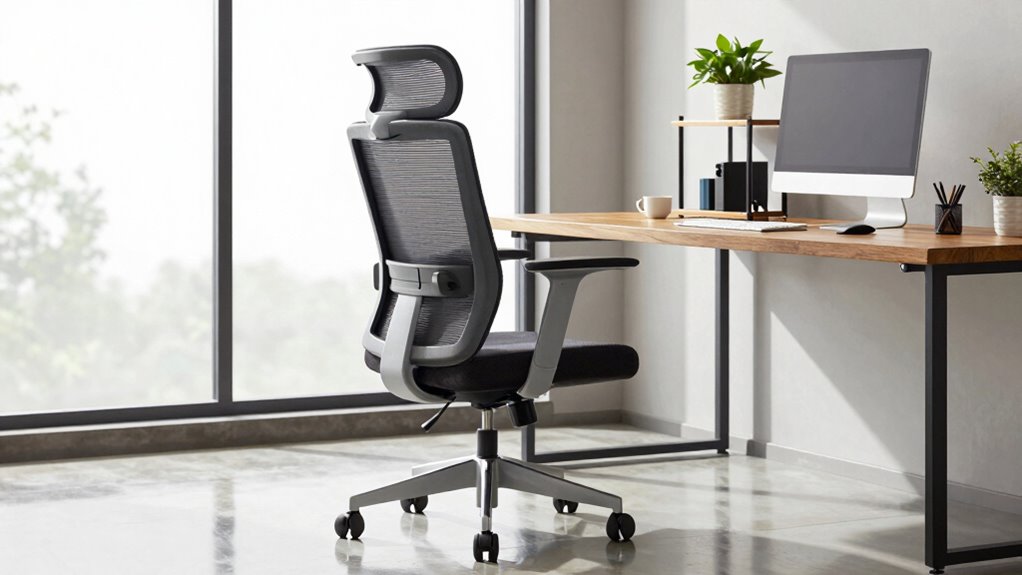

Before sitting in a shared office chair, wipe down the armrests, seat, and backrest with disinfectant wipes to reduce germs. Adjust the seat height so your feet rest flat and knees form a 90-degree angle. Set lumbar and armrest positions for proper support, ensuring your back curves naturally and shoulders stay relaxed. Fine-tune tilt and tension for comfort, then sit briefly to test and tweak your setup. Keep these tips in mind to stay comfortable and healthy during your workday.
Key Takeaways
- Adjust the seat height so feet rest flat and knees are at a 90-degree angle.
- Reset lumbar support to match your lower back’s natural curve.
- Set armrests to relaxed positions, keeping elbows close to your sides.
- Tilt and tension controls for comfortable leaning and even weight distribution.
- Wipe down armrests, seat, and backrest with disinfectant wipes before sitting.

If you often share office chairs with colleagues, taking a moment to reset the settings before sitting down can save you discomfort and prevent potential health issues. Shared chairs can harbor germs and dust, so implementing proper cleaning protocols is essential. Before adjusting the chair, wipe down the armrests, seat, and backrest with disinfectant wipes to reduce the risk of germs spreading. This simple step helps maintain a healthier workspace and minimizes the chance of catching illnesses.
Once the chair is clean, focus on ergonomic adjustments to guarantee maximum comfort and support. Your first step should be setting the height so your feet rest flat on the floor, with your knees at a 90-degree angle. If the chair has a pneumatic lever, use it to raise or lower the seat accordingly. Proper height positioning prevents strain on your lower back and legs, promoting better circulation throughout your workday. Understanding the importance of contrast ratio can help you recognize how proper setup influences overall comfort and visual clarity, especially if you work in a space with variable lighting conditions.
Adjust your chair height so your feet rest flat, knees are at 90 degrees, and support your back and circulation.
Next, adjust the lumbar support to fit the natural curve of your lower back. Many chairs have a built-in lumbar feature that can be moved up or down; take the time to find the position that offers the most support. This helps avoid slouching and reduces the risk of developing chronic back pain. If your chair has adjustable armrests, set them so your shoulders relax and your elbows stay close to your sides, reducing tension in your neck and shoulders. Additionally, having a healthy workplace environment can contribute to more effective ergonomic practices and overall well-being.
Additionally, check the tilt and tension controls. Some chairs allow you to tilt the backrest or lock it in an upright position. Set the tilt tension so that you can lean back comfortably without feeling like you’re sliding or struggling. Proper tilt adjustments help distribute your weight evenly and support a natural sitting posture. Being aware of ergonomic health and how it relates to your workspace setup can further enhance your comfort and prevent strain.
Remember, these ergonomic adjustments aren’t just about comfort—they’re about safeguarding your health. Sitting in a poorly adjusted chair can lead to musculoskeletal problems over time. Taking a few moments to reset the settings before you sit down ensures you’re supporting your spine correctly and reduces the risk of strain or injury. Being aware of content formats and how they relate to ergonomic health can further enhance your workspace setup.
Finally, after adjusting the settings, sit briefly to test your position. Make further tweaks if necessary, ensuring your head is aligned with your neck and your wrists aren’t strained while typing. Regularly reviewing and adjusting your chair settings, along with maintaining clean and hygienic conditions, can make shared workspace environments safer and more comfortable for everyone. Small efforts like these lead to healthier, more productive workdays.

CAPOT Ergonomic Mesh Office Chair, Adjustable Lumbar High Back Desk Chair 400lbs, 4D Flip-up Arms, 3-Level Tilt Backrest, 3D Headrest, PU Wheels, Swivel Rolling Computer Seating for Long Desk Work
【STURDY, SNUG WORK CHAIR】Made for long sits over 8 hours of desk work. Micro-adjust lumbar support, flip-up arms,…
As an affiliate, we earn on qualifying purchases.
As an affiliate, we earn on qualifying purchases.
Frequently Asked Questions
How Often Should I Reset an Office Chair’s Settings?
You should reset your office chair’s settings whenever it feels uncomfortable or after several months of use to maintain ergonomic posture. Regular adjustments help prevent strain and keep the chair functioning properly, which extends its longevity. By resetting the settings regularly, you guarantee ideal support, reducing fatigue and discomfort. Make it a habit to check and adjust your chair every few weeks or as needed for maximum comfort and chair longevity.
Can Improper Settings Cause Back Pain?
Improper settings are like a leaky boat, causing discomfort and back pain. If your lumbar support isn’t adjusted or your seat height is off, you might strain your back without realizing it. These misalignments put unnecessary pressure on your spine and muscles. To avoid back pain, always make sure your lumbar support fits your lower back and your seat height keeps your feet flat on the ground, promoting proper posture.
Are There Universal Settings for All Office Chairs?
There aren’t universal settings for all office chairs because ergonomic posture varies from person to person. You should adjust features like seat height, lumbar support, and armrests to fit your body. Start by setting the chair so your feet are flat on the ground, knees at a 90-degree angle, and your back supported. Properly customizing these adjustable features helps maintain ergonomic posture and reduces discomfort during long work hours.
How Do I Identify if My Chair Needs Adjustment?
You can tell if your chair needs adjustment by checking your ergonomic posture. If your feet don’t rest flat on the ground, or your knees are higher than your hips, it’s time to tweak the height. Make sure the lumbar support fits your lower back comfortably; if it feels too firm or too loose, adjust or add support. Proper alignment helps prevent discomfort and promotes good posture throughout your workday.
What Tools Are Required to Reset Office Chair Settings?
Think of resetting your office chair like tuning a musical instrument—you need the right tools for perfect harmony. Typically, you’ll need an Allen wrench or screwdriver for adjustments. Keep ergonomic accessories like lumbar supports handy to tweak comfort. Regular chair maintenance guarantees proper support, preventing discomfort. These simple tools help you quickly reset your chair, aligning it perfectly to your posture, so you sit comfortably and boost productivity all day long.

Lumbar Support Pillow for Office Chair, Office Home Essentials,Gifts for Mom,Dad, Back Support Pillow for Car, Chair Cushions,Back Pain Relief Improve Posture,Mesh Cover Double Adjustable Straps
For convenience and durability, we upgraded and lengthened the straps to fit more chairs instead of adding extra…
As an affiliate, we earn on qualifying purchases.
As an affiliate, we earn on qualifying purchases.
Conclusion
Remember, taking a minute to reset the chair settings can prevent discomfort and strain. Did you know that poor ergonomics can lead to chronic back pain, affecting up to 80% of adults at some point? So, before you settle in, adjust the height, tilt, and lumbar support to suit your body. It’s a simple step that can make your workday more comfortable and boost your productivity. Your back will thank you!

Aloudy Ergonomic Memory Foam Office Chair Armrest Pads, Comfy Gaming Chair Arm Rest Covers for Elbows and Forearms Pressure Relief(Set of 2), Stretch Fit, Black
PLEASE MEASURE FIRST: Our pad size 9.5'' x 4.5'' x 1.5'' fits chair arms from 6 to 10.5…
As an affiliate, we earn on qualifying purchases.
As an affiliate, we earn on qualifying purchases.

Professional Disposables Surface Disinfectant Super Sani-Cloth Wipes, 160Count
Highly Effective Formula: Our Super Sani-Cloth wipe boasts an impressive 55.5% of active germicidal agents, including quat and…
As an affiliate, we earn on qualifying purchases.
As an affiliate, we earn on qualifying purchases.