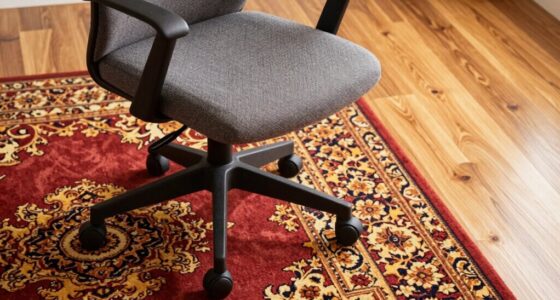
When you get a new chair, expect it to feel stiff or uncomfortable at first—that’s normal. The break-in process allows the materials to soften, mold to your body, and improve comfort over time. Be patient, and avoid rushing adjustments that can damage the chair. Small ergonomic tweaks and active sitting help speed up this process. If you keep using it this way, you’ll soon enjoy a more personalized and supportive seat. Keep going to discover more tips.

Get comfort and recovery gear delivered free with Prime
- Fast, free delivery on millions of items
- Prime Video, Amazon Music and more included
- Member-only deals all year
Key Takeaways
- New chairs often feel uncomfortable initially as materials soften and conform to your body over time.
- Patience during break-in allows for ergonomic adjustments that improve long-term comfort.
- Small, gradual tweaks to height, armrests, and lumbar support optimize fit and support.
- Consistent, gentle use helps materials like foam and leather mold without damage.
- Rushing or forcing adjustments can hinder proper break-in and reduce the chair’s durability.

If you’ve ever sat in a new chair only to find it uncomfortable or stiff, a recent break-in rule might change how you approach the process. When you first start using a new chair, it often feels awkward, with the cushioning too firm or the backrest lacking support. But instead of rushing to replace it or making quick adjustments, consider that the initial discomfort is part of the break-in process. The key is to give your chair time to adapt to your body, allowing the materials to soften and settle into a more comfortable shape. This is where understanding ergonomic adjustments and material durability comes into play. Making small, deliberate ergonomic adjustments during this period helps you fine-tune the chair to your body’s unique needs, ensuring better support and comfort over time.
The break-in process isn’t just about letting the chair’s materials soften; it also involves actively adjusting your sitting posture. Start by setting your chair to the correct height so your feet are flat on the floor and your knees are at a 90-degree angle. Adjust the armrests so your shoulders relax, and ensure that the lumbar support aligns with your lower back. These ergonomic adjustments are crucial because they help distribute your weight evenly and reduce strain, which can make the chair feel more comfortable once it’s broken in. As you sit, pay attention to areas where the chair feels too stiff or uncomfortable, and tweak the settings gradually. Over time, these small changes help the materials conform better to your body, increasing comfort and support.
Material durability is vital during this break-in period. High-quality materials, like dense foam or sturdy plastic, may initially feel rigid but will soften with consistent use. If your chair uses leather or fabric, expect some initial tightness or stiffness, but with regular sitting and gentle use, these materials will mold to your shape. It’s important not to rush the break-in; forcing the chair into uncomfortable positions can damage the material or reduce its lifespan. Instead, give it time and patience. The more you sit and adjust, the more the materials will adapt, resulting in a chair that feels personalized and supportive. Additionally, understanding material properties helps you care for your chair properly during this process.
In the end, remember that a new chair’s comfort improves with gradual, consistent use combined with thoughtful ergonomic adjustments. Be patient with the process, respect the material durability, and your efforts will pay off with a chair that feels just right—supportive, comfortable, and tailored to your needs.
ergonomic office chair with adjustable lumbar support
As an affiliate, we earn on qualifying purchases.
As an affiliate, we earn on qualifying purchases.
Frequently Asked Questions
How Long Does the Break-In Process Typically Take?
The break-in process usually takes about one to four weeks, depending on your furniture maintenance and usage. During this period, you’ll notice comfort adjustments as the materials loosen and conform to your shape. To speed up the process, sit regularly and apply gentle pressure. Remember, patience is key—your chair will become more comfortable over time as the materials settle, providing the support you need.
Can I Speed up the Chair’s Break-In Period?
You can’t really speed up your chair’s break-in period; it’s like trying to rush a delicate flower. Instead, focus on ergonomic adjustments to make it more comfortable faster, adjusting height, tilt, and lumbar support. Consider cushioning options like seat pads or foam inserts to ease discomfort during the process. Be patient and consistent—your chair needs time to mold perfectly to your body for long-term comfort.
What Materials Are Best for a New Chair?
For a new chair, prioritize materials with high durability, like high-quality leather or sturdy mesh, which withstand daily use. An ergonomic design guarantees comfort and proper support, reducing strain over time. Look for frames made from metal or reinforced plastic, as they last longer. Combining durable materials with ergonomic features will give you a long-lasting, comfortable chair that adapts well to your body, making the break-in process smoother.
Should I Use Any Products During the Break-In?
You should avoid using any products during the break-in. Instead, focus on regular use to help the material settle naturally. For leather chairs, leather conditioning can be beneficial after the break-in, providing moisture and preventing squeaks. Keep the chair clean, avoid harsh cleaners, and let your body’s movements naturally soften and mold the material. Patience and consistent use are the best ways to guarantee comfort and longevity.
Is It Normal for a New Chair to Feel Uncomfortable Initially?
Yes, it’s normal for a new chair to feel uncomfortable initially. You might need to make ergonomic adjustments, like tweaking the height or lumbar support, to improve comfort. If the padding feels too firm, consider padding alternatives such as seat cushions or foam inserts. Giving your chair time to break in and trying these adjustments can help it become more comfortable over time, ensuring better support and less discomfort.
As an affiliate, we earn on qualifying purchases.
Conclusion
So, step softly and stay patient as your chair slowly surrenders to your sitting style. Remember, the break-in process isn’t a battle but a bonding, blending your body and the seat into a perfect partnership. With consistent care and a touch of time, your new chair will become comfortable, cozy, and custom-fit. Embrace the experience, enjoy the journey, and soon you’ll sit serenely on a seat that’s truly your own.
leather office chair with adjustable armrests
As an affiliate, we earn on qualifying purchases.
As an affiliate, we earn on qualifying purchases.
As an affiliate, we earn on qualifying purchases.
Halloween Picks
halloween
As an affiliate, we earn on qualifying purchases.