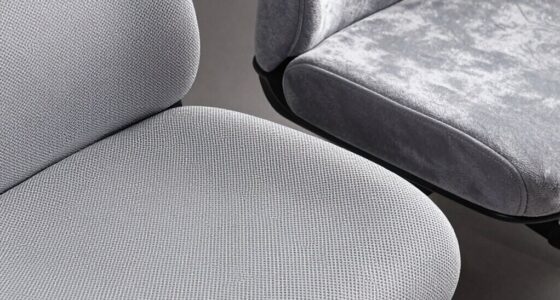
Even with a new ergonomic chair, small mistakes can cause discomfort quickly. If your chair isn’t properly adjusted—like having the height or lumbar support wrong—you might feel strain soon after sitting. Poor workstation setup, such as monitor placement or reaching for the keyboard, also contributes to discomfort. Remember to take breaks and maintain good posture to prevent pain from developing. Keep exploring these simple tips, and you’ll discover how to create a truly comfortable workspace.

Get comfort and recovery gear delivered free — and shop member deals
- Fast, free delivery on millions of items
- Access to Prime Big Deal Days deals on October 6–7
- Prime Video, Amazon Music and more included
Key Takeaways
- Failing to properly adjust the chair’s height and lumbar support can cause discomfort despite a new seat.
- Poor monitor placement and reaching for keyboard or mouse lead to strain, even with ergonomic chairs.
- Not taking regular breaks or movement intervals causes stiffness and pain regardless of chair quality.
- Neglecting to maintain good posture while seated quickly results in discomfort in a new chair.
- Ignoring ongoing ergonomic setup adjustments prevents long-term comfort and can cause pain to persist.
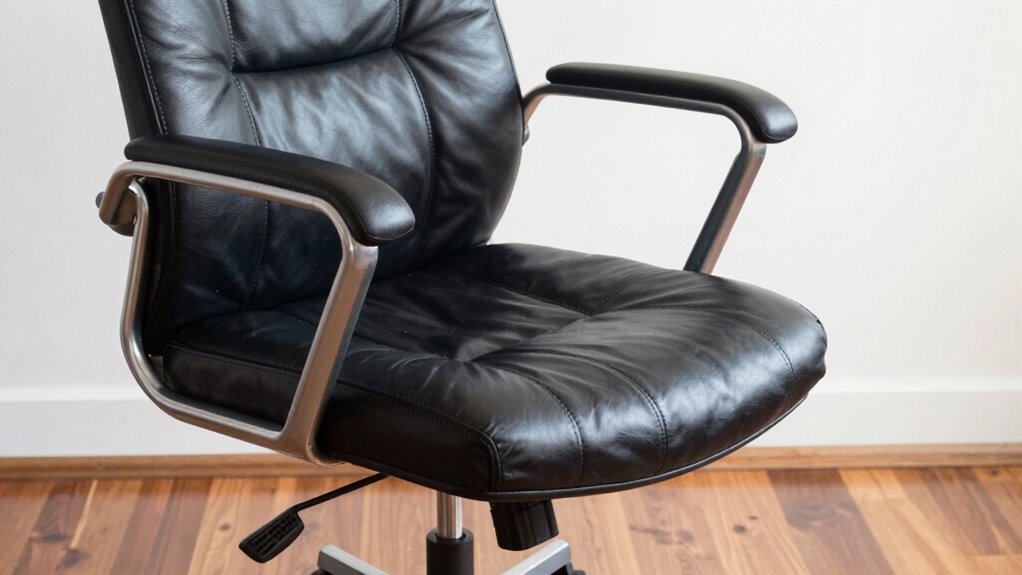
Getting a new chair can feel like a step toward better comfort, but if you’re still experiencing pain, you might be making some quick, common mistakes. One of the biggest errors is neglecting ergonomic adjustments. Even the best chair can cause discomfort if it’s not tailored to your body. Take the time to set your chair’s height so your feet are flat on the ground, and your knees are roughly at a 90-degree angle. Adjust the lumbar support to fit the curve of your lower back, which helps maintain proper spinal alignment. Many people overlook these simple tweaks, but they can make a significant difference in how you feel after hours of sitting. Proper calibration of your chair settings is essential for long-term comfort.
Proper ergonomic setup can significantly reduce discomfort during long sitting periods.
Another common mistake is ignoring your desk posture. Your workstation setup influences comfort more than you might realize. If your monitor is too low or too high, you’ll strain your neck. Position your screen directly in front of you, about an arm’s length away, with the top of the monitor at eye level. Keep your keyboard and mouse close enough so you don’t have to reach or hunch forward, which can strain your shoulders and upper back. Maintaining a neutral wrist position while typing and clicking helps prevent repetitive strain injuries. Being aware of body awareness can help you notice and correct poor posture before it leads to pain.
People often forget to incorporate movement into their routine. Sitting for prolonged periods, even in a perfect chair, can cause discomfort and stiffness. Make it a habit to stand, stretch, or walk around every 30 to 45 minutes. These small breaks help reset your posture and improve circulation. Additionally, be mindful of your desk posture throughout the day. Avoid slouching or leaning forward, which puts unnecessary stress on your spine. Instead, keep your back supported and shoulders relaxed, with your elbows close to your sides. Regularly adjusting your ergonomic setup can further enhance comfort and prevent strain over time. Paying attention to ergonomic principles can help you create a healthier workspace tailored to your needs. Being proactive with these adjustments can also reduce the risk of developing chronic pain related to poor ergonomics.
ergonomic adjustable office chair
As an affiliate, we earn on qualifying purchases.
As an affiliate, we earn on qualifying purchases.
Frequently Asked Questions
How Long Does It Take to Feel Comfortable in a New Chair?
You can start feeling comfortable in your new chair within a few days to a week. To speed up the process, try customizing your chair with ergonomic accessories like lumbar support or adjustable armrests. Make small adjustments regularly, and give your body time to adapt. Remember, comfort improves as you personalize your setup, so be patient and keep tweaking until your chair fits your posture perfectly.
Can Poor Posture Cause Pain Even With a New Chair?
Yes, poor posture can still cause pain even with a new chair. If you’re not maintaining proper posture awareness, you might unknowingly trigger pain, regardless of the chair’s support. Pain triggers often stem from habits like slouching or leaning forward, which strain muscles and joints. To prevent discomfort, focus on sitting correctly, adjusting your chair for best ergonomics, and regularly checking your posture throughout the day.
Are There Specific Features to Look for in an Ergonomic Chair?
You’ll want an ergonomic chair with specific features like lumbar support and adjustable armrests. These elements aren’t just nice-to-haves; they’re essential for proper alignment and comfort. Coincidentally, many chairs lack these features, causing discomfort despite their design. Prioritize a chair that offers customizable lumbar support and adjustable armrests, so you can tailor it to your body’s needs. This way, you’ll reduce strain and enjoy better posture during long hours at your desk.
How Often Should I Adjust My Chair for Optimal Comfort?
You should adjust your chair regularly throughout your day to maintain ideal comfort. Pay attention to your posture awareness, ensuring your back is supported and your feet are flat on the floor. Adjust cushion support as needed to prevent pressure points. Every 30 minutes to an hour, make small tweaks to your seat height, armrests, or backrest to stay comfortable and prevent strain, keeping your posture healthy and supported.
What Are Quick Fixes if My New Chair Causes Pain?
If your new chair causes pain, try quick fixes like adjusting cushion placement to reduce pressure points and improve comfort. Make sure lumbar support is properly positioned to support your lower back. You can also add a small pillow or lumbar roll if needed. Additionally, check your chair height so your feet rest flat on the floor, and take regular breaks to stretch and relieve tension. These simple steps can make your chair more comfortable fast.
As an affiliate, we earn on qualifying purchases.
Conclusion
So, you invested in a fancy new chair, expecting comfort, only to find yourself hurting again. Ironically, the very mistakes you make—ignoring proper adjustments or neglecting posture—could be sabotaging your comfort. Sometimes, the simplest fixes are the hardest to remember. Before blaming the chair, double-check your setup. After all, it’s not the chair’s fault if you’re still hurting; it’s your own quick mistakes that do the real damage.
As an affiliate, we earn on qualifying purchases.
ergonomic keyboard and mouse set
As an affiliate, we earn on qualifying purchases.
As an affiliate, we earn on qualifying purchases.
Fall Picks
fall essentials
As an affiliate, we earn on qualifying purchases.