TL;DR

Get comfort and recovery gear delivered free with Prime
- Fast, free delivery on millions of items
- Prime Video, Amazon Music and more included
- Member-only deals all year
An ergonomic office chair is designed to support comfortable, adjustable sitting during desk work, but the label alone does not guarantee quality or medical benefits. Check fit, seat height and depth, back support, recline, and armrests, then adjust them for your body and workspace. A suitable chair can support comfort, while movement, breaks, and a well-arranged desk still matter.
A chair can have a mesh back, a polished aluminum base, and a price that makes you sit up straight. If your feet dangle or the seat presses behind your knees, though, it may not feel comfortable for your workday.
Ergonomic office chairs are designed to support comfortable, adjustable sitting, but the word “ergonomic” is not a quality guarantee. You’ll learn which adjustments matter, how to set them up, and what to check before you buy—so you can choose a chair that fits your body and your desk.
Choose for fit and useful adjustments; the ergonomic label alone does not guarantee quality or health benefits.
Set seat height for supported feet, then adjust seat depth to leave a small gap behind your knees.
Position lumbar support and armrests for comfort, and choose a recline mechanism that feels stable.
Compare dimensions, weight capacity, return terms, warranty, and repair options before buying.
Use a suitable chair alongside changes in position, breaks, and a well-arranged workstation.
What makes an ergonomic office chair comfortable?
An ergonomic office chair is designed to support comfortable, adjustable sitting during desk work. Its value comes from features you can use and dimensions that suit your body, not from the label alone. That fit matters because a chair sets the starting position for your legs, back, and arms while you work. If your feet hang above the floor in a chair set to desk height, for example, you may brace your legs or sit forward; a footrest or a different adjustment range can help restore support.
Start with the seat. Height adjustment should let you support your feet on the floor or a footrest, with your knees roughly level with or slightly below your hips. If raising the seat is necessary to reach a tall desk, a footrest can support your feet without forcing you to hunch toward the work surface. Seat depth adjustment can help you support your thighs while leaving a small gap between the seat edge and the backs of your knees. A seat that is too deep may press against your legs or encourage you to slide forward; one that is too short may leave more of your thighs unsupported.
Backrest recline, lumbar support, and armrests help you tailor the rest of the chair. Adjustable lower-back support can suit more body shapes, but extra pressure is not automatically better: the support should feel comfortable in your usual sitting position. Recline lets you shift your back angle rather than hold one position, though a mechanism that feels unstable or difficult to control may discourage you from using it. Armrests can take some effort off your shoulders when they let your arms rest naturally; if they are too high, they may lift your shoulders, and if they prevent you from getting close to the desk, they may be more nuisance than help. A stable base, suitable casters, and enough room to move matter too. A headrest or mesh back may feel nice, but neither is essential for every desk worker.
Fit beats a feature list. A chair is a better match when its useful adjustments work for your body, desk, and everyday tasks. The best adjustment range is the one that lets you sit comfortably without compensating elsewhere.
Which chair adjustments deserve your attention first?
For ergonomic office chairs, fit and useful adjustability matter more than the number of knobs. Each adjustment should solve a practical mismatch between your body and the chair, and controls you can understand make it easier to fine-tune that fit. Imagine two chairs: one has a dozen levers you never touch; the other lets you quickly adjust seat height, depth, and recline. The second may be easier to make your own because you can change the settings that affect your support without guessing what every lever does.
| Feature | What to check | When it may help |
|---|---|---|
| Seat height | Can your feet rest on the floor or a footrest? | Your desk height leaves your feet unsupported. Raising the chair to reach a tall work surface can otherwise leave your feet dangling, so check whether the adjustment range and a footrest work together. |
| Seat depth | Can you support your thighs and leave a small knee gap? | The seat edge presses behind your knees or leaves much of your thighs unsupported. A sliding seat can accommodate different leg lengths; a fixed seat may fit well too, but only if its depth suits you. |
| Lumbar support | Does the shape and position feel comfortable against your lower back? | You want to adjust where the backrest supports you. The useful setting is the one that feels supportive without creating a hard pressure point. |
| Recline and armrests | Does the backrest feel stable, and can your arms rest without raised shoulders? | You shift between desk tasks or want a more relaxed arm position. Recline can make position changes easier, while adjustable armrests can help if fixed ones interfere with your desk or shoulder comfort. |
These checks help you compare chairs without treating any single feature as a must-have. Adjustability also brings a tradeoff: more moving parts can offer a closer fit, but only if the controls are intuitive and the chair remains comfortable across its settings. For instance, a headrest could be useful if you often recline, yet it may get in the way during close-up desk work. Let your actual routine guide the choice, and check whether a feature solves a discomfort or workspace constraint you actually have.
How do you adjust your chair in five practical steps?
To adjust ergonomic office chairs, begin with your feet, then work upward until your back and arms feel comfortable. Treat the setup like adjusting a bicycle: make one change at a time, test how it feels, and move on. The order helps because seat height and depth establish your lower-body support; changing them later can affect how the backrest and armrests line up. If you switch between a laptop and a monitor, check your fit in the position you use most often.
- Set the seat height so your feet rest on the floor or a footrest and your knees feel comfortable. If the desk requires a higher chair setting, support your feet rather than lowering the seat so far that reaching the desk becomes awkward.
- Adjust seat depth to support your thighs while leaving a small gap behind your knees. The goal is to avoid both pressure from the front edge and a short seat that leaves too much of your thighs unsupported.
- Position the backrest so it feels supportive; adjust lumbar support if the chair offers it. A supportive setting should feel comfortable during normal work, not like a point pushing insistently into your back.
- Set the armrests so your arms can rest without your shoulders creeping up. Check that they still let you get close enough to the desk; if they bump into it, lower or reposition them if possible.
- Test the recline and make sure it moves smoothly and feels stable. Try changing position rather than locking yourself into one angle, and use the tension or lock controls only if they make the movement comfortable and manageable.
Use the manufacturer’s instructions, especially if your chair has controls that are unfamiliar. Then try a short work session. If your shoulders tense as you type or the seat edge digs in, change one setting and reassess rather than forcing yourself into a rigid pose. A chair that feels fine for a minute may reveal pressure or awkward reach over time, so treat the first setup as a starting point and make small adjustments as needed.
What can a chair improve—and what can’t it promise?
A well-fitted ergonomic office chair may make desk work more comfortable and make it easier to vary your sitting position. It cannot guarantee good posture, prevent injury, or treat pain. A chair changes the support available to you; it cannot control how long you sit, how you use your equipment, or how your body responds. If you work for hours at a cramped kitchen table, for example, the chair can only do so much if your monitor and keyboard remain awkwardly placed.
Comfort depends on the chair, your body, the task, and the whole workstation. A comfortable recline can make it easier to shift position, but staying still in one “perfect” posture all day is not the goal. Different tasks may call for different positions, and even a well-supported position can become uncomfortable if you hold it too long. Stand, walk, or change position when your routine allows. If pain is persistent or severe, talk with a qualified health professional.
There are tradeoffs between designs, too. Mesh may feel airy on a warm afternoon and dry quickly, but its tension and firmness may not suit everyone. Upholstered padding can feel softer or warmer, though it may retain more heat. Neither material is automatically more supportive: shape, construction, and fit affect how the chair feels. Trying a chair can tell you more than its product photos can, especially if you can sit in it long enough to notice pressure points.
What should you check before buying a chair?
Before buying ergonomic office chairs, check whether the chair’s dimensions and adjustments fit your body and workspace. Price can reflect materials, adjustment range, durability, or brand, but it does not guarantee a good fit. A feature only adds value if it addresses how you sit or work; paying for adjustments you cannot use may bring little benefit. For example, a refurbished chair might save money, but its value depends on its condition, warranty, and whether replacement parts are available. A lower upfront cost can be offset if a worn control or unavailable part makes the chair hard to use or repair.
- Measure the space under your desk and check the chair’s seat dimensions and adjustment range. Confirm that the seat can reach a comfortable height without the armrests blocking the desk, and that there is room to move.
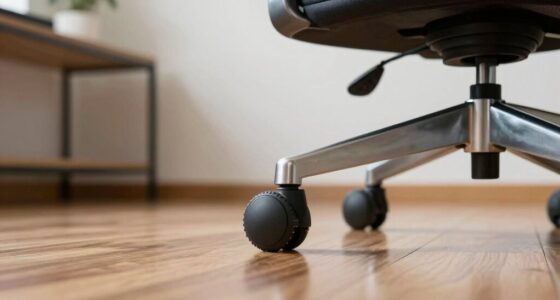
- Confirm the weight capacity and that the base and casters suit your floor. Casters designed for one surface may roll poorly or need a mat on another, which affects both ease of movement and stability.
- Read the warranty and return terms, including delivery and assembly details. A return period is more useful when you know who pays return shipping and whether you can test the chair at home without losing the option to return it.
- Check repair options, such as replacement parts, particularly for refurbished models. Parts availability can matter more over time than a small difference in purchase price, especially for components that wear or fail.
- Look closely at standards or sustainability claims: check what a certification covers and which materials a recycled-content claim refers to. A claim about one component does not necessarily describe the whole chair, so compare the specific scope rather than relying on a broad label.
If you can, sit in the chair before you commit. A quick showroom tryout will not recreate a full workday, but you can still check whether the seat edge, backrest, and controls feel promising and whether the chair lets you get close to a desk. When online ordering is your only option, a clear return policy becomes especially useful because you may only discover pressure points or awkward controls after using it for a while.
Frequently Asked Questions
What is the most important feature in an ergonomic office chair?
Fit and useful adjustability matter most. Start with seat height and depth, comfortable back support, and a stable recline; a long list of controls is only helpful if you can use them.
Is lumbar support necessary?
Many people find lower-back support comfortable, but the shape and position that feel right vary. Adjustable lumbar support can make it easier to fit the backrest to your body.
Are expensive ergonomic office chairs worth it?
Price may reflect materials, adjustment range, durability, warranty, or brand, but it does not guarantee a better fit. Compare dimensions and return terms, and try the chair if you can.
Is mesh better than a padded chair?
Neither is universally better. Mesh may feel more breathable, while upholstery may feel softer or warmer; construction, fit, and personal preference all matter.
Can an ergonomic office chair prevent or relieve back pain?
A suitable chair may support comfort for some people, but results vary. It cannot diagnose, prevent, or treat a medical condition; discuss persistent or severe pain with a qualified health professional.
Conclusion
Choose the chair that fits your body and lets you adjust it without a wrestling match. Set it up for supported feet, comfortable thighs, and relaxed shoulders, then keep changing position as your day allows.
A good chair should feel like a steady place to work—not a reason to sit perfectly still.
Fall Picks
fall essentials
As an affiliate, we earn on qualifying purchases.