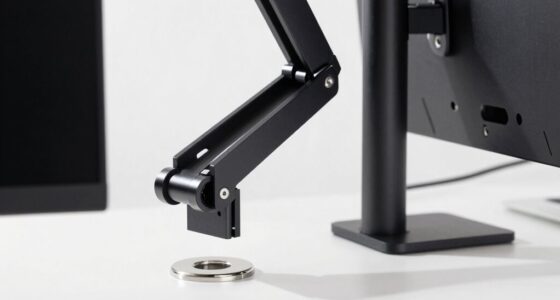
If you need portability and quick ergonomic relief, a laptop riser is your best bet, as it elevates your device to reduce neck strain and is easy to move around. However, if your goal is long-term comfort with adjustable height, stability, and workspace organization, a monitor stand offers better support and durability. Choosing the right tool depends on your specific workspace needs—continue exploring to find out which solution suits you best.

Get comfort and recovery gear delivered free — and shop member deals
- Fast, free delivery on millions of items
- Access to Prime Big Deal Days deals on October 6–7
- Prime Video, Amazon Music and more included
Key Takeaways
- Laptop risers are ideal for quick, portable ergonomic improvements for laptops, while monitor stands offer enhanced stability and adjustability for larger screens.
- Monitor stands provide better ergonomic support for extended use due to their adjustable height and stability features.
- Choose a laptop riser for mobility and space-saving needs; select a monitor stand for long-term comfort and workspace organization.
- Both tools address specific ergonomic issues; the right choice depends on your workspace setup and usage frequency.
- Neither fully solves all ergonomic problems; combining both may be necessary for comprehensive comfort.
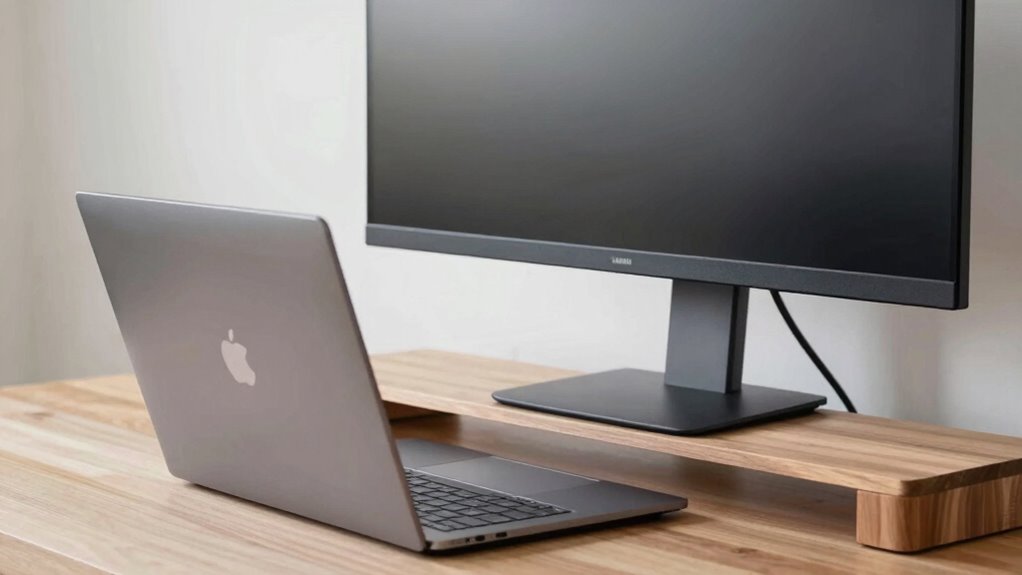
When you’re trying to create a comfortable and ergonomic workspace, choosing between a laptop riser and a monitor stand is an important decision. Both options aim to improve your posture and reduce strain, but understanding their differences helps you pick the best solution for your needs. A laptop riser elevates your device, bringing the screen closer to eye level, which offers notable ergonomic benefits. By doing so, you lessen neck and shoulder strain caused by looking down at a laptop screen. On the other hand, a monitor stand is designed for standalone monitors, often providing more height adjustment options and stability, which can be especially valuable if you use a separate monitor for extended periods. Additionally, monitor stands often come with workspace organization features like cable management or drawers, enhancing overall efficiency.
Choosing between a laptop riser and monitor stand depends on portability, stability, and your workspace needs.
Your choice should consider not just ergonomic benefits but also portability considerations. Laptop risers are typically lightweight and compact, making them easy to carry around if you work in different locations or like to switch between a desk and a coffee shop. They often fold flat, so storing or transporting them doesn’t take up much space. Monitor stands tend to be bulkier and heavier, especially those built with sturdy materials, which can make them less convenient for portability. If you’re someone who moves offices frequently or works remotely, portability could be a decisive factor in favor of a laptop riser. Recognizing the ergonomic benefits of both options can help you make a more informed choice tailored to your workflow. Moreover, understanding the craftsmanship and materials used in these tools can influence their durability and long-term usability.
A comprehensive understanding of workspace ergonomics further supports selecting the right tools to promote comfort and efficiency. A deeper understanding of home theater projectors and their features might not be directly related but highlights the importance of selecting the right tools for specific needs and environments. However, keep in mind that while laptop risers boost ergonomics by elevating your device, they don’t always provide the same stability or adjustable height options as dedicated monitor stands. A monitor stand can often be adjusted to different heights, angles, and even incorporate additional features like drawers or cable management, which enhances your overall workspace organization. But, if portability is a priority, a bulky monitor stand may hinder your ability to easily set up your workspace on the go.
Ultimately, neither tool alone solves all ergonomic problems, but they address specific issues effectively. If you primarily work on a laptop and need something portable that improves neck and eye strain, a laptop riser is a practical choice. If you use a larger monitor and want more stability and adjustable height, a monitor stand might serve you better. Consider your work environment, mobility needs, and long-term comfort goals to make the best decision. Both options aim to improve your posture and reduce discomfort, but your specific circumstances will guide you toward the one that truly solves your ergonomic concerns.
As an affiliate, we earn on qualifying purchases.
Frequently Asked Questions
Can a Laptop Riser Improve Cooling Efficiency?
Yes, a laptop riser can improve cooling efficiency by enhancing thermal management and airflow. By elevating your laptop, you create space underneath, allowing heat to dissipate more effectively. This airflow improvement helps prevent overheating and maintains ideal performance during intensive tasks. Using a laptop riser is a simple, effective way to keep your device cooler and extend its lifespan, especially when you’re working long hours or running demanding applications.
Are Monitor Stands Adjustable for Different Heights?
Yes, many monitor stands are adjustable for different heights, helping you customize your workspace for better ergonomics. Adjustable stands enhance monitor aesthetics by allowing you to position your screen at eye level, reducing neck strain. Plus, they promote desk organization by providing space underneath for accessories or documents. With an adjustable monitor stand, you create a more comfortable, tidy, and visually appealing workspace tailored to your needs.
Do These Accessories Support Ergonomic Health Long-Term?
Think of these accessories as your ergonomic allies, supporting long-term health. They promote posture improvement by aligning your screen at eye level, reducing neck strain. Both laptop risers and monitor stands can support aesthetic enhancement, making your workspace more inviting. When chosen wisely, they guarantee your setup adapts to your needs, helping you stay comfortable and healthy over time, much like a trusty sidekick in your daily work routine.
Can a Riser or Stand Accommodate Multiple Devices?
Yes, a riser or stand can accommodate multiple devices, especially if you choose one designed for multi-device setups. These accessories help with space optimization, allowing you to stack or organize your laptop, monitor, and other peripherals efficiently. By elevating your devices, you create a more ergonomic workspace, reduce clutter, and enhance productivity. Just make certain the stand or riser you select has enough surface area and weight capacity for your specific devices.
Which Option Is More Portable for Travel?
A laptop riser is more portable for travel because it’s lightweight and compact, making it easy to pack in your bag. Monitor stands tend to be bulkier and less convenient to carry around, reducing travel ease. When considering travel convenience and portability factors, a laptop riser is the better choice, allowing you to elevate your device comfortably without adding much bulk or weight to your luggage.
As an affiliate, we earn on qualifying purchases.
Conclusion
Choosing between a laptop riser and a monitor stand depends on your specific needs, but remember, the right ergonomic setup can boost your productivity and reduce discomfort. Did you know that poor ergonomics can decrease work efficiency by up to 15%? So, investing in the right support isn’t just about comfort—it’s about working smarter. Evaluate your workspace and focus on what truly addresses your posture issues, and you’ll find yourself working more comfortably and efficiently every day.
As an affiliate, we earn on qualifying purchases.
desk monitor stand with cable management
As an affiliate, we earn on qualifying purchases.
As an affiliate, we earn on qualifying purchases.
Evergreen bestsellers Picks
bestsellers
As an affiliate, we earn on qualifying purchases.