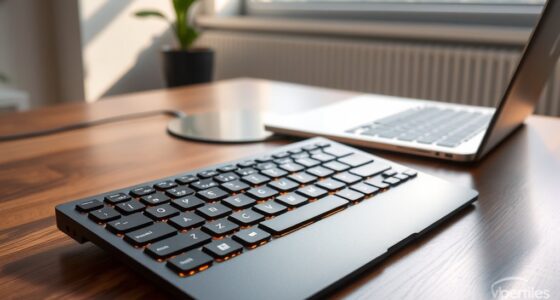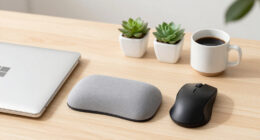
Choosing between under-desk and on-desk keyboards depends on your ergonomic needs, workspace size, and portability. An under-desk setup promotes natural wrist positioning, reduces strain, and saves space, making it ideal for limited areas. On-desk keyboards are more flexible and portable, allowing quick adjustments and easy access. Consider your workspace layout and comfort preferences to decide which fits best—continue exploring to discover the best option for your setup.
Key Takeaways
- Under-desk keyboards promote ergonomic wrist positioning and reduce strain, ideal for long-term comfort.
- On-desk keyboards offer greater portability and easy adjustments for dynamic or shared workspaces.
- Under-desk setups save desk space and reduce clutter, suitable for limited workspace environments.
- On-desk keyboards provide quick access and flexibility for repositioning and user convenience.
- Choice depends on ergonomic needs, workspace size, and whether portability or space-saving is a priority.

Have you ever wondered whether an under-desk or on-desk keyboard is better for your workspace? The choice can considerably impact your comfort and productivity. If you spend long hours typing, understanding the ergonomic benefits of each type is essential. An under-desk keyboard tray or mount can help you maintain a more natural wrist position, reducing strain and minimizing the risk of repetitive strain injuries. This setup encourages proper posture by keeping your keyboard at a comfortable height, allowing your shoulders to relax and your elbows to stay close to your body. On the other hand, an on-desk keyboard gives you immediate access and flexibility. You can easily adjust its position, angle, or height to suit your comfort, which is especially useful if you switch between different tasks or users.
Choosing between under-desk and on-desk keyboards impacts comfort, ergonomics, and workspace flexibility.
Portability options also come into play when choosing between the two. An on-desk keyboard is typically more portable since it’s standalone and easy to move around. If you work in multiple locations or like to customize your workspace, an on-desk model allows for quick reconfiguration. Some models are lightweight and compact, making them perfect for those who prefer a minimalist setup or need to pack up frequently. Conversely, under-desk keyboards or trays are usually fixed or semi-permanent fixtures. While they provide a clean look and save desk space, they might be less convenient if you like to switch your setup often or need to use different keyboards for different tasks.
Your workspace size and layout also influence this decision. If you have limited desk space, an under-desk keyboard can clear up surface area and create a more streamlined environment. It keeps your keyboard out of sight when not in use, which can make your workspace feel less cluttered. However, if your desk is spacious and you like to have your keyboard readily accessible without any fuss, an on-desk keyboard might be the better choice. Additionally, consider whether you prefer a fixed or adjustable setup. Under-desk options often limit adjustments once installed, whereas on-desk keyboards can be repositioned quickly to accommodate your posture changes throughout the day.
Furthermore, selecting a keyboard with adjustable features can enhance comfort and adaptability, especially in dynamic workspaces. Ultimately, the decision hinges on your ergonomic needs, workspace layout, and how much portability matters to you. Both options have their advantages, but understanding how each fits into your routine helps you make an informed choice. Whether you prioritize ergonomic benefits, ease of access, or flexibility, weighing these factors ensures you select the best keyboard setup for your comfort and efficiency.

HUANUO Keyboard Tray Under Desk, 360 Adjustable Ergonomic Sliding Keyboard & Mouse Tray, Under Desk Keyboard Tray Slide Out, Keyboard Holder Under Desk for Typing in Home, Office Work, 25"W x 9.84"D
- Large Size: 25” x 9.84” full-size keyboard tray
- Versatile Fit: Fits all keyboard, mouse, and accessories
- Wrist Rest Included: Enhances wrist comfort during use
As an affiliate, we earn on qualifying purchases.
As an affiliate, we earn on qualifying purchases.
Frequently Asked Questions
How Do Under-Desk Keyboards Impact Office Ergonomics?
You’ll find that under-desk keyboards enhance ergonomic benefits by encouraging better posture and reducing strain. They allow you to keep your wrists straight and shoulders relaxed, which minimizes discomfort during long work hours. By positioning the keyboard lower, you can maintain a more natural arm angle, promoting posture improvement. This setup helps prevent repetitive strain injuries and supports overall comfort, making your workspace healthier and more efficient.
Are There Specific Jobs Better Suited for On-Desk Keyboards?
Imagine a craftsman at a steady workbench, tools perfectly within reach—this is you with an on-desk keyboard. Jobs requiring extensive typing, like data entry or content creation, benefit from the ergonomic benefits and enhanced typing comfort an on-desk setup provides. You’ll find your workflow smoother, minimizing fatigue and boosting productivity. For these tasks, an on-desk keyboard acts as your trusted partner, supporting precision and comfort throughout your workday.
What Maintenance Is Required for Under-Desk Keyboards?
You should regularly perform keyboard cleaning to keep your under-desk keyboard in good shape. Use a soft, damp cloth and compressed air to remove dust and debris, preventing buildup that can cause wear and tear. Check for loose keys or connections periodically, and replace worn-out keycaps when needed. Proper maintenance guarantees your keyboard stays functional and comfortable, reducing the risk of damage over time.
Can Under-Desk Keyboards Be Adjusted for Height?
Yes, under-desk keyboards can be modified for height, allowing you to customize their position for ergonomic comfort. You can typically find models with adjustable legs or mounting options that enable ergonomic customization, helping reduce strain and improve your overall posture. By adjusting the height, you guarantee your wrists stay straight and your elbows remain at a comfortable angle, making your workspace more ergonomic and tailored to your needs.
Do Under-Desk Keyboards Reduce Workspace Clutter?
Do under-desk keyboards truly help reduce workspace clutter? Absolutely, they keep your desk surface clear, enhancing desk aesthetics and giving you more room to work comfortably. By tucking the keyboard away, you minimize visual chaos and create a cleaner, more organized workspace. This setup not only improves your overall comfort but also makes your desk look neater and more inviting, helping you stay focused and productive.

Newmen GM611 Mechanical Keyboard,Rainbow LED Backlit Gaming Wired Keyboards Compact Mini 61 Keys Portable 60 Percent Mechanical Keyboard with Black Keycaps,for Windows Laptop PC Linear Red Switches
- Compact 60% Mechanical Design: Space-saving layout with full functionality
- Rainbow LED Backlighting: 19 effects, 4 brightness, 5 speed levels
- Double-color Injection Keycaps: Luminous, durable key characters
As an affiliate, we earn on qualifying purchases.
As an affiliate, we earn on qualifying purchases.
Conclusion
So, which keyboard suits you better—under-desk or on-desk? Think about your workspace, comfort, and how you work best. Do you want to save space and create a sleek look, or prefer quick access and easy typing? The right choice depends on your habits and preferences. After all, isn’t a comfortable, efficient workspace worth finding the perfect keyboard placement for? Your ideal setup is just a decision away.

Arteck Ergonomic USB Wired Keyboard with Cushioned Wrist & Palm Rest, Backlit 7 Colors & Adjustable Brightness Comfortable Natural Split Keyboard with 6 Feet Wire for Windows Computer Desktop Laptop
- Split Ergonomic Design: Promotes natural wrist and forearm positioning
- Cushioned Wrist Rest: Provides comfortable wrist support during typing
- 7 Backlight Colors: Includes 7 LED backlight options with adjustable brightness
As an affiliate, we earn on qualifying purchases.
As an affiliate, we earn on qualifying purchases.

ProtoArc Foldable Bluetooth Keyboard, XK01 Full-Size Portable Wireless Keyboard for Travel, 105 Keys, 0.65" Keycaps, Multi-Device Sync for iPad Tablet Smartphone Laptop PC Windows iOS Android, Black
- Compact Foldable Design: Folds to 8.46 x 4.68 x 0.78 inches
- Durable Aluminum Hinge: Tested for 10,000+ folds
- No Backlight: Backlit version available in XK01 Plus
As an affiliate, we earn on qualifying purchases.
As an affiliate, we earn on qualifying purchases.