A docking station can silently transform your desk into a more ergonomic space by organizing your devices and reducing clutter. It helps position your monitor at eye level and keeps charging pads within easy reach, minimizing awkward bending. With neat cable management, it prevents tripping hazards and stress on cords. Plus, it makes switching devices simple and quick. Keep exploring to discover how it can boost your comfort, productivity, and workspace efficiency even further.
Key Takeaways
- A docking station positions devices at optimal heights, reducing neck and eye strain for better ergonomics.
- It promotes cable organization, minimizing clutter and preventing trip hazards, creating a safer workspace.
- Wireless charging pads within the docking station enable effortless power-up without awkward bending.
- Easily accessible ports allow quick device switching, enhancing workflow efficiency and reducing repetitive strain.
- The streamlined setup enhances workspace aesthetics, encouraging a more comfortable and focused working environment.
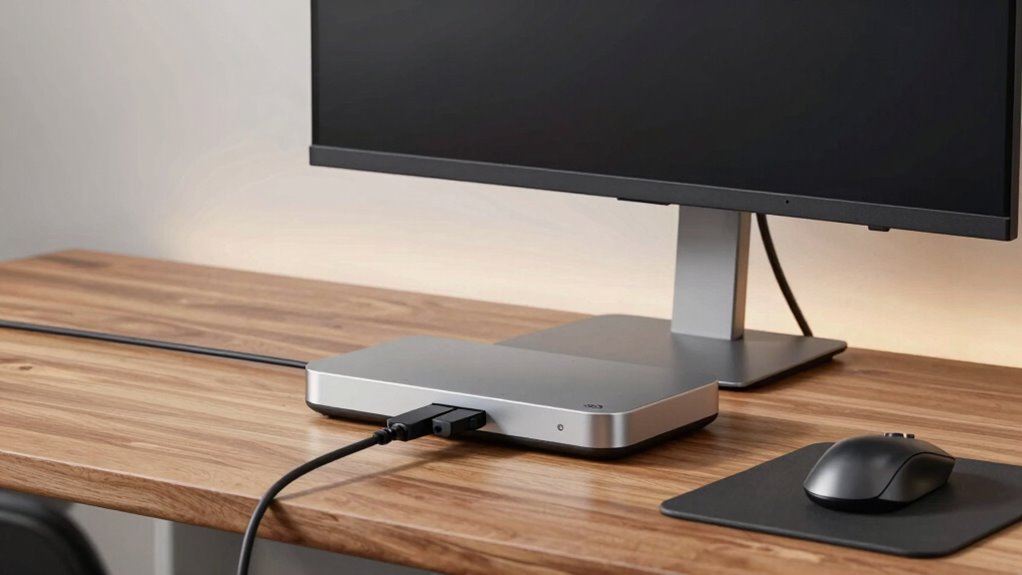
A docking station for an ergonomic desk can considerably enhance your workspace by centralizing all your devices and accessories. Instead of cluttering your desk with multiple chargers, cables, and gadgets, you can keep everything neatly organized in one place. A good docking station offers features like wireless charging, allowing you to power up your phone or other compatible devices effortlessly. No more searching for cables or fumbling with connectors—just place your device on the charging pad, and it’s done. This simple addition reduces clutter and promotes a cleaner, more streamlined workspace, which can notably improve your focus and comfort.
Cable management is another crucial aspect that a docking station addresses. With multiple peripherals—like monitors, keyboards, mice, and external drives—you might find your desk becoming a tangled mess of wires. A well-designed docking station minimizes this chaos by providing designated ports and channels for each cable. You can route all your cords through the station, keeping them out of sight and preventing them from tangling. Better cable management not only looks more professional but also makes your workspace safer by reducing trip hazards and preventing accidental unplugging. When cables are organized, you spend less time troubleshooting connectivity issues and more time working efficiently. Additionally, effective cable management can extend the lifespan of your devices by preventing undue stress on ports and cords. According to U.S. law updates, improving workspace ergonomics can also contribute to long-term health benefits. Moreover, proper workspace organization can help prevent repetitive strain injuries by ensuring your setup encourages better posture.
Using a docking station also encourages better ergonomics. When your devices are positioned at appropriate heights, you can set up your workspace to promote good posture. For example, you can connect your monitor to the station and position it at eye level, reducing neck strain. Wireless charging pads keep your phone within reach without the clutter of cords, so you can glance at your device without bending awkwardly. With your workspace optimized in this way, you’re less likely to experience discomfort or fatigue, which can improve your overall productivity and well-being. Additionally, considering projector technology for presentations or entertainment can further elevate your workspace setup.
Imagine the ease of switching between devices—your laptop, tablet, or phone—without constantly plugging and unplugging cables. A docking station simplifies this process, letting you focus on your tasks instead of managing your workspace. Over time, this setup becomes second nature, making your daily routine smoother and more comfortable. Plus, since many docking stations are sleek and modern, they add a professional touch to your desk, making it look more organized and inviting.
In the end, a docking station quietly transforms your workspace into a more ergonomic, efficient environment. It reduces clutter through smart cable management, offers the convenience of wireless charging, and helps you maintain better posture. All these small improvements combine to make your workday more comfortable and productive, proving that sometimes, the simplest tools can have the most impactful effect.

Umaniy Laptop Stand with Docking Station, 8 in 1 USB C Hub HDMI Portable Laptop Stand for Desk with USB Ports, Multiport USBC Dock Stands Foldable Adjustable Computer Riser Holder Dongle for MacBook
- 8-in-1 Docking Station: Multiple ports for peripherals and data transfer
- 4K HDMI Output: Supports 3840×2160 resolution at 30Hz
- Power Delivery 100W: Charges laptop with 85W power output
As an affiliate, we earn on qualifying purchases.
As an affiliate, we earn on qualifying purchases.
Frequently Asked Questions
Can a Docking Station Improve Overall Posture?
Yes, a docking station can improve your overall posture. It helps you organize your ergonomic accessories like a monitor, keyboard, and mouse, making them easier to reach and use comfortably. This encourages better posture awareness by reducing strain on your neck and shoulders. With everything well-organized, you’re more likely to sit correctly, decreasing discomfort and promoting a healthier workspace.
What Features Should I Look for in an Ergonomic Docking Station?
When choosing an ergonomic docking station, look for features like cable management to keep your workspace tidy and port versatility to connect multiple devices effortlessly. These features help you stay organized and adaptable, reducing strain and clutter. A station with adjustable height or ergonomic design elements can further enhance comfort. Prioritize ease of use, quality construction, and compatibility with your devices to create a more comfortable, efficient workspace.
Is a Docking Station Compatible With All Laptop Brands?
A docking station isn’t compatible with all laptop brands, but many offer universal docking solutions. When shopping, check the laptop compatibility and guarantee it supports standard connections like USB-C or Thunderbolt. Universal docking stations work with most brands, giving you flexibility. Keep in mind that some features might vary, so verify compatibility details before purchasing. This way, you ensure seamless integration and maximize your ergonomic setup.
How Does a Docking Station Affect Desk Clutter?
Imagine you’re working at a cluttered desk, cables sprawling everywhere. A docking station reduces desk clutter by consolidating all your connections into one hub. It aids cable management, hiding excess cords, and streamlines your workspace. With space optimization, you gain more room for essentials or a cleaner environment. This setup not only looks tidy but also improves efficiency as everything’s within reach, making your workspace more organized and productive.
Can a Docking Station Enhance Productivity?
Yes, a docking station can boost your productivity by simplifying your workspace. It offers wireless charging, so you don’t waste time hunting for chargers, and improves cable management, keeping your desk tidy and free of clutter. With everything connected seamlessly, you can switch between devices effortlessly, focus better, and work more efficiently. This streamlined setup helps you stay organized and minimizes distractions, ultimately enhancing your overall work performance.

ANJANK Wireless Charging Station,5 in 1 Multiple Charger Stand with Alarm Clock,7 Night Light,Magnetic Charging Dock for iPhone 17 16 15 14 13 12 Pro Max Plus,Apple Watch 11/10/9/8,for Airpods,Bedroom
- Note on Compatibility: Not compatible with Samsung and Android devices
- 5-in-1 Charging Station: Wireless charger, alarm clock, night light, Apple Watch, AirPods
- Magnetic Wireless Charging: Multifunctional magnetic wireless charging station
As an affiliate, we earn on qualifying purchases.
As an affiliate, we earn on qualifying purchases.
Conclusion
Think of a docking station as the silent conductor of your workspace symphony. It seamlessly brings all your devices into harmony, creating an ergonomic environment that feels effortless and natural. With everything in its perfect place, you’ll find your desk transforming into a well-orchestrated stage where productivity and comfort take center stage. Embrace this quiet upgrade, and let your workspace sing in tune with your well-being.

Under Desk Cable Management Tray No Drill, Metal Mesh Cable Management Under Desk with Clamp Mount, 2 Hole Cable Tray with Wire Management and Cord Organizer for Home Office Standing Desk
- Easy No-Drill Installation: Quick clamp-on setup in minutes
- Desk Protection Rubber Pads: Prevents scratches on your desk surface
- Sturdy Metal Construction: Supports up to 15 lbs with durable steel
As an affiliate, we earn on qualifying purchases.
As an affiliate, we earn on qualifying purchases.

Acer USB Hub 4 Ports, Multiple USB 3.0 Hub, USBA Splitter for Laptop/PC 2FT
- Number of USB Ports: 4 USB 3.0 ports for peripherals
- Data Transfer Speed: Up to 5Gbps transfer rate
- Power Requirements: Requires 5V USB C power for hard drives
As an affiliate, we earn on qualifying purchases.
As an affiliate, we earn on qualifying purchases.