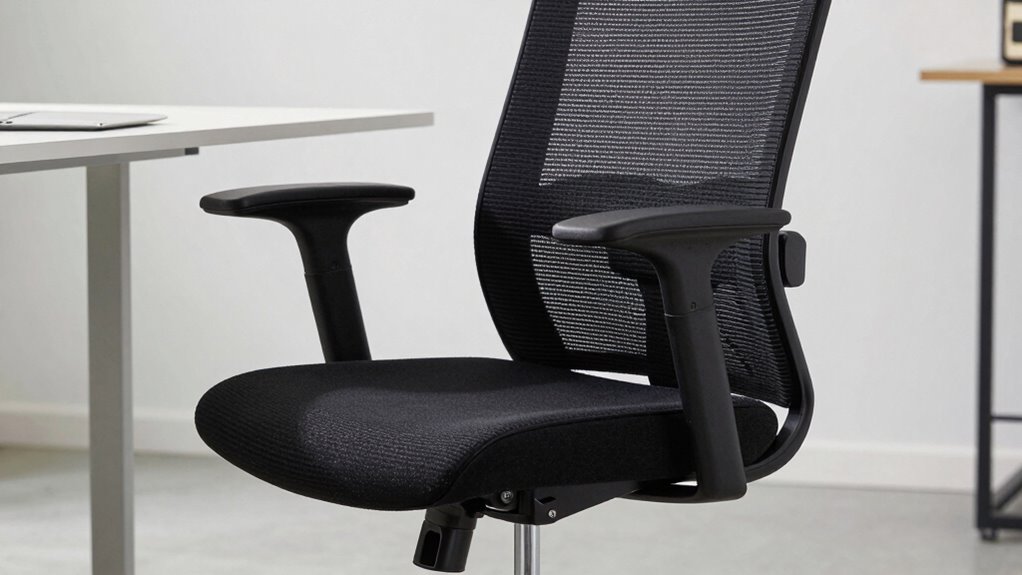

Using a standing desk chair like a regular chair can still harm your posture if you don’t adjust how you sit and move. Slouching or leaning forward, which happens when you treat it like a traditional chair, puts strain on your neck and back. Proper support, posture checks, and mindful habits are essential to avoid issues. If you want to learn how to maintain healthy posture with your desk setup, keep going.

Get comfort and recovery gear delivered free — and shop member deals
- Fast, free delivery on millions of items
- Access to Prime Big Deal Days deals on October 6–7
- Prime Video, Amazon Music and more included
Key Takeaways
- Using a standing desk chair like a regular chair encourages slouching and leaning, harming posture.
- Proper body positioning and habits are essential, regardless of ergonomic features.
- Relying solely on the chair without mindful posture adjustments can lead to discomfort.
- Misusing the chair can negate its ergonomic benefits, causing long-term postural issues.
- Combining ergonomic accessories with conscious posture practices is key to preventing posture problems.
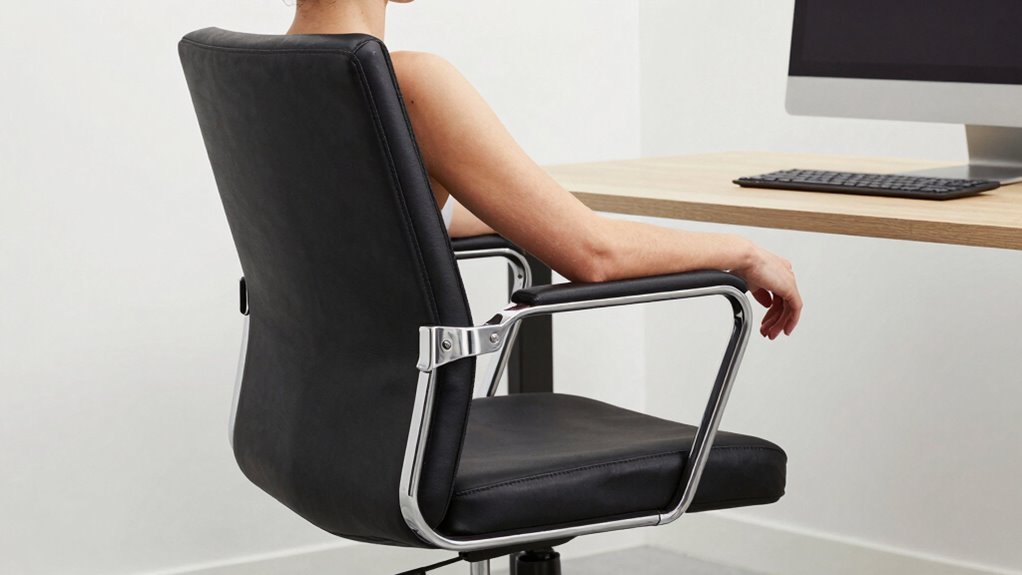
Have you ever wondered if sitting on a standing desk chair might still harm your posture? Even if you’ve invested in ergonomic accessories, such as a well-designed standing desk chair, you could still be risking your health if you use it the wrong way. Many people assume that simply switching from a traditional chair to a standing desk chair automatically improves posture, but that’s not always the case. How you position yourself and the habits you develop matter just as much as the equipment you choose.
The key to avoiding posture problems lies in understanding proper posture correction techniques and applying them consistently. Standing desk chairs are intended to promote movement and reduce strain, but if you sit in a slouched or awkward position, you negate those benefits. Instead of letting the chair support poor habits, you need to actively engage in maintaining proper alignment. Keep your feet flat on the ground, with your knees roughly at a 90-degree angle, and guarantee your hips are level with or slightly higher than your knees. Sit back fully against the backrest, which should support the natural curve of your spine. This is where ergonomic accessories, like lumbar cushions or adjustable footrests, can be game-changers—they help sustain good posture by providing extra support where needed.
Many users fall into the trap of treating a standing desk chair like a regular sitting chair. They slump forward, lean to one side, or crane their necks to look at their monitors. Such habits quickly cause discomfort and long-term postural issues. To prevent this, you should incorporate posture correction techniques into your routine. Regularly check your alignment, perhaps by setting reminders or performing quick posture scans during breaks. Adjust your desk height and the chair’s settings so that your monitor is at eye level, and your arms rest comfortably at your sides with elbows bent at around 90 degrees. Moving around frequently also plays a crucial role—stand, stretch, or walk periodically to reduce muscle stiffness and promote circulation. Additionally, understanding the importance of body awareness can help you catch and correct misalignments before they turn into pain or injury. Incorporating mindful movement into your daily routine can further enhance your posture and overall comfort. Recognizing the significance of ergonomic principles can help you make better adjustments to your workspace setup. Developing proper sitting habits is essential to maintaining long-term postural health and preventing discomfort caused by prolonged improper sitting. Being mindful of posture cues can help you develop better habits and avoid common pitfalls that lead to discomfort.
Using a standing desk chair effectively means staying mindful of your body’s position. Don’t rely solely on the chair’s design to do the work for you. Instead, combine ergonomic accessories with conscious posture correction techniques to truly protect your health. Remember, even the best ergonomic gear can’t compensate for poor habits. Your awareness and effort are what will ultimately keep your posture healthy and prevent the risks associated with prolonged improper sitting.
ergonomic lumbar cushion for office chair
As an affiliate, we earn on qualifying purchases.
As an affiliate, we earn on qualifying purchases.
Frequently Asked Questions
Can a Standing Desk Chair Improve Posture Over Time?
Yes, a standing desk chair can improve your posture over time if you make proper ergonomic adjustments and stay aware of your posture. By using it correctly—adjusting height, lumbar support, and armrests—you help reduce strain and promote better alignment. Staying mindful of posture awareness guarantees you don’t slip back into poor habits, making the chair a tool for healthier sitting habits rather than a hindrance.
Are There Specific Exercises to Complement Using a Standing Desk Chair?
Yes, you can do specific exercises to complement your standing desk chair. Focus on ergonomic adjustments to guarantee proper alignment, like adjusting chair height and monitor placement. Incorporate core strengthening exercises, such as planks and seated marches, to support good posture. Regularly stretching your chest, back, and hips also helps. These practices reduce strain, improve comfort, and enhance posture, making your workspace healthier and more sustainable.
How Often Should I Switch Between Sitting and Standing?
You should switch between sitting and standing every 30 to 60 minutes to maintain good posture awareness. Use ergonomic accessories like a sit-stand desk and adjustable chair to support your movements, preventing strain. Regularly changing positions helps reduce fatigue and encourages better posture. Pay attention to how you feel, and don’t hesitate to adjust your schedule to avoid prolonged static positions, keeping your body comfortable and aligned.
What Are the Signs of Poor Posture While Using a Standing Desk Chair?
If your shoulders are tense, your back aches, or you feel neck strain, it’s a sign of poor posture. Think of your body as a delicate instrument needing ergonomic adjustments — adjust your chair, monitor height, and keyboard position. Stay posture-aware: if you slouch or lean forward, it’s like ignoring your instrument’s tune. These signs warn you to correct your stance before discomfort turns into injury.
Is a Standing Desk Chair Suitable for Long Hours of Work?
A standing desk chair can be suitable for long hours if it has ergonomic design features and adjustable chair height. You should regularly change positions, keep your feet flat, and support your back properly. If the chair’s height isn’t adjustable or if you ignore ergonomic principles, you risk strain and discomfort. Prioritize comfort and proper alignment to make the most of your sitting time, even during extended work periods.
adjustable footrest for standing desk
As an affiliate, we earn on qualifying purchases.
As an affiliate, we earn on qualifying purchases.
Conclusion
Remember, a standing desk chair isn’t a magic wand for perfect posture—you’ll still need to use it wisely. Think of it as a delicate dance where balance matters. If you sit or lean improperly, you risk turning your workspace into a minefield of aches and pains. So, stay mindful, adjust often, and treat your chair like a trusted partner, not just a piece of furniture. That way, your posture stays strong and your body stays happy.
As an affiliate, we earn on qualifying purchases.
As an affiliate, we earn on qualifying purchases.
Fall Picks
fall essentials
As an affiliate, we earn on qualifying purchases.