
To fix common ergonomic issues, start by organizing your workspace to reduce clutter and improve focus. Adjust your chair and desk height so your feet rest flat and elbows stay close to 90 degrees. Position your monitor at eye level and an arm’s length away to prevent strain. Keep your keyboard and mouse aligned to keep your wrists straight, and take regular breaks to stretch. With these tips, you’ll create a more comfortable, sustainable setup—finding out more will help you optimize further.
Key Takeaways
- Declutter your workspace to enhance focus and reduce distractions, keeping only essentials within arm’s reach.
- Adjust chair and desk height for proper ergonomic support, ensuring feet rest flat and elbows stay at 90°.
- Position monitors so the top is at eye level and about an arm’s length away to prevent neck and eye strain.
- Keep keyboard and mouse aligned to maintain neutral wrist positions and minimize strain during extended use.
- Take regular breaks to stretch, move, and promote long-term comfort and sustainability in your workstation.
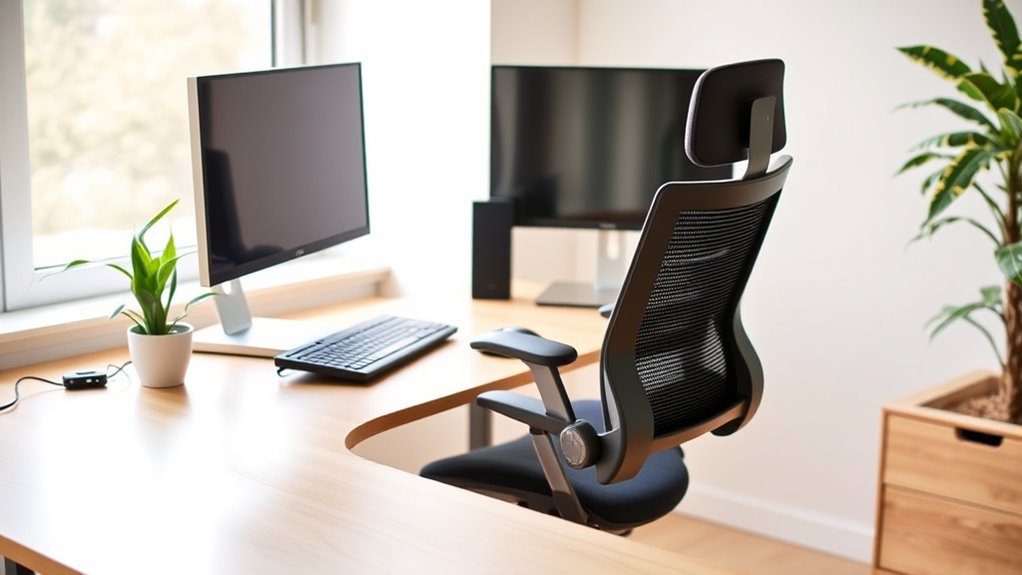
A cluttered or uncomfortable workspace can hinder your productivity and increase stress, but a simple workstation makeover can transform your environment and boost your efficiency. The first step is to assess your desk setup and identify areas that could cause discomfort or inefficiency. A well-organized desk setup isn’t just about aesthetics; it’s about creating an ergonomic environment that supports your health and work performance. Start by clearing unnecessary items from your desk, leaving only essentials within arm’s reach. This minimizes clutter and allows you to focus on your tasks without distractions.
Next, pay attention to your chair and desk height. Your chair should support your lower back, and your feet should rest flat on the floor or on a footrest. Your desk height should allow your elbows to stay close to your body at a 90-degree angle when typing or writing. If your current setup doesn’t meet these criteria, consider investing in ergonomic accessories like adjustable chairs or height-adjustable desks. These tools enable you to customize your workspace to fit your body’s needs, reducing strain on your neck, shoulders, and wrists. Incorporating ergonomic technology can further enhance comfort and productivity.
Ensure your chair and desk are ergonomically aligned to reduce strain and boost comfort throughout your workday.
Proper monitor placement is essential. The top of your screen should be at or just below eye level, so you don’t have to tilt your head up or down. Position your monitor about an arm’s length away from your face. If you use multiple screens, arrange them so you can view both without excessive turning or tilting your head. Using ergonomic accessories like monitor risers or stands can help achieve the right height and distance, promoting good posture and reducing eye strain.
Keyboard and mouse placement also play a significant role in ergonomic comfort. Your keyboard should be positioned so that your wrists are straight, and your hands are slightly below elbow level. A wrist rest can help maintain a neutral wrist position. Similarly, your mouse should be close enough to avoid overreaching, with your wrist in a neutral position. If you find yourself straining, ergonomic accessories such as ergonomic mice or keyboard trays can make a difference. These tools help keep your wrists and hands in natural positions, preventing repetitive strain injuries.
Finally, take regular breaks to stretch and change positions. Incorporating ergonomic accessories into your desk setup isn’t just about equipment — it’s about creating a sustainable environment that encourages movement and reduces discomfort. With a little effort, your workstation can become a comfortable, efficient space that supports your health and productivity every day.

Marsail Ergonomic Office Chair: Office Desk Chair with High Back Mesh and Adjustable Lumbar Support Rolling Work Swivel Task Chairs with Wheel 3D Armrests and Headrest
- Fully Adjustable Headrest: 2D adjustable for personalized support
- Reclining Backrest: Adjusts from 90° to 120°
- 3D Adjustable Armrests: Customizable for comfort
As an affiliate, we earn on qualifying purchases.
As an affiliate, we earn on qualifying purchases.
Frequently Asked Questions
How Often Should I Adjust My Workstation Settings?
You should modify your workstation settings at least once a week or whenever you notice discomfort. Follow an adjusting schedule to guarantee your setup stays ergonomic, and set ergonomic reminders on your device to prompt these tweaks. Regular adjustments help prevent strain and improve comfort. Pay attention to how your body feels, and don’t wait until discomfort worsens—small, consistent changes make a big difference in maintaining good posture and productivity.
What Are Signs of Poor Ergonomic Setup?
You might notice subtle discomfort, like tingling in your fingers or a stiff neck, hinting at a poor ergonomic setup. If your chair adjustments don’t align your hips and knees or your monitor placement causes you to strain your neck, these are signs. Pay close attention to your posture, ensuring your chair supports your lower back, and your monitor is at eye level, preventing unnecessary tension.
Can Ergonomic Fixes Prevent Musculoskeletal Disorders?
Yes, ergonomic fixes can prevent musculoskeletal disorders. When you perform an ergonomic assessment and improve workplace ergonomics, you reduce strain on muscles and joints. Proper chair height, monitor placement, and keyboard positioning help maintain good posture, preventing issues over time. Implementing these adjustments proactively supports your musculoskeletal health, making your workspace safer and more comfortable, and lowering the risk of developing chronic pain or injuries.
Are There Budget-Friendly Ergonomic Improvements?
Yes, you can improve ergonomics on a budget with simple DIY tips and budget-friendly accessories. Think of using a stack of books to elevate your monitor or creating a supportive cushion from household items. Investing in affordable ergonomic accessories like lumbar support pillows or adjustable keyboard stands makes a big difference. These small changes can profoundly reduce discomfort without breaking the bank, making your workspace healthier and more comfortable.
How Do I Customize My Workstation for Different Tasks?
You can customize your workstation for different tasks by making task-specific adjustments to your setup. Use ergonomic accessories like adjustable keyboard trays, monitor stands, or footrests to suit each activity. Switch positions frequently and adjust your chair height, screen angle, and desk height to stay comfortable. These small changes help prevent strain and improve productivity, ensuring your workspace adapts seamlessly to your varied needs.

ErGear 48 X 24 Inch Height Adjustable Electric Standing Desk, Black
- Electric Height Adjustable Standing Desk for Comfortable Work…
- Powerful Motor with Memory Presets – Equipped with…
- Exceptional Stability Steel Frame – Built with a…
As an affiliate, we earn on qualifying purchases.
As an affiliate, we earn on qualifying purchases.
Conclusion
So, congratulations on your newfound ergonomic paradise—your back will thank you, your neck will stop complaining, and your productivity might even improve. Just don’t forget to thank your office chair for its unwavering support, and maybe give your keyboard a little love. Who knew that fixing a few simple issues could turn your desk into a palace of comfort? Now go ahead, sit back, relax, and pretend you’re not secretly plotting your next workstation upgrade.

BONTEC Dual Monitor Stand Riser, Adjustable Length & Swivel Angle, White
- Adjustable Monitor Height and Angle: Fits desks from 31.5" to 42.5"
- Ergonomic Eye-Level Viewing: Reduces neck and shoulder strain
- Large Storage Compartments: Holds keyboard, mouse, files, and devices
As an affiliate, we earn on qualifying purchases.
As an affiliate, we earn on qualifying purchases.

Wireless Keyboard and Mouse Combo, SABLUTE MA41 30dB Quiet Ergonomic Wave Keyboard Set with Soft Leather Palm Rest, Dual-System Switch for Windows/Mac, Ideal for Business Teams Home Office
- Ergonomic Wave Design: Supports natural typing posture
- Adjustable Tilt Angles: Customize for comfort
- Leather Wrist Rest: Soft, supportive cushioning
As an affiliate, we earn on qualifying purchases.
As an affiliate, we earn on qualifying purchases.