
If you spend hours on your mouse, establishing dedicated recovery habits is essential to prevent pain and fatigue. Use ergonomic accessories like adjustable desks and wrist rests to reduce strain, and take regular breaks to stretch your hands, wrists, and forearms. Incorporate mindfulness practices to combat mental fatigue, and set clear work boundaries to avoid overworking. Continuing these strategies can help you stay comfortable and healthy — more tips to enhance your recovery await.

Get comfort and recovery gear delivered free with Prime
- Fast, free delivery on millions of items
- Prime Video, Amazon Music and more included
- Member-only deals all year
Key Takeaways
- Incorporate ergonomic accessories like mice, wrist rests, and adjustable desks to reduce strain during prolonged use.
- Regularly perform stretching exercises for hands, wrists, and forearms to promote blood flow and prevent stiffness.
- Take frequent breaks and practice mindfulness techniques to relax muscles and reset mental focus.
- Establish clear work boundaries and routines to prevent overworking and support physical and mental recovery.
- Combine physical adjustments with mental resilience practices for a holistic approach to recovery in mouse-heavy roles.

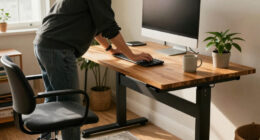
If your job involves hours of constant mouse use, you might not realize how much it’s taking a toll on your body. Repetitive motions can lead to strain, discomfort, and even long-term injuries like carpal tunnel syndrome. To combat this, adopting specific recovery habits is essential. One effective way is to incorporate ergonomic accessories into your workspace. Ergonomic mice, wrist rests, and adjustable desks aren’t just trendy gadgets—they’re practical tools that help reduce strain and support natural hand and wrist positions. These accessories can prevent the development of pain and stiffness, making your work sessions more comfortable and sustainable over time. But recovery isn’t just about physical adjustments; it also involves caring for your mental resilience. Continuous mouse use can lead to mental fatigue, irritability, and decreased focus, which only worsens physical tension. Building mental resilience means intentionally taking breaks, practicing mindfulness, and maintaining a positive mindset about your work routine. Short, frequent breaks allow your muscles to relax and your mind to reset, preventing burnout and promoting better overall productivity.
Additionally, stretching exercises specifically targeted at your hands, wrists, and forearms should become a regular part of your day. These movements help increase blood flow and alleviate stiffness, reducing the risk of injury. When you combine stretching with ergonomic accessories, you create a holistic approach to recovery that addresses both physical and mental strain. It’s also important to set boundaries around your work hours. Overworking can drain your mental resilience, making it harder to recover from the physical toll of mouse-heavy tasks. Establishing clear start and end times, along with scheduled breaks, helps maintain a healthy balance and prevents burnout. Incorporating microchipping and ID awareness into your routine can also help ensure your pet’s safety, giving you peace of mind during busy workdays.
Finally, don’t underestimate the power of mindfulness and mental recovery. Techniques like deep breathing, meditation, or even just stepping away from your workspace briefly can rejuvenate your mental state. When your mind feels refreshed, you’re more likely to approach your tasks with clarity and less tension, which benefits your entire body. In the end, creating a routine that emphasizes ergonomic accessories and mental resilience isn’t just about avoiding discomfort; it’s about fostering a sustainable work environment. By actively caring for both your physical and mental health, you’ll be better equipped to handle the demands of your job, ensuring your productivity and well-being remain intact in the long run.
Products Worth Considering

Bowflex SelectTech 840 Adjustable Kettlebell

BowFlex Results Series SelectTech Adjustable Dumbbells, Pair

Philips Sonicare DiamondClean 9900 Prestige Electric Toothbrush
As an affiliate, we earn on qualifying purchases.
Frequently Asked Questions
How Can I Measure My Recovery Progress Effectively?
To measure your recovery progress effectively, start with ergonomic assessments to identify areas needing improvement. Track changes in your posture awareness—notice if you’re sitting correctly and taking breaks. Keep a journal to log discomfort levels and how they decrease over time. Use wearable devices or apps that monitor posture and activity. Regularly evaluate your habits, and if symptoms improve, you’re making good progress in your recovery.
Are There Specific Exercises Recommended for Mouse-Heavy Workers?
Yes, as a mouse-heavy worker, you should focus on ergonomic mouse use and wrist stretches. Choose an ergonomic mouse that fits comfortably and reduces strain. Incorporate wrist stretches like gentle rotations and flexion/extensions during breaks to alleviate tension. Regularly shifting your hand position and taking frequent breaks also help prevent strain. These exercises and ergonomic adjustments promote recovery, reduce discomfort, and improve your overall hand and wrist health.
What Ergonomic Tools Can Prevent Mouse-Related Injuries?
Like a knight’s armor, ergonomic tools protect you from injury. You should use an ergonomic mouse to reduce strain and incorporate wrist support to keep your wrist in a neutral position. These tools help prevent repetitive strain injuries and improve comfort during long hours at the computer. Always choose adjustable and supportive options, and take regular breaks to maintain your health, ensuring you stay productive and pain-free.
How Often Should Breaks Be Taken During Mouse-Intensive Tasks?
You should take a break every 30 to 60 minutes during mouse-intensive tasks. Use this time to rest your ergonomic mouse and perform wrist stretches to prevent strain. Regular breaks help reduce fatigue and minimize the risk of repetitive strain injuries. Incorporate quick movements like wrist circles or stretches to keep your muscles relaxed. Staying mindful of your break schedule guarantees you maintain comfort and productivity throughout your workday.
Can Diet Influence Recovery From Repetitive Strain Injuries?
Yes, your diet impact can influence recovery from repetitive strain injuries. Nutritional strategies like eating anti-inflammatory foods, rich in omega-3s, antioxidants, and vitamins, help reduce inflammation and promote tissue repair. Incorporate fruits, vegetables, nuts, and lean proteins into your meals. Staying well-hydrated also supports healing. By maintaining a balanced diet, you support your body’s natural recovery processes, speeding up healing and reducing discomfort from repetitive strain injuries.
Conclusion
To keep up with mouse-heavy jobs, you’ve got to prioritize recovery habits that work for you. Whether it’s stretching, taking breaks, or practicing mindfulness, these habits help prevent burnout and physical strain—think of it as your modern-day remedy, like a Victorian tonic for your well-being. Remember, your health isn’t a luxury but a necessity, so don’t neglect your recovery routine. Stay vigilant, and your productivity will flourish like a well-tended garden.