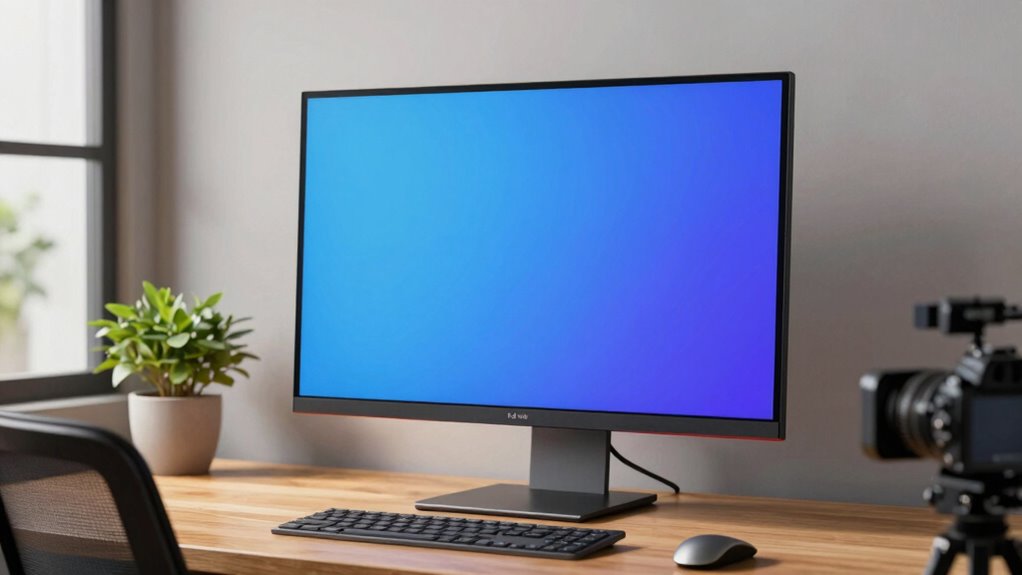

Your monitor height is a key factor in reducing eye strain. If it’s too high or low, you’ll keep moving your eyes and neck unnecessarily, causing discomfort. The top of your monitor should be at or just below eye level, with a slight downward gaze. Using adjustable stands makes this easy and helps you stay comfortable all day. Keep exploring how to optimize your workspace, and you’ll find ways to prevent ongoing eye fatigue.

Get comfort and recovery gear delivered free with Prime
- Fast, free delivery on millions of items
- Prime Video, Amazon Music and more included
- Member-only deals all year
Key Takeaways
- Ensure the top of your monitor is at or just below eye level to reduce unnecessary eye movement and strain.
- Use adjustable stands or risers to easily set your monitor to the optimal ergonomic height.
- Maintain a slight downward gaze to minimize eye fatigue and promote comfortable viewing.
- Regularly evaluate and adjust your monitor height as your workspace or posture changes.
- Combine proper monitor positioning with eye exercises and breaks for maximum eye strain prevention.

If you spend hours in front of a screen, eye strain can become a persistent problem, but one simple adjustment might be the solution you’ve overlooked: changing your monitor height. Often, people focus on screen brightness or taking regular breaks, but the position of your monitor plays a crucial role in reducing eye fatigue. When your monitor is too high or too low, your eyes have to work harder to focus, which leads to discomfort and strain over time. Adjusting your monitor to the correct height allows you to maintain a more natural, relaxed gaze, minimizing unnecessary eye movement and tension. Proper monitor positioning is supported by ergonomic principles that aim to create a comfortable and sustainable workspace. To get the optimal position, consider your eye level when sitting comfortably at your desk. The top of your monitor should be roughly at or just below eye level, so you’re looking slightly downward when viewing the screen. If you find yourself tilting your head up or down, it’s a sign that your monitor isn’t properly aligned. Using ergonomic accessories like adjustable monitor stands or risers can help you achieve this ideal height without hassle. These accessories are easy to set up and can be adjusted as your posture or work setup changes, ensuring ongoing comfort and reducing eye strain. These ergonomic principles are especially important to consider when setting up your workspace to prevent long-term discomfort. Beyond physical adjustments, incorporating simple vision exercises into your daily routine can further ease eye fatigue. Exercises like the 20-20-20 rule—every 20 minutes, look at something 20 feet away for at least 20 seconds—give your eyes a much-needed break. This helps relax the ciliary muscles, which control your eye’s focus, and prevents them from becoming overly strained. Combining proper monitor height with regular vision exercises creates a powerful strategy to combat eye fatigue, especially during long work sessions. You should also pay attention to your overall workspace ergonomics. Proper lighting, a comfortable chair, and maintaining good posture complement monitor positioning to reduce strain on your eyes and neck. Remember, the goal is to create a setup that supports natural, relaxed viewing habits. Small adjustments, like repositioning your monitor or incorporating ergonomic accessories, can lead to significant relief. Don’t forget to routinely evaluate your setup, as your needs might change over time. Staying proactive about ergonomics and eye health will help you avoid discomfort and maintain productivity. In addition, understanding the importance of ergonomic workspace design can help you make more informed adjustments for ongoing comfort. It’s also beneficial to be aware of visual ergonomics to further optimize your environment for eye health, as this field emphasizes the importance of proper workspace setup. In the end, it’s often the simplest fixes—like adjusting your monitor height—that make the biggest difference. Take the time to optimize your workspace, practice eye exercises, and stay aware of your posture. These small steps will keep your eyes healthier and your work more comfortable in the long run.
Products Worth Considering

BowFlex Results Series SelectTech Adjustable Dumbbells (Pair)

Withings BPM Connect Wi-Fi and Bluetooth Blood Pressure Monitor

Bowflex SelectTech 840 Adjustable Kettlebell
As an affiliate, we earn on qualifying purchases.
Frequently Asked Questions
How Can I Determine My Ideal Monitor Height?
To determine your ideal monitor height, start by adjusting your monitor so that the top of the screen is at or slightly below eye level. Proper monitor placement reduces eye strain. Use ergonomic accessories like monitor stands or adjustable arms to fine-tune the height comfortably. Confirm your neck stays relaxed and your eyes focus straight ahead. Regularly check your posture and make adjustments as needed for long-term comfort and reduced fatigue.
Does Monitor Height Affect Posture Beyond Eye Strain?
Yes, monitor height affects your posture beyond eye strain. When your monitor is at the right height, you avoid slouching or leaning forward, reducing neck and back discomfort. Pair this with ergonomic chairs and proper keyboard positioning to maintain a neutral, relaxed posture. This setup minimizes strain on your spine and shoulders, making your workspace more comfortable and preventing long-term musculoskeletal issues.
Are There Recommended Monitor Height Guidelines for Different Professions?
Yes, different professions benefit from tailored monitor height guidelines. For graphic designers, align your monitor so your eyes are level with the top of the screen for accurate color calibration and detailed work. Office workers should keep the monitor at a height that maintains a neutral neck position, considering screen resolution for clarity. Adjusting monitor height based on your profession helps prevent strain and boosts productivity, ensuring comfortable, precise work.
Can Adjustable Monitor Stands Improve Ergonomic Setup?
Yes, adjustable monitor stands can considerably improve your ergonomic setup. They allow you to optimize monitor placement, ensuring the top of the screen is at eye level, which reduces neck strain. Proper desk ergonomics also involve maintaining a comfortable distance from your monitor. By customizing your monitor height, you support better posture, decrease eye strain, and create a workspace that promotes comfort and productivity throughout your workday.
How Often Should I Adjust My Monitor Height During Work?
You should adjust your monitor height whenever you notice discomfort, screen glare, or color calibration issues. During long work sessions, aim to reposition it every 30 to 60 minutes to maintain ergonomic comfort. Keeping the monitor at eye level helps reduce eye strain and fatigue. Regular adjustments guarantee your workspace stays comfortable and minimizes the risk of neck strain, while also optimizing screen clarity and color accuracy.
Conclusion
Remember, when it comes to your eyes, small adjustments can make a big difference. Raising your monitor to eye level might just be the missing piece in your eye-strain puzzle. Think of it like tuning a fine instrument—you’ll notice the difference once everything’s aligned. Don’t wait until discomfort becomes a daily burden; take action now. After all, “a stitch in time saves nine,” so tweak your setup today for clearer, more comfortable eyes tomorrow.