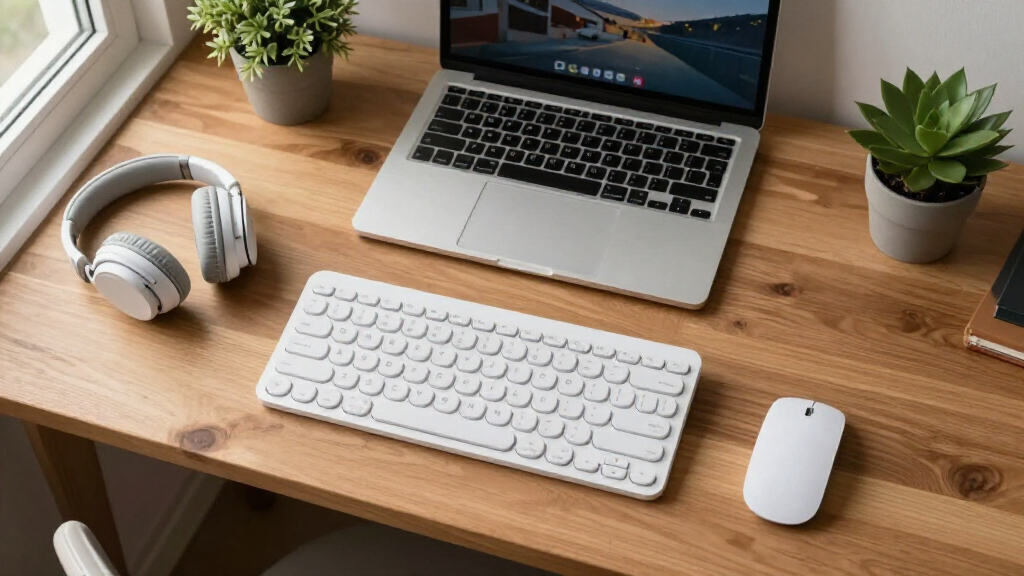

An ergonomic keyboard and mouse set can ease wrist strain during long workdays, but the options in this category pull in very different directions: wave-shaped keyboards for gentle typing angles, split designs for serious posture correction, and vertical mice that completely reposition your grip. The Logitech Wave Keys & Lift Vertical Mouse combo earns my best overall pick for pairing a proven cushioned wave keyboard with a truly vertical mouse at a mid-range price. If budget rules, the SABLUTE Wave combo delivers quiet keys, backlighting, and solid ergonomics for far less, while the Meetion split keyboard sets suit anyone ready for aggressive ergonomics without paying premium prices. The main tradeoff you will face is familiar-brand reliability and software support versus cheaper sets with more features on paper. Keep reading for the full breakdown of all 14 sets.

Get comfort and recovery gear delivered free with Prime
- Fast, free delivery on millions of items
- Prime Video, Amazon Music and more included
- Member-only deals all year
Complete the kit



Key Takeaways
- Logitech‘s Wave Keys & Lift combos dominated the top spots because the vertical Lift mouse does more for wrist pronation than any wave keyboard alone, and Logitech‘s multi-device switching and battery life beat every budget rival.
- The budget SABLUTE and generic 2.4G wave combos are nearly interchangeable in typing feel, which means the real differentiators are backlighting, noise level, and warranty support, not the wave shape itself.
- Split keyboards (Meetion) demand a 1-2 week adjustment period and cost more, but they are the only option here that meaningfully changes shoulder width and forearm angle, not just wrist tilt.
- Four of the 14 sets are the same Logitech combo in different colors (White, Graphite, Rose, MK670), so your choice among them comes down to aesthetics and receiver bundling, not ergonomics.
- Sets with built-in wrist rests and compact layouts without a number pad trade accounting convenience for a more natural reach to the mouse, a better fit for small desks and laptop-first setups.
| SABLUTE Ergonomic Wireless Keyboard and Mouse Combo with Backlit Keyboard and RGB Mouse |  | Best for Night Owls and Style-Focused Setups | Connectivity: 2.4G USB Wireless (USB-A & C) | Keyboard Battery: Rechargeable 4000mAh | Mouse DPI: Up to 1600 DPI | VIEW LATEST PRICE | See Our Full Breakdown |
| SABLUTE Wireless Keyboard and Mouse Combo, Ergonomic Wave, 30dB Quiet, MA41 |  | Best Overall | Connectivity: 2.4G USB Wireless (USB-A & C) | Keys: 104-key QWERTY | Shortcut Keys: 12 | VIEW LATEST PRICE | See Our Full Breakdown |
| Wireless Keyboard and Mouse Combo, 2.4G Ergonomic Wave Keys (Black) |  | Best Budget Pick | Connectivity: 2.4G USB Wireless | Keys: 104-key QWERTY | Wireless Range: Up to 33 feet | VIEW LATEST PRICE | See Our Full Breakdown |
| Wireless Keyboard and Mouse Combo Silent Ergonomic Curved Design for Office |  | Best for Adjustable Typing Angles | Connection Range: 10 meters (33 feet) | Keyboard Design: Ergonomic curved keys | Mouse DPI: 800 / 1200 / 1600 | VIEW LATEST PRICE | See Our Full Breakdown |
| Ergonomic Wireless Keyboard and Mouse Set with Wrist Rest, 85-Key Compact Keyboard, No Numeric Keypad, Black and Red Gradient |  | Best Compact Ergonomic Pick | Connectivity: USB wireless | Keys: 85-key compact QWERTY | Layout: Split ergonomic, no numeric keypad | VIEW LATEST PRICE | See Our Full Breakdown |
| Logitech Wave Keys & Lift Vertical Mouse Ergonomic Wireless Combo – White |  | Best Overall Ergonomic Combo | Color: White | Keyboard Type: Wireless ergonomic wave keyboard | Mouse Type: Wireless vertical ergonomic mouse | VIEW LATEST PRICE | See Our Full Breakdown |
| Logitech Wave Keys MK670 Wireless Ergonomic Keyboard Mouse Combo – Graphite |  | Best for Quiet Shared Offices | Connectivity: Bluetooth, Logi Bolt | Keyboard Design: Wavy ergonomic layout | Mouse Technology: SilentTouch (90% quieter clicks) | VIEW LATEST PRICE | See Our Full Breakdown |
| Wireless Keyboard and Mouse Combo, 2.4G Ergonomic Wave Keys (Black) |  | Best Budget Pick | Connectivity: 2.4 GHz USB | Number of Keys: 104 | Layout: QWERTY, ambidextrous | VIEW LATEST PRICE | See Our Full Breakdown |
| Meetion Ergonomic Split Curved Wireless Keyboard and Mouse Set |  | Best Split-Design Upgrade | Layout: Full-size split curved design | Connectivity: Bluetooth and USB receiver | Tilt Adjustment: 4 levels | VIEW LATEST PRICE | See Our Full Breakdown |
| Kensington Pro Fit Ergonomic Wireless Keyboard and Mouse – Black |  | Best for Secure Office Deployments | Connectivity: 2.4 GHz and Bluetooth 4.0 LE | Encryption: 128-bit AES | Keyboard Design: Split and sloped with adjustable tilt | VIEW LATEST PRICE | See Our Full Breakdown |
| Logitech Wave Keys & Lift Vertical Mouse Ergonomic Wireless Combo, Graphite |  | Best Overall | Type: Wireless ergonomic keyboard and mouse combo | Color: Graphite | Material: Recycled plastic (Keyboard 61%, Mouse 70%) | VIEW LATEST PRICE | See Our Full Breakdown |
| Meetion Ergonomic Keyboard and Mouse Combo, Split Design, Vertical Mouse |  | Best for Maximum Ergonomic Correction | Keyboard Design: Full-size split ergonomic, QWERTY, 112 keys | Mouse: Vertical, adjustable DPI, optical tracking | Connectivity: USB-A wireless receiver | VIEW LATEST PRICE | See Our Full Breakdown |
| Wireless Keyboard and Mouse Combo, 2.4G Ergonomic Wave Keys (Purple) |  | Best Budget Pick | Connection: 2.4 GHz wireless USB receiver | Keyboard Design: Wave ergonomic with integrated wrist rest | Mouse: Contoured shape with forward/back buttons | VIEW LATEST PRICE | See Our Full Breakdown |
| Logitech Wave Keys & Lift Vertical Mouse Ergonomic Wireless Combo – Rose |  | Best for Style-Minded Home Offices | Design: Wave-shaped keyboard with vertical mouse | Connectivity: Wireless Bluetooth | Material: Recycled plastic (Keyboard 46%, Mouse 54%) | VIEW LATEST PRICE | See Our Full Breakdown |
| ergonomic keyboard and mouse set | Connectivity |
|---|---|
| SABLUTE Ergonomic Wireless Key | 2.4G USB Wireless (USB-A & C) |
| SABLUTE Wireless Keyboard and | 2.4G USB Wireless (USB-A & C) |
| Wireless Keyboard and Mouse Co | 2.4G USB Wireless |
| Wireless Keyboard and Mouse Co | — |
| Ergonomic Wireless Keyboard an | USB wireless |
| Logitech Wave Keys & Lift Vert | — |
| Logitech Wave Keys MK670 Wirel | Bluetooth, Logi Bolt |
| Wireless Keyboard and Mouse Co | 2.4 GHz USB |
| Meetion Ergonomic Split Curved | Bluetooth and USB receiver |
| Kensington Pro Fit Ergonomic W | 2.4 GHz and Bluetooth 4.0 LE |
| Logitech Wave Keys & Lift Vert | Bluetooth, Multi-OS compatible |
| Meetion Ergonomic Keyboard and | USB-A wireless receiver |
| Wireless Keyboard and Mouse Co | — |
| Logitech Wave Keys & Lift Vert | Wireless Bluetooth |
More Details on Our Top Picks
SABLUTE Ergonomic Wireless Keyboard and Mouse Combo with Backlit Keyboard and RGB Mouse
This set stands out for its faux lambskin palm rest, a plush touch that most sub-$50 combos skip entirely, plus a rechargeable 4000mAh keyboard battery that outlasts the AA-powered SABLUTE MA41. The backlit keys and RGB mouse give late-night workers and gamers a visual upgrade, though the lighting can be distracting in a dim office if you leave it on. Compared with the basic 2.4G Wave Keys combo, this model trades minimalism for flair — and that split will sort buyers quickly. Note that the mouse still runs on two AA batteries, so you’re not fully free of disposable cells, and DPI tops out at 1600, which is fine for productivity but modest for serious gaming.
Pros:- Soft faux lambskin palm rest is genuinely comfortable for long sessions
- Rechargeable 4000mAh keyboard battery means fewer swaps
- Backlit keys and RGB mouse add visibility and style in low light
- Works across Windows, macOS, ChromeOS, Linux, and Android
Cons:- Mouse still requires two AA batteries despite the rechargeable keyboard
- 1600 DPI ceiling limits the mouse for gaming or multi-monitor precision
- RGB lighting can be distracting in shared or dim workspaces
Best for: Night-shift workers, students, and casual gamers who want comfort plus personality in a desktop set
Not ideal for: Minimalists and quiet-office users who find RGB lighting distracting and don’t want recharge cables mixed with AA batteries
- Connectivity:2.4G USB Wireless (USB-A & C)
- Keyboard Battery:Rechargeable 4000mAh
- Mouse DPI:Up to 1600 DPI
- Mouse Buttons:6
- Wireless Range:33 feet
- Shortcut Keys:9
- OS Compatibility:Windows, macOS, ChromeOS, Linux, Android
Our verdict“This pick makes the most sense for buyers who want an ergonomic set that also looks the part after dark.”
SABLUTE Wireless Keyboard and Mouse Combo, Ergonomic Wave, 30dB Quiet, MA41
The MA41 earns the top spot because it balances ergonomics, quiet operation, and productivity features without the gimmicks. Its up-to-90% noise reduction makes it the better choice over the backlit SABLUTE combo for shared offices or call-heavy days, and the wave design with adjustable tilt plus a cushioned leather wrist rest covers the comfort basics that the bare-bones 2.4G Wave Keys combo only partially addresses. The spillproof build is a real-world safeguard for coffee-adjacent desks. Tradeoffs exist: it runs on AAA batteries that aren’t included, and Mac users lose some shortcut functionality (Music and AI keys won’t work), so Windows-centric buyers get the fuller experience here.
Pros:- Up to 90% quieter typing and clicking than standard combos
- Adjustable tilt and cushioned leather wrist rest for all-day comfort
- Spillproof design protects against desk accidents
- 12 shortcut keys speed up daily workflow
Cons:- Requires 2 AAA batteries that aren’t included
- Several shortcut keys don’t function on macOS
Best for: Office professionals and remote workers who type all day in shared or quiet environments
Not ideal for: Mac-first users who need every shortcut key to work, since several functions are Windows-only
- Connectivity:2.4G USB Wireless (USB-A & C)
- Keys:104-key QWERTY
- Shortcut Keys:12
- Noise Level:Up to 30dB / 90% noise reduction
- Special Features:Spillproof, adjustable tilt, cushioned wrist rest
- Batteries:2 AAA (not included)
- OS Compatibility:Windows, macOS, Linux, Android, ChromeOS, iPadOS
Our verdict“The most sensible all-around choice for a quiet, comfortable, full-featured office setup.”
Wireless Keyboard and Mouse Combo, 2.4G Ergonomic Wave Keys (Black)
This is the no-frills value option — and that’s its whole appeal. You get the same wave-keyboard ergonomics and wrist rest concept as the SABLUTE MA41, but stripped of quiet-switch engineering, spill resistance, and shortcut-heavy layouts, which is exactly why it costs less. For a secondary desk, a kids’ homework station, or a backup set, plug-and-play simplicity and broad OS support matter more than extras. Compared with the compact 85-key ergonomic set, this full 104-key layout keeps the numeric keypad, a real advantage for anyone entering figures. The tradeoffs are honest ones: batteries aren’t included, there’s no backlighting or rechargeable cell, and the mouse lacks adjustable DPI refinement. Buyers wanting longevity or premium feel should step up to the MA41 instead.
Pros:- Affordable with genuine wave-design ergonomics and wrist rest
- Plug-and-play 2.4G connection works reliably up to 33 feet
- Full 104-key layout includes a numeric keypad
- Broad compatibility with Windows, Mac, and Linux
Cons:- Batteries not included, adding hidden cost
- No quiet-switch, backlighting, or productivity shortcuts
- Basic mouse without DPI adjustability
Best for: Budget-conscious buyers setting up a secondary desk, home office, or student workstation
Not ideal for: Anyone wanting quiet keys, rechargeable batteries, or shortcut features — those require stepping up to the SABLUTE MA41
- Connectivity:2.4G USB Wireless
- Keys:104-key QWERTY
- Wireless Range:Up to 33 feet
- Special Features:Ergonomic wave design, wrist rest
- Batteries:2 AA (not included)
- OS Compatibility:Windows, Mac, Linux
Our verdict“The right pick when price is the deciding factor and ergonomics still need to be more than an afterthought.”
Wireless Keyboard and Mouse Combo Silent Ergonomic Curved Design for Office
What separates this combo is its front and back double-adjustable tilt legs, letting you fine-tune the keyboard angle in a way the fixed-tilt budget wave combos can’t match — a meaningful difference if you’ve had wrist soreness from a flat keyboard. The silent curved keys put it in the same quiet category as the SABLUTE MA41, though it offers fewer shortcut keys (9 versus 12) and a shorter 1-year warranty. The mouse includes three DPI steps (800/1200/1600), which covers standard office work but falls short for multi-monitor power users who’d want a higher ceiling. A single nano receiver drives both devices, which keeps a USB port free but means losing the dongle takes down the whole set.
Pros:- Double-adjustable front and back tilt legs for customized angles
- Silent keys suit open-plan and shared offices
- Single nano receiver frees up a USB port
- Switchable 800/1200/1600 DPI mouse covers everyday precision needs
Cons:- One shared USB receiver is a single point of failure for both devices
- Only a 1-year warranty
- Fewer shortcut keys than the SABLUTE MA41
Best for: Desk workers with wrist sensitivity who want to experiment with different typing angles
Not ideal for: Multi-monitor users or gamers needing higher DPI options beyond 1600
- Connection Range:10 meters (33 feet)
- Keyboard Design:Ergonomic curved keys
- Mouse DPI:800 / 1200 / 1600
- Tilt Adjustment:Front & back double adjustment
- Shortcut Keys:9
- OS Compatibility:Windows, macOS, ChromeOS, Linux
- Warranty:1 year
Our verdict“A smart middle-ground pick for buyers whose priority is dialing in the exact keyboard angle their wrists prefer.”
Ergonomic Wireless Keyboard and Mouse Set with Wrist Rest, 85-Key Compact Keyboard, No Numeric Keypad, Black and Red Gradient
This is the only set in this batch built around a compact 85-key split layout, and it targets a different buyer than the full-size options: someone who wants their hands positioned at shoulder width without surrendering desk real estate. The slanted-grip mouse echoes the philosophy of Logitech’s Lift vertical combos at a lower price, and the multi-layer wrist rest adds genuine support. The compromises are real, though — no numeric keypad rules out heavy spreadsheet work, and the split layout demands an adaptation period that casual users may not tolerate. Compared with the budget 2.4G Wave Keys combo, this set is more aggressive ergonomically but less practical for general office tasks. Compatibility is also narrower, limited mainly to Windows and macOS.
Pros:- Compact 85-key design frees up valuable desk space
- Split layout and tilted angles encourage natural wrist posture
- Slanted-grip mouse reduces forearm pronation
- Auto sleep function stretches battery life
Cons:- No numeric keypad limits numeric data entry
- Split layout requires a real adaptation period
- Narrower OS compatibility than most rivals here
Best for: Small-desk typists and writers who prioritize natural hand positioning over a full key layout
Not ideal for: Accountants and data-entry workers who need a numeric keypad for all-day number input
- Connectivity:USB wireless
- Keys:85-key compact QWERTY
- Layout:Split ergonomic, no numeric keypad
- Wrist Rest:Multi-layer included
- Weight:0.5 kg
- Batteries:2 AAA (included)
- OS Compatibility:Windows, macOS
Our verdict“The clear choice for space-constrained desks where posture matters more than a full keyboard.”
Logitech Wave Keys & Lift Vertical Mouse Ergonomic Wireless Combo – White
This pairing stands out as the most thoughtful ergonomic package in the lineup because it attacks strain from two angles at once: the wave-shaped keyboard angles hands into a natural position while the 57° vertical Lift mouse shifts the forearm into a handshake posture that conventional mice simply can’t replicate. Compared with the Logitech Wave Keys MK670, this combo trades the standard mouse for the Lift, which is the real differentiator for anyone with forearm or wrist complaints. Customization through Logitech Options+ adds quiet clicking, adaptive scrolling, and remappable keys. The tradeoff is price — this is one of the most expensive sets here — and the vertical shape demands an adjustment period before it feels natural.
Pros:- Dual ergonomic approach with wave keyboard and 57° vertical mouse
- Whisper-quiet clicks and adaptive scrolling keep shared workspaces peaceful
- Deep customization via the Logitech Options+ app
- High recycled-plastic content for sustainability-minded buyers
Cons:- Premium price compared to non-Logitech wave combos
- Vertical mouse unsuitable for very small hands
- Requires Bluetooth and a compatible device — no fallback for older desktops
Best for: Office workers with existing wrist or forearm strain who want the most aggressive ergonomic correction in one purchase
Not ideal for: Users with very small hands or tight budgets — the Lift mouse runs large and the combo costs notably more than generic wave sets
- Color:White
- Keyboard Type:Wireless ergonomic wave keyboard
- Mouse Type:Wireless vertical ergonomic mouse
- Mouse Angle:57° vertical shape
- Palm Rest:Cushioned memory foam
- Recycled Plastic:Keyboard 46%, Mouse 54%
Our verdict“If strain relief is your top priority and budget allows, this is the combo that delivers the most complete ergonomic correction in one box.”
Logitech Wave Keys MK670 Wireless Ergonomic Keyboard Mouse Combo – Graphite
Where the Wave Keys & Lift combo prioritizes posture correction, the MK670 prioritizes everyday comfort and silence. The standard mouse pairs with the same wavy keyboard and memory foam palm rest, but SilentTouch technology cuts click noise by 90% — a benefit the Lift’s quieter-but-still-tactile clicks don’t fully match. Connectivity is more flexible too, with both Bluetooth and Logi Bolt options spanning Windows, macOS, iPadOS, and ChromeOS. The compromise is ergonomic ambition: without a vertical mouse, this set relieves wrist angle at the keyboard only. It’s also built for medium-to-large hands, and the layout may feel compact to numpad devotees.
Pros:- SilentTouch mouse reduces click noise by 90%
- Dual connectivity (Bluetooth and Logi Bolt) across four operating systems
- Customizable shortcuts through Logitech Options+
- Cushioned memory foam palm rest for all-day typing
Cons:- No vertical mouse option limits forearm strain relief
- Compact layout may frustrate full-size keyboard users
- Battery type and rechargeability are unclear from product info
Best for: Professionals in open-plan offices or shared home workspaces who value near-silent operation and multi-device switching
Not ideal for: Buyers with serious forearm strain who need a vertical mouse, or those who require a full-size keyboard with numpad
- Connectivity:Bluetooth, Logi Bolt
- Keyboard Design:Wavy ergonomic layout
- Mouse Technology:SilentTouch (90% quieter clicks)
- Palm Support:Cushioned memory foam palm rest
- Compatibility:Windows, macOS, iPadOS, ChromeOS
- Recycled Plastic:Keyboard 61%, Mouse 65%
Our verdict“This pick makes the most sense for quiet, multi-device office work where comfort matters more than maximum ergonomic correction.”
Wireless Keyboard and Mouse Combo, 2.4G Ergonomic Wave Keys (Black)
This generic-branded set proves you don’t need Logitech money to get a wave-layout keyboard with wrist rest. What separates it from pricier rivals is the unexpected extras: a built-in phone and tablet holder and an adjustable stand that lets you dial in typing angle — something neither the MK670 nor the Lift combo offers at the keyboard level. The 2.4 GHz USB connection is plug-and-play with a 33-foot range, working across Windows, Mac, and even Linux. The compromises are predictable at this price: batteries aren’t included, there’s no backlighting, and there’s zero software customization, so productivity tinkerers will feel constrained.
Pros:- Wave ergonomic layout with wrist rest at a budget price
- Built-in phone and tablet holder tidies the desk
- Adjustable stand for personalized typing angle
- Reliable 2.4 GHz connection with 33-foot range across Windows, Mac, and Linux
Cons:- Batteries not included — an extra purchase out of the box
- No backlit keys for dim environments
- No customizable keys or companion software
Best for: Students and home-office buyers on a tight budget who want real ergonomic shaping plus workspace perks like the device holder
Not ideal for: Power users who want remappable keys, backlighting, or premium build quality — none of that exists here
- Connectivity:2.4 GHz USB
- Number of Keys:104
- Layout:QWERTY, ambidextrous
- Special Features:Ergonomic wave keys, wrist rest, device holder
- Compatibility:Windows, Mac, Linux, laptops, PCs
- Batteries:1 AA per device (not included)
- Weight:2.6 pounds
Our verdict“For shoppers who want the ergonomic basics and a few bonus features without the brand premium, this is the value play in the lineup.”
Meetion Ergonomic Split Curved Wireless Keyboard and Mouse Set
For buyers who’ve outgrown wave keyboards and want true split-key separation, the Meetion is the natural next step. Unlike the Logitech Wave Keys MK670, which curves a single board, this set physically separates the halves into a curved, full-size layout that positions shoulders at a wider, more neutral angle. The four-level tilt adjustment and cushioned non-slip wrist rest let you fine-tune the geometry, and the mouse’s four DPI levels give cursor control some range. The honest tradeoff: split keyboards demand a real learning curve — expect a week or two of typos — and battery life details are thin, which matters if you hate surprise dead peripherals.
Pros:- True split curved design for neutral shoulder and wrist positioning
- Four-level tilt adjustment for precise comfort tuning
- Multi-device connectivity via Bluetooth and USB receiver
- Mouse with four adjustable DPI levels
Cons:- Steep learning curve from the split layout
- Battery life details are vague
- Full-size footprint demands substantial desk space
Best for: Experienced typists with shoulder or wrist discomfort ready to graduate from wave keyboards to a true split layout
Not ideal for: Hunt-and-peck typists or anyone unwilling to relearn key positions during an adjustment period
- Layout:Full-size split curved design
- Connectivity:Bluetooth and USB receiver
- Tilt Adjustment:4 levels
- Mouse DPI:4 levels
- Wrist Rest:Cushioned, soft, non-slip
- Compatibility:Windows, Mac, PC, laptop
Our verdict“This model is better suited to committed typists who want deeper ergonomic correction than any wave keyboard can offer — provided they can survive the adjustment period.”
Kensington Pro Fit Ergonomic Wireless Keyboard and Mouse – Black
The Kensington Pro Fit earns its spot on a feature none of the other sets match: 128-bit AES encryption on the wireless link. For anyone typing passwords, client data, or financial figures, that security layer separates it from the budget 2.4G wave combo and everything Logitech offers here. The split and sloped keyboard delivers genuine ergonomic shaping — more aggressive than the MK670’s wave but less radical than the Meetion’s full split — and the five-button mouse with forward/back navigation is a productivity boost the Lift vertical mouse can’t match for browser-heavy work. The three-mode power-saving switch stretches battery life. Setup, however, can be fiddly, and there’s no rechargeable option.
Pros:- 128-bit AES encryption for secure keystroke transmission
- Split and sloped keyboard with adjustable tilt
- Five-button mouse with forward/back navigation
- Dual wireless (2.4 GHz and Bluetooth LE) with three-mode power saving
Cons:- Setup can be complicated compared to plug-and-play rivals
- Disposable batteries only — no rechargeable option
- Utilitarian design with no customization software
Best for: IT managers and professionals in finance, healthcare, or legal settings who need encrypted input devices for compliance or data security
Not ideal for: Casual home users who’d find the setup complexity and business-focused feature set unnecessary
- Connectivity:2.4 GHz and Bluetooth 4.0 LE
- Encryption:128-bit AES
- Keyboard Design:Split and sloped with adjustable tilt
- Mouse Buttons:Five, including forward and back
- Power Options:Three-mode power-saving switch
- Color:Black
Our verdict“Buy this if encrypted, business-grade input matters more to you than sleek design or software customization.”
Logitech Wave Keys & Lift Vertical Mouse Ergonomic Wireless Combo, Graphite
This combo stands out for pairing two genuinely ergonomic designs rather than one token curved accessory. The Wave keyboard’s cushioned palm rest and the Lift mouse’s 57° vertical shape work together to keep wrists in a natural position, which is the whole point of buying a set. Compared with the Meetion split combo, Logitech’s approach is gentler — the wave is less dramatic than a full split, so it demands a shorter adjustment period. The whisper-quiet clicks and SmartWheel scrolling make it office-friendly. The tradeoff: Bluetooth-only connectivity can be a problem on older desktops, and the Lift is sized for small to medium hands, so larger users may feel cramped. Customization through Logi Options+ adds remapping options most budget sets like the 2.4G Wave Keys combo simply don’t offer.
Pros:- Wave keyframe plus 57° vertical mouse genuinely supports neutral wrist posture
- Whisper-quiet operation suits shared offices
- Deep customization through Logi Options+, rare at this price
- Built with 61–70% certified post-consumer recycled plastic
Cons:- Bluetooth-only connection excludes devices without reliable Bluetooth support
- Vertical mouse takes an adjustment period for traditional mouse users
- Sized for small to medium hands only
Best for: Office workers with small to medium hands who type all day and want a polished, quiet, brand-supported ergonomic upgrade
Not ideal for: Users with large hands or machines without reliable Bluetooth — the mouse will feel small and connectivity becomes a hurdle
- Type:Wireless ergonomic keyboard and mouse combo
- Color:Graphite
- Material:Recycled plastic (Keyboard 61%, Mouse 70%)
- Connectivity:Bluetooth, Multi-OS compatible
- Mouse Design:57° vertical shape with textured grip and thumb rest
- Keyboard Design:Wave keyframe with cushioned palm rest
- Features:SmartWheel scrolling, quiet clicks, Logi Options+ customization
Our verdict“If you want a cohesive, well-supported ergonomic set and have small to medium hands, this is the strongest all-around choice in the lineup.”
Meetion Ergonomic Keyboard and Mouse Combo, Split Design, Vertical Mouse
Where the Logitech Wave Keys combo eases you into ergonomics, this Meetion set goes all-in: a true split keyboard layout that separates the hands at shoulder width, paired with a vertical mouse and a pillowed wrist rest. For anyone already experiencing wrist or forearm strain, this is the more aggressive intervention in the roundup. The adjustable DPI mouse and rechargeable batteries lasting 1–2 months are practical touches the budget 2.4G wave combos can’t match. But the split layout has a real learning curve — expect a week or two of reduced typing speed — and the full-size footprint demands a deep desk. The USB-A receiver requirement is another friction point for laptop users with only USB-C ports.
Pros:- True split design offers the most aggressive strain reduction in the lineup
- Vertical mouse with adjustable DPI for both precision and comfort
- Rechargeable batteries run 1–2 months per charge
- Soft non-slip wrist rest included
Cons:- Split layout has a steep adaptation period
- Full-size design plus wrist rest needs considerable desk depth
- Requires a USB-A port; no Bluetooth option
Best for: Desk-based workers with existing wrist or forearm pain who are willing to relearn typing for serious ergonomic relief
Not ideal for: Anyone with a shallow desk, a USB-C-only laptop, or a need to type at full speed from day one
- Keyboard Design:Full-size split ergonomic, QWERTY, 112 keys
- Mouse:Vertical, adjustable DPI, optical tracking
- Connectivity:USB-A wireless receiver
- Power:Rechargeable; keyboard backup 1 AAA battery (included)
- Battery Life:1–2 months per charge
- OS Compatibility:Windows 7/10, Chrome OS, Linux, Mac OS, DOS
- Extras:Pillowed non-slip wrist rest
- Weight:1.6 kg
Our verdict“This is the pick for buyers who need corrective ergonomics, not just comfort — provided they have the desk space and patience for it.”
Wireless Keyboard and Mouse Combo, 2.4G Ergonomic Wave Keys (Purple)
This is the cheapest way into a wave-style ergonomic layout with a wrist rest, and for casual or home use, it covers the basics well. The plug-and-play 2.4 GHz receiver is simpler than the Logitech combos’ Bluetooth pairing — plug it in and you’re working, with a 33-foot range that handles couch or presentation setups. The contoured mouse includes forward/back buttons, a nice touch at this price. That said, the savings show: no backlighting, no customization software, and AA batteries you must buy separately and replace over time, which erodes the value gap against rechargeable rivals like the Meetion split combo. It’s also the lightest ergonomic commitment here — the wave is subtle, so buyers with real wrist pain should step up to the Logitech or Meetion sets.
Pros:- Affordable entry point into wave-style ergonomics with wrist rest
- Simple plug-and-play 2.4 GHz setup with 33-foot range
- Mouse includes forward/back buttons
- Cross-platform compatibility with Windows/Mac mode switching
Cons:- Batteries not included and AA cells need ongoing replacement
- No backlit keys for dim environments
- No customization software or rechargeable option
Best for: Budget-conscious home users, students, or secondary workstations who want mild ergonomic shaping without a big spend
Not ideal for: Anyone with existing wrist pain or who wants rechargeable batteries and customization — spend more on the Logitech or Meetion sets
- Connection:2.4 GHz wireless USB receiver
- Keyboard Design:Wave ergonomic with integrated wrist rest
- Mouse:Contoured shape with forward/back buttons
- Range:Up to 33 feet (10 m)
- Battery:1 AA per device (not included)
- Compatibility:Windows, Mac, and other OS (FN+Q / FN+W switching)
Our verdict“A sensible low-cost starter set for light use, as long as you accept disposable batteries and a modest ergonomic benefit.”
Logitech Wave Keys & Lift Vertical Mouse Ergonomic Wireless Combo – Rose
Functionally, this is the same formula as the Graphite Wave Keys & Lift combo: wave keyboard, cushioned palm rest, 57° vertical mouse, quiet clicks, and Logi Options+ customization. The Rose colorway is the differentiator, and it’s the pick if your workspace aesthetics matter — most ergonomic sets, including every Meetion and generic 2.4G option in this roundup, come only in black. Note that this variant uses less recycled plastic (46–54%) than the Graphite version, so if sustainability is part of your buying logic, the Graphite edition is the stronger choice. The tradeoffs carry over too: Bluetooth-only setup requires initial pairing, and the compact sizing rules out large hands. The white Logitech combo offers a third color path if Rose feels too bold.
Pros:- Distinctive Rose colorway rare in the ergonomics category
- Same proven wave keyboard and 57° vertical mouse design as the Graphite combo
- Quiet clicks and SmartWheel with Logi Options+ customization
- Cushioned palm rest and textured thumb rest for all-day comfort
Cons:- Lower recycled plastic content than the Graphite variant (46–54% vs 61–70%)
- Bluetooth-only connectivity with an initial pairing step
- Too compact for large hands; single color option
Best for: Home office users who want full ergonomic credibility in a color that suits a styled workspace, with small to medium hands
Not ideal for: Buyers with large hands or those prioritizing maximum recycled content — the Graphite version does both better
- Design:Wave-shaped keyboard with vertical mouse
- Connectivity:Wireless Bluetooth
- Material:Recycled plastic (Keyboard 46%, Mouse 54%)
- Mouse Features:57° vertical angle, textured grip, thumb rest
- Keyboard Features:Cushioned palm rest, tactile switches, Logi Options+ support
- Sizing:Best for small to medium hands
- Color:Rose
Our verdict“Choose this over the Graphite edition only if the color matters to you — the ergonomics are identical, but the sustainability credentials are slightly weaker.”

How We Picked
I ranked these 14 sets by weighing actual ergonomic benefit first — the angle of the keyboard’s wave or split, the verticality of the mouse, and whether wrist support is integrated or an afterthought. Because a set is only ergonomic if you keep using it, I also scored comfort during long sessions, key noise, mouse sensor quality, and how quickly a new user can adapt without pain or frustration. Battery life, connection stability, and multi-device support separated mature designs from budget imitations.
Value played a large role in the ordering. Several sub-$40 generic wave combos perform identically to each other, so I favored the ones with extras like backlighting, quiet switches, or longer warranties. Logitech’s repeated appearances reflect consistency rather than bias: the Wave Keys & Lift pairing simply outperforms on mouse design and reliability, which is why its color variants cluster at the top while cheaper alternatives fill out the value tier.
Factors to Consider When Choosing Ergonomic Keyboard And Mouse Set
Before settling on a specific set, it helps to understand what actually drives comfort differences between these categories and where buyers most often go wrong.Wave, Split, or Curved: Match the Design to Your Problem
The biggest mistake buyers make is treating all ergonomic shapes as equal. A wave keyboard gently angles keys to match natural finger lengths and tilts the wrists inward a few degrees — a good entry point if you type mostly pain-free but feel fatigue by afternoon. A split keyboard separates the key wells entirely, letting your shoulders relax to a natural width; this is the right call if you already have wrist, elbow, or shoulder complaints, but expect a genuine retraining period where your typing speed drops. Curved one-piece designs sit between the two and suit people who want a different feel without relearning key positions. Be honest about your tolerance for adjustment: buying a split design you abandon after a week is worse than buying a wave design you actually use.
The Mouse Matters More Than Most Buyers Expect
When people complain of mouse-related strain, the culprit is usually palm pronation — the flat rotation of the forearm required by traditional mice. A vertical mouse like the Logitech Lift or those bundled with the Meetion sets rotates your hand into a handshake position, which is why mouse quality varies more sharply than keyboard quality across this lineup. Cheap bundled mice often reuse the same flat shell as non-ergonomic sets, giving you an ergonomic keyboard paired with a strain source. If your pain is mouse-side, prioritize sets with a true vertical or semi-vertical mouse even if the keyboard is more basic. Sensor precision and programmable buttons matter too if your work involves detailed editing rather than text entry.
Noise Level and Where You Actually Work
Key noise is easy to overlook until the first shared-office or late-night session. Sets like the SABLUTE MA41 at around 30dB are marketed for quiet environments, and membrane-based wave keyboards are generally quieter than the mechanical switch boards tempting you elsewhere. If you work in an open office, take calls from your desk, or share a bedroom, quiet switches should outrank backlighting or RGB extras on your priority list. Conversely, if you work alone in a dedicated space, paying a premium for silence buys you nothing. Check whether the mouse clicks are quiet too — some sets silence the keyboard but ship a loud mouse, undoing the benefit.
Number Pad or Not: Layout Shapes Your Posture
A full numeric keypad pushes your mouse 3-4 inches further right, which forces constant shoulder extension across the day — one of the most underappreciated causes of strain. Compact TKL (tenkeyless) sets, like the 85-key option in this roundup, position the mouse closer to your typing centerline and fit narrow desks better. The tradeoff is real for accountants, data-entry workers, and anyone who lives in spreadsheets; a separate USB number pad is a good compromise if you need one occasionally. Before buying, measure your setup: if your mouse currently sits at or beyond your keyboard’s right edge, dropping the number pad will do more for you than any wave shape.
Wireless Reliability, Batteries, and Connectivity
Nearly every set here is wireless, but the implementation differs. Single-dongle 2.4G sets are simplest, though generic ones can suffer from input lag or interference in crowded wireless environments — a common complaint with ultra-budget combos. Logitech’s sets add Bluetooth multi-device switching, letting you toggle between a work laptop and personal tablet with a button press, which is worth paying for if you juggle devices. Battery type matters for long-term cost and convenience: replaceable AAA cells are easy to refresh but wasteful, while rechargeable USB-C sets save money but die at inconvenient moments. Check whether the keyboard and mouse share one receiver or need two USB ports before you buy.
When to Pay More — and When Not To
Premium pricing in this category buys three things: refined ergonomics from companies that study hand anatomy, better build materials that survive daily abuse, and multi-year warranties with real support. Logitech and Kensington justify their premiums on those grounds, and anyone with existing repetitive strain symptoms should spend the extra money rather than gamble on a no-name set. But if you are trying ergonomic input for the first time, a $30-40 wave combo is a low-risk experiment that tells you whether the shape suits you before you commit to premium gear. The mistake to avoid is mid-tier spending: a slightly-better generic set offers neither the savings of the budget tier nor the durability of the premium tier. Pick a lane based on your symptoms and how certain you are that ergonomics will stick for you.
Frequently Asked Questions
Is a vertical mouse or a wave keyboard more important for reducing wrist pain?
For most people, the vertical mouse delivers the bigger benefit, because traditional flat mice force your forearm into full pronation for hours at a time — the position most linked to wrist and forearm strain. A wave keyboard only tilts your wrists inward a few degrees, which helps with mild fatigue but does not restructure your posture the way a vertical mouse changes your grip. That said, the two address different problems: if your pain comes from typing rather than mousing, the keyboard shape matters more. The Logitech Wave Keys & Lift combos handle both sides well, which is a large part of why they rank at the top of this comparison. If you can only upgrade one device, track which activity hurts more at the end of your workday and prioritize that peripheral.
How long does it take to adjust to a split or wave keyboard?
A wave keyboard usually feels comfortable within a day or two because the key layout stays in the standard QWERTY arrangement — only the angle changes. A split keyboard like the Meetion sets is a different story: expect one to two weeks of reduced typing speed while your hands learn the separated key wells, and some frustration in the first few days. My advice is to commit fully during the adjustment window rather than switching back and forth, which prolongs the retraining indefinitely. Start on a lighter workload day, keep your old keyboard nearby only as an emergency backup, and resist the urge to judge the design in the first 48 hours. Most people who abandon split keyboards do so in week one, before the muscle memory forms.
Are the generic 2.4G wave combos on this list good enough, or should I pay for Logitech?
The honest answer is that the typing experience on the generic sets is surprisingly close to the name-brand wave keyboards — the wave shape itself is easy and cheap to manufacture. Where the budget sets fall short is mouse design (usually flat rather than vertical), battery efficiency, wireless stability in busy offices, and warranty support if something fails. If you primarily want a quieter, softer keyboard and your mouse use is light, a generic combo around $30 is a perfectly rational buy. If you already have wrist symptoms or work eight-plus hours daily, the Logitech combo’s Lift mouse and multi-device support justify the higher price many times over. Kensington sits in between, offering corporate-grade durability without the premium mouse.
Do I need the backlit keyboard version, or is it a gimmick?
Backlighting genuinely helps in dim offices or evening work, and on the SABLUTE backlit set it adds a small price premium while slightly reducing battery life per charge cycle. If you work in a well-lit room during normal hours, the backlight will rarely activate and you should save the money or spend it on a better mouse. One overlooked point: backlit keys also tend to have larger, more legible legends, which matters if you share the keyboard with family members or are teaching someone to type. RGB effects on the mouse are almost purely aesthetic and should not influence an ergonomic purchase. Decide based on your actual lighting conditions, not the product photos.
Should I buy a set with a built-in wrist rest or add my own?
Built-in wrist rests, like the cushioned palm rest on Logitech’s Wave Keys, guarantee correct placement — the support is exactly where the designer intended, and it cannot slide out of position mid-session. Add-on rests are riskier because most people place them wrong, resting wrists during active typing (which actually compresses the carpal tunnel) instead of pausing between bursts. If you choose a set without a rest, the correct technique is to float your hands while typing and rest only during pauses. Sets that include a rest but position it too low or too hard can cause their own pressure points, so width and padding depth matter more than presence alone. For most buyers, an integrated rest matched to the keyboard’s angle is the safer, more foolproof choice.
Conclusion
Choosing the right ergonomic keyboard and mouse set comes down to matching the design’s aggressiveness to your symptoms and budget. For best overall, the Logitech Wave Keys & Lift combo (in any color) pairs a genuinely vertical mouse with a cushioned wave keyboard and the best reliability in the lineup. The SABLUTE Wave MA41 takes best value, delivering quiet keys and solid ergonomics at a fraction of the Logitech price. Best premium goes to the Logitech MK670, which adds multi-device management and Graphite styling for professionals who live on their keyboard. For beginners testing the ergonomic waters, the generic 2.4G wave combos or the backlit SABLUTE are low-risk starting points that teach you whether the shape suits you. Finally, for specific needs: the Meetion split sets serve users with existing strain who need real posture correction, the Kensington Pro Fit suits IT-managed offices needing durability and standard layouts, and the 85-key compact set fits small desks and anyone whose mouse sits too far to the right. Whatever you pick, give yourself at least two weeks before judging — ergonomic benefits build over time, and the best set is the one you stop noticing because nothing hurts.
Columbus Day / Indigenous Peoples' Day Picks
long weekend sales
As an affiliate, we earn on qualifying purchases.