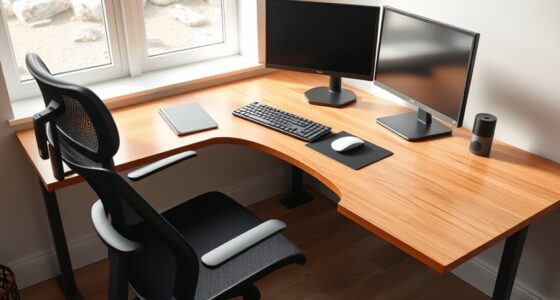
To create an ergonomic workspace anywhere, start by elevating your laptop to eye level with a portable stand and use an external keyboard and mouse for comfort. Support your lower back with a portable cushion and guarantee good lighting using a compact lamp. Even in hotel rooms or cafes, these adjustments help prevent strain and fatigue. Keep exploring for more simple tips to make your remote work setup comfortable and healthy wherever you go.
Key Takeaways
- Use portable laptop stands and risers to keep screens at eye level, reducing neck strain in hotel or co-working spaces.
- Carry lightweight, foldable keyboards and ergonomic mice to maintain natural wrist and arm positions anywhere.
- Incorporate portable lumbar cushions or folded towels to support lower back and improve seating comfort.
- Bring adjustable, compact lighting solutions like clip-on desk lamps for well-lit, eye-friendly workspaces.
- Optimize your setup quickly by combining these portable tools to mimic office ergonomics in any temporary environment.

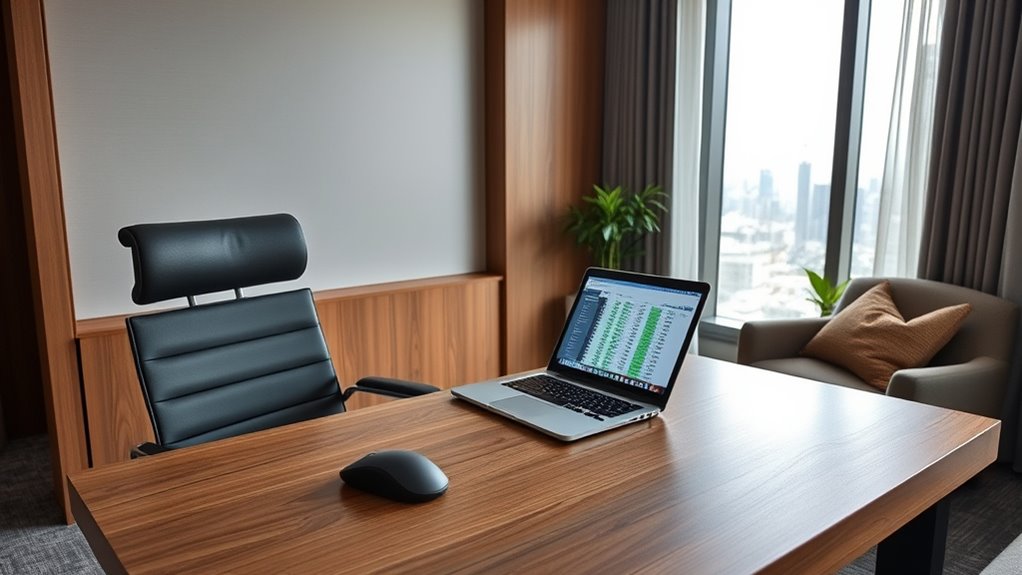
With more people working remotely than ever before, creating an ergonomic workspace anywhere is essential for maintaining productivity and health. Whether you’re staying in a hotel or working from a coffee shop, feeling comfortable and supported while working is vital. Hotel comfort plays a significant role here; it’s about transforming a temporary space into a functional, ergonomic environment. You don’t need to sacrifice comfort just because you’re away from your usual setup. Using portable equipment can make all the difference. Lightweight, easy-to-transport items like a compact laptop stand, foldable keyboard, or ergonomic mouse can turn a hotel desk or lounge into an efficient workspace.
Create an ergonomic workspace anywhere with portable, lightweight equipment for comfort and productivity on the go
When you’re on the go, your goal should be to mimic the ergonomic benefits of your regular office. Start by considering your posture. Keep your screen at eye level to avoid neck strain, and use a portable stand to elevate your laptop. If the hotel desk or table is too high or uneven, a small, foldable riser can help create a more comfortable viewing angle. Pair this with a portable keyboard and mouse, which allow you to keep your arms and wrists in natural positions, reducing fatigue and discomfort. These pieces of portable equipment are designed for easy packing, so you can set up quickly and without hassle.
Another key aspect is supporting your lower back. A small, portable lumbar cushion can be a game-changer, especially if the hotel chair lacks proper lumbar support. It’s simple to carry, fits easily into your bag, and instantly improves your sitting posture. Don’t overlook the importance of a good, supportive chair—if your hotel provides one, make adjustments to ensure your back is well-supported. If not, a portable cushion or folded towel can serve as a quick fix.
Lighting also matters. Hotel rooms often have limited or harsh lighting, which can cause eye strain. Bring along a compact, adjustable desk lamp or clip-on light to create a well-lit workspace. This not only boosts your focus but also prevents headaches caused by poor illumination. Remember, setting up your work area in a way that resembles your usual ergonomic layout is key to staying comfortable and productive.
Top picks for "work ergonomic anywhere"
Open Amazon search results for this keyword.
As an affiliate, we earn on qualifying purchases.
Frequently Asked Questions
How Do I Maintain Good Posture in Limited Space?
To maintain good posture in limited space, focus on ergonomic travel tips like adjusting your chair and screen height, and organizing your workspace efficiently. Sit with your back straight, feet flat on the floor, and keep your monitor at eye level. Use cushions or portable lumbar support if needed. Regularly stretch and shift positions to prevent strain, ensuring your workspace is organized for easy access and ideal comfort throughout your workday.
What Are the Best Portable Ergonomic Accessories?
You should invest in portable accessories like compact ergonomic essentials to boost your comfort on the go. A foldable laptop stand, an ergonomic mouse, and a portable lumbar support cushion are great options. These accessories help maintain proper posture, reduce strain, and improve productivity. Look for lightweight, easy-to-carry items that fit your workspace, making it simple to stay ergonomic no matter where you work.
How Can I Reduce Eye Strain in Different Environments?
Want to cut down eye strain in different environments? You should use blue light filters on your devices and adjust your screen brightness to match your surroundings. Have you ever tried reducing glare with anti-reflective screen covers? These simple steps help your eyes relax, no matter if you’re in a hotel lobby or a co-working space. Keep your screen at a comfortable level to prevent fatigue and protect your vision.
What Are Quick Stretches for Frequent Breaks?
To stay comfortable during frequent breaks, do quick stretches like shoulder rolls, neck tilts, and wrist circles. Use ergonomic footrests to relieve pressure on your legs and improve posture. Remember wrist support tips, such as gently stretching your wrists and keeping them neutral during breaks. These small actions boost circulation, reduce strain, and keep you alert, especially when working from various environments like hotels or co-working spaces.
How Do I Set up a Distraction-Free Workspace?
To create a distraction-free workspace, start by choosing a quiet spot that minimizes noise and interruptions. Use noise-canceling headphones if needed. Personalize your workspace with essential tools and comfortable furniture, fostering focus. Keep your area tidy, removing unnecessary clutter. For remote collaboration, set clear boundaries and communicate your availability. This setup helps you stay productive, engaged, and minimizes distractions, ensuring you work efficiently wherever you are.
Conclusion
By prioritizing ergonomic setups wherever you work, you boost comfort and productivity. Imagine a digital nomad who adjusts their hotel workspace with a supportive chair and proper screen height—suddenly, neck and back pain disappear, and focus sharpens. Whether you’re in a hotel or a co-working space, small adjustments make a big difference. So, take control of your workspace, and enjoy a healthier, more comfortable work-from-anywhere experience every day.