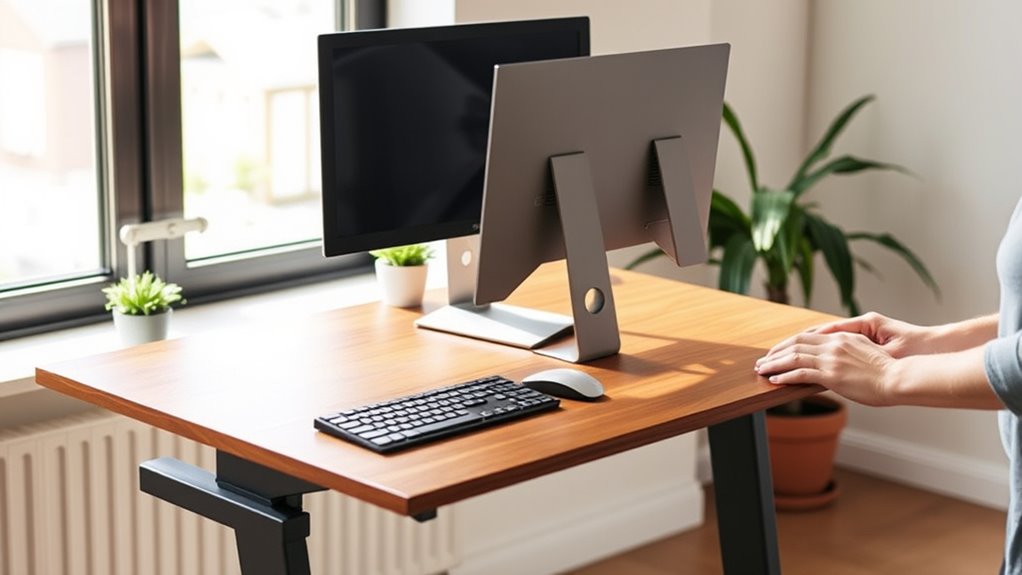

To shift smoothly to a standing desk, start by gradually incorporating standing intervals into your routine, such as 15-30 minutes every hour. Use ergonomic accessories like adjustable monitor arms and supportive mats to maintain proper posture and reduce discomfort. Make small desk height adjustments to ensure eye-level screens and relaxed shoulders. As you progress, increase standing time carefully. If you continue exploring, you’ll discover more tips to create a comfortable, sustainable workspace.
Key Takeaways
- Start with short standing intervals, such as 15-30 minutes, gradually increasing over days or weeks.
- Use ergonomic accessories to support proper posture during both sitting and standing periods.
- Adjust desk height to ensure monitor at eye level and elbows at 90 degrees for comfort.
- Alternate between sitting and standing frequently to prevent fatigue and promote movement.
- Pay attention to posture, keeping shoulders relaxed, back straight, and weight evenly distributed.

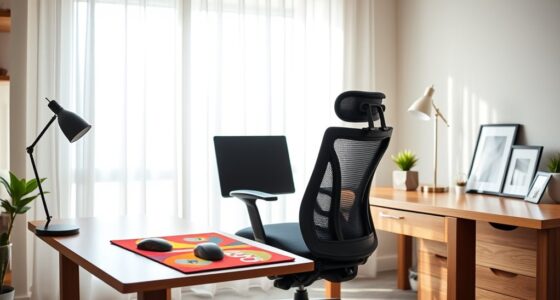
A well-designed standing desk setup can substantially boost your comfort and productivity throughout the day. When you’re adjusting to a new way of working, it’s essential to pay attention to ergonomic accessories and desk height adjustment. These elements make the transition smoother and help prevent discomfort or strain. Ergonomic accessories, such as a supportive keyboard tray, monitor arms, and anti-fatigue mats, are crucial for maintaining proper posture and reducing fatigue. These tools allow you to customize your workspace to fit your body, making it easier to stand comfortably for extended periods. Proper desk height adjustment is equally important—it ensures your monitor is at eye level, your elbows are at a 90-degree angle, and your wrists are neutral. This alignment minimizes stress on your neck, shoulders, and wrists, making standing more sustainable in the long run.
Start your transition gradually. Instead of switching to a full standing routine immediately, incorporate standing intervals into your workday. For example, begin by standing for 15-30 minutes every hour, then gradually increase as your body adapts. During this period, use ergonomic accessories to support your stance. An adjustable monitor arm allows you to position your screen at eye level, preventing neck strain. A footrest or anti-fatigue mat can reduce leg and lower back discomfort, especially if you’re new to standing for long stretches. As you adjust the desk height, double-check that your keyboard and mouse are at a comfortable height to avoid awkward wrist angles. Many desks offer easy height adjustment features, so take advantage of those to find the optimal position.
Pay attention to your posture throughout the day. Keep your shoulders relaxed, your back straight, and your weight evenly distributed. If your desk isn’t adjustable, consider adding risers or platform to raise your work surface to the right height. Remember that comfort isn’t just about standing; it’s about creating a balanced workspace that encourages movement and reduces strain. Switching between sitting and standing can also help prevent fatigue, so don’t feel pressured to stand constantly. Use ergonomic accessories to support this dynamic approach, making it easier to switch positions without sacrificing comfort.
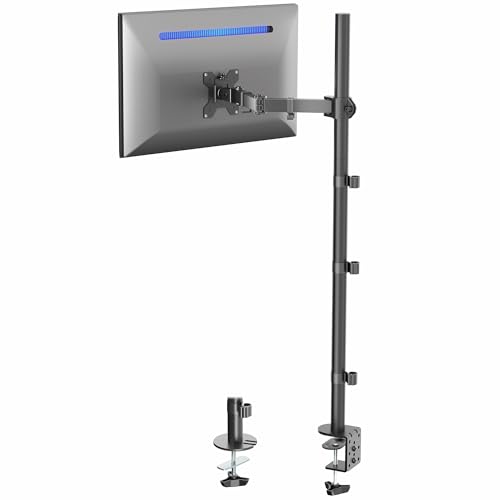
VIVO Extra Tall Single Monitor Desk Mount, 39 inch Pole VESA Stand for 13 to 32 inch Screens and up to 38 inch Ultrawides, Holds 22 lbs, Black, STAND-V011
- Adjustable Height and Tilt: Tilt, swivel, and rotate for optimal viewing
- Extra Tall Pole: 39-inch pole for sitting or standing positions
- Universal Compatibility: Fits 13-32 inch and ultrawide monitors up to 38 inches
As an affiliate, we earn on qualifying purchases.
As an affiliate, we earn on qualifying purchases.
Frequently Asked Questions
How Long Should I Stand Each Day at My Standing Desk?
You should aim to stand at your desk for about 2 to 4 hours daily, gradually increasing as your body adjusts. To stay comfortable, incorporate ergonomic footwear and follow sit-stand schedules that alternate between sitting and standing. Listen to your body, take breaks, and switch positions regularly. This approach helps prevent fatigue and promotes better posture, making your standing desk experience more effective and enjoyable.
What Are the Best Anti-Fatigue Mats for Standing Desks?
You’ll want the best anti-fatigue mats for standing desks to transform your standing experience into pure comfort. Think of mats that provide maximum support, like those with thick foam or gel cushioning, turning your hours into a breeze. The top picks boost standing comfort exponentially, preventing fatigue and pain. Look for non-slip surfaces, durability, and ergonomic designs—these features will keep you energized and pain-free all day long.
Can I Use a Standing Desk if I Have Back Pain?
Yes, you can use a standing desk if you have back pain, but it’s important to incorporate ergonomic chairs and seated alternatives. Adjust your desk height to prevent strain, and switch between sitting and standing throughout the day. Use an ergonomic chair for added support, and take regular breaks to stretch. This balanced approach helps reduce back pain while allowing you to enjoy the benefits of a standing desk.
How Do I Adjust My Monitor for Ergonomic Comfort?
To find ergonomic comfort, think of your monitor as an extension of your gaze. Adjust the monitor height so the top of the screen aligns with your eye level, reducing strain and promoting good posture. Keep the monitor about an arm’s length away, and make sure it’s directly in front of you. This setup helps you stay comfortable during long hours, making your workspace both efficient and easy on your eyes.
What Accessories Can Enhance My Standing Desk Experience?
To enhance your standing desk experience, consider adding an ergonomic keyboard to reduce strain and improve comfort. A monitor riser helps position your screen at eye level, preventing neck fatigue. You might also find anti-fatigue mats helpful to ease foot discomfort. Cable management accessories keep your workspace tidy, while a sit-stand converter offers flexible height options. These accessories support better posture, comfort, and productivity throughout your workday.

FEATOL Anti Fatigue Mat for Standing, 9/10 Extra Thick Ergonomic Standing Desk Mat, Comfort Memory Foam Standing Mat at Home,Office All Day (20" x 32", Black, 1PC)
- Anti Fatigue Design: Reduces stress on feet, knees, and back
- Ergonomic Thickness: 9/10 inch high-density memory foam for comfort
- Durable & Easy to Clean: PU leather surface resists stains, tears, and deformation
As an affiliate, we earn on qualifying purchases.
As an affiliate, we earn on qualifying purchases.
Conclusion
By following these tips, you’ll make a seamless shift to a standing desk and enjoy its benefits. Remember, studies show that standing desks can boost productivity by up to 10% and reduce back pain for many users. Take it slow, listen to your body, and adjust as needed. With patience and proper setup, you’ll find yourself more energized and comfortable throughout your workday, making the switch a positive change you can stick with long-term.

VIVO Large Keyboard Tray Under Desk Pull Out with Extra Sturdy C Clamp Mount System, 27 (33 Including Clamps) x 11 Inch Slide-Out Platform Computer Drawer for Typing, Black, MOUNT-KB05E
- Space-Saving Design: Holds keyboard and accessories below desk
- Ergonomic Typing Angles: Slides in and out for comfortable use
- Adjustable Extension: Extends up to 8.5 inches from desk edge
As an affiliate, we earn on qualifying purchases.
As an affiliate, we earn on qualifying purchases.

VIVO 32 inch Desk Converter, K Series, Height Adjustable Sit to Stand Riser, Dual Monitor and Laptop Workstation with Wide Keyboard Tray, Black, DESK-V000K
- Instant Active Standing: Provides on-demand standing for productivity
- Space Efficient Surface: 31.5 x 15.7 inch workspace for dual monitors
- Adjustable Keyboard Tray: Raises in sync with the surface for comfort
As an affiliate, we earn on qualifying purchases.
As an affiliate, we earn on qualifying purchases.