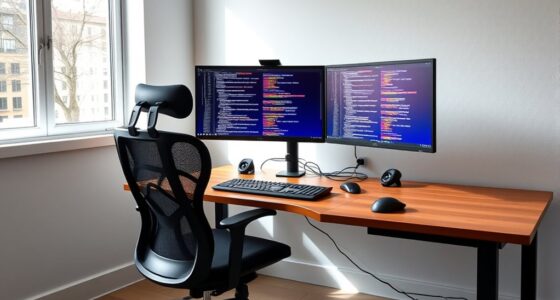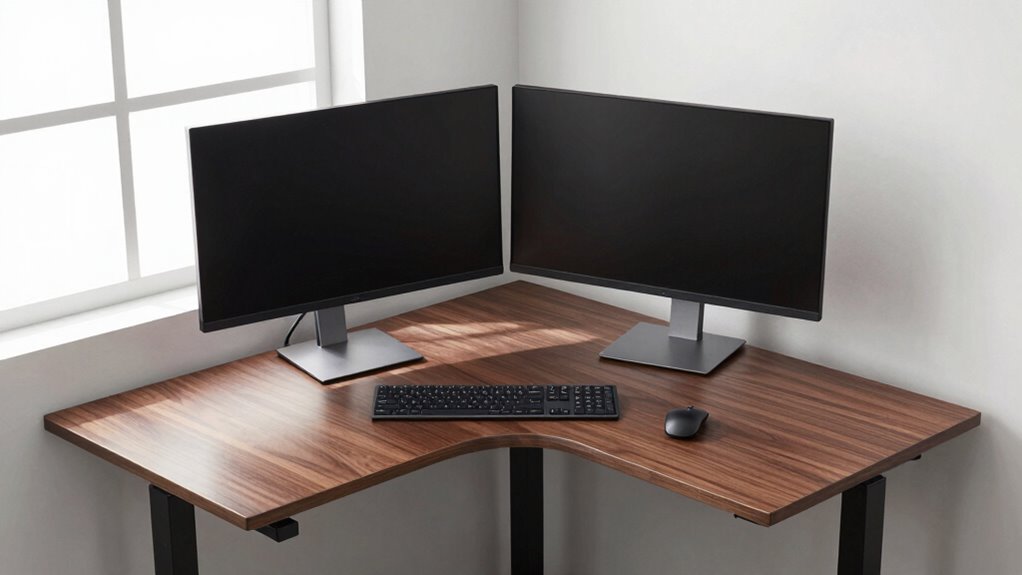
Using a corner standing desk with dual monitors helps you maximize space while reducing unnecessary reaching and twisting. Position your monitors close at eye level, angling them inward to create a natural viewing curve. This setup minimizes torso twisting and keeps your peripherals within comfortable reach. Incorporating ergonomic accessories like adjustable monitor arms and footrests further boosts comfort. Stay tuned to discover how these tips can transform your workspace into an ergonomic haven and boost your productivity.
Key Takeaways
- Placing monitors centrally on a corner standing desk minimizes reaching and twisting movements.
- Angling dual monitors inward creates a natural viewing curve, reducing head and neck strain.
- Using adjustable monitor arms allows precise positioning for optimal distance and height.
- Positioning monitors close to the user minimizes unnecessary arm extension.
- A corner desk’s shape maximizes surface area, enabling efficient monitor placement with less reach.
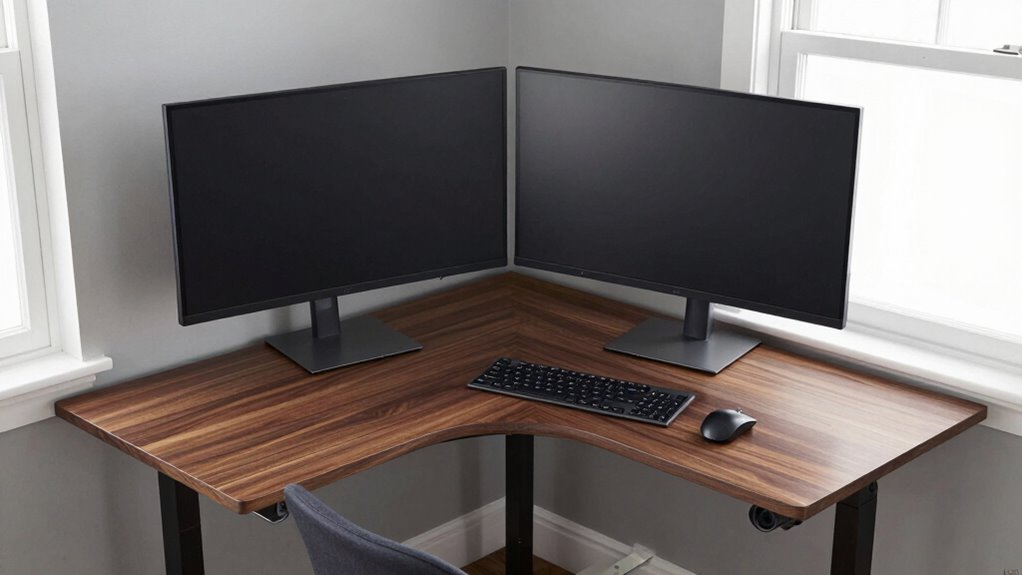
If you’re considering a corner standing desk for your workspace, pairing it with dual monitors can substantially boost your efficiency. This setup leverages the unique shape of a corner desk to maximize your workspace while reducing unnecessary movement. When you position your monitors correctly, you can work more comfortably and reduce strain on your neck and shoulders. To achieve this, ergonomic accessories become vital. Adjustable monitor arms allow you to set your screens at the perfect eye level, preventing you from tilting your head up or down. Proper placement ensures your monitors are close enough to eliminate excessive reaching, which can cause fatigue over time.
Cable management also plays an essential role in maintaining an organized workspace. With dual monitors on a corner standing desk, cables tend to clutter quickly, making the area look chaotic and potentially causing safety hazards. Using cable clips, sleeves, or under-desk cable trays keeps cords neatly out of sight and within reach. This not only creates a cleaner look but also reduces the risk of tripping or accidental disconnection. When cables are well-managed, you can easily switch between monitors or adjust their positions without wrestling with tangled wires. Incorporating cable organization techniques can further streamline your setup, making adjustments even easier. Additionally, effective cable management can help prolong the lifespan of your electronic devices by preventing unnecessary strain on ports and cords.
Positioning your dual monitors on a corner standing desk is about more than just aesthetics; it’s about function. You want both screens to be within a comfortable reach without forcing your body into awkward angles. Placing them slightly angled inward creates a natural viewing curve, minimizing head and eye movement. This setup allows you to glance from one screen to the other effortlessly, improving multitasking and focus. Additionally, using ergonomic accessories like keyboard trays and adjustable footrests complements this layout by promoting good posture and reducing fatigue during long work sessions. Incorporating ergonomic accessories ensures your workspace supports your health and comfort over extended periods.
In this configuration, your workspace becomes more efficient because you spend less time reaching or shifting your position. The corner desk’s shape naturally encourages a more centralized setup, reducing the need for stretching or twisting your torso. Proper cable management ensures your workspace remains tidy and functional, while ergonomic accessories help maintain comfort throughout the day. Creating an ergonomic work environment can also help prevent long-term musculoskeletal problems associated with poor posture. When you combine these elements, you create a workspace that’s optimized for productivity, health, and comfort. This way, your dual monitors serve as powerful tools rather than obstacles, helping you get more done with less discomfort and distraction.

WALI Dual Monitor Stand for 13-32 inch Computer Screens, Dual Monitor Arms for 2 Monitors Holds up to 22 lbs, Height Adjustable Dual Monitors Mount, VESA 75×75/100x100mm (GSMP002N), Black
- Desk Space Saving: Lifts monitors off the desk for more space
- Cable Management: Guides wires along the arms for a tidy workspace
- Wide Compatibility: Fits most 13-32 inch screens up to 22 lbs
As an affiliate, we earn on qualifying purchases.
As an affiliate, we earn on qualifying purchases.
Frequently Asked Questions
How Do I Prevent Neck Strain With This Setup?
To prevent neck strain with this setup, focus on maintaining an ergonomic posture by keeping your monitors at eye level and directly in front of you. Adjust your chair and desk height to support proper alignment. Take regular breaks to stretch and perform neck exercises, which help reduce tension. Staying mindful of your posture and incorporating these habits can minimize discomfort and promote long-term neck health.
What Are the Best Ergonomic Accessories for Dual Monitors?
Think of your monitors as a symphony, each instrument perfectly tuned. To guarantee harmony, use ergonomic accessories like adjustable monitor arms for ideal monitor height, preventing neck strain. Add a monitor stand or riser to keep screens at eye level, and consider desk accessories like anti-glare filters to reduce eye fatigue. These tools help you achieve a balanced setup, making your workspace more comfortable and boosting your productivity.
Can This Layout Accommodate Different Monitor Sizes?
Yes, this layout can accommodate different monitor sizes effectively. You should adjust the monitor height to match your eye level for each screen, ensuring a comfortable view. Also, consider your desk depth; a deeper desk provides enough space to position larger monitors at ideal distances, reducing strain. By customizing monitor height and leveraging sufficient desk depth, you create an ergonomic setup that works well regardless of monitor size differences.
How Do I Cable Manage Effectively in This Setup?
While clutter distracts your focus, effective cable management can transform your workspace. Use cable concealment techniques like clips and sleeves to keep cords tidy. Position your power strip strategically behind the desk or under it to minimize visible cords and prevent tangles. This balance of organization and accessibility guarantees your setup remains sleek, functional, and less distracting, allowing you to work seamlessly without the chaos of tangled cables.
Is This Layout Suitable for Shared Workspaces?
This layout can work well in shared workspaces, but you should consider privacy concerns and noise distractions. Position your corner standing desk strategically to minimize disruptions and maintain some visual privacy. Using dividers or plants can help create a sense of separation. Additionally, noise-canceling headphones or white noise machines can reduce distractions, ensuring you stay focused even in a busy environment. Adjusting your setup helps balance openness with personal privacy.

Muvai 59 Inch L Shaped Standing Desk Adjustable Height with Cable Management Tray,Gaming Electric Corner Standing Desk, Sit Stand Computer Table with Reversiable Splice Board, Black
- Reversible L-Shaped Design: Supports both left and right-handed use
- Cable Management Tray: Hides and organizes all cables and adapters
- Ideal for Multi-Monitor Setup: Supports more than 2 monitors for daily use
As an affiliate, we earn on qualifying purchases.
As an affiliate, we earn on qualifying purchases.
Conclusion
Think of your desk as a well-tuned orchestra, where every instrument plays in harmony. By optimizing your corner standing desk with dual monitors, you’re conducting a symphony of efficiency and comfort. Less reach means less strain, allowing your workflow to flow seamlessly like a river carving its path. Embrace this layout as your guiding compass—steering you toward productivity, balance, and a workspace that truly works in tune with you.

VIVO Large Keyboard Tray Under Desk Pull Out with Extra Sturdy C Clamp Mount System, 27 (33 Including Clamps) x 11 Inch Slide-Out Platform Computer Drawer for Typing, Black, MOUNT-KB05E
- Space-Saving Design: Holds keyboard and accessories below desk
- Ergonomic Typing Angles: Slides in and out for comfortable use
- Adjustable Extension: Extends up to 8.5 inches from desk edge
As an affiliate, we earn on qualifying purchases.
As an affiliate, we earn on qualifying purchases.

CasaZenith Foot Rest, Six Heights Adjustable Foot Rest Under Desk at Work
- Six Adjustable Heights: Customizable for ergonomic comfort
- Ergonomic Design: Supports proper sitting posture
- Reduces Back Stress: Relieves back pain and fatigue
As an affiliate, we earn on qualifying purchases.
As an affiliate, we earn on qualifying purchases.