TL;DR
An ergonomic office chair is designed to support a range of sitting postures and make adjustments easier, but no single chair fits everyone. Start with seat height and depth, backrest, and armrests, then check how the chair works with your desk and monitor. A comfortable chair can support your work, while regular movement remains part of a practical routine.
Set seat height so your feet rest on the floor or a footrest, with knees roughly level with or slightly lower than your hips.
Leave a small gap behind your knees and make sure the backrest feels comfortable for your lower back.
Choose mesh, padding, recline, and headrest features according to your comfort and work habits; no option suits everyone.
Check chair dimensions, adjustment range, desk clearance, warranty, replacement parts, and return terms before buying.
Use a comfortable chair alongside regular posture changes and movement; it cannot promise to prevent or cure back pain.

Get comfort and recovery gear delivered free with Prime
- Fast, free delivery on millions of items
- Prime Video, Amazon Music and more included
- Member-only deals all year
What makes an office chair ergonomic for you?
An ergonomic office chair is designed to support a range of sitting postures and make it easier to adjust the chair to the person and task. That definition is about fit and usability, not a guaranteed health benefit. You might use a chair differently for typing, reading, or leaning back on a call, so useful adjustment matters more than a busy list of features. For example, imagine two colleagues trying the same chair: one is tall with long thighs, the other is shorter and prefers a firm seat. One fixed seat depth may leave the first person cramped and the second unsupported. A chair that lets both adjust seat height and depth has a better chance of fitting them, much like an adjustable wrench can handle more than one bolt size. A comfortable fit also depends on what’s around you. Desk height, keyboard reach, screen position, and the space under the desk all affect how a chair feels in use. The practical goal is a setup that lets you work comfortably and change position, rather than holding one “perfect” pose all day.Products Worth Considering

Philips Sonicare 7300 Rechargeable Electric Toothbrush with 3 Brush Heads, Black
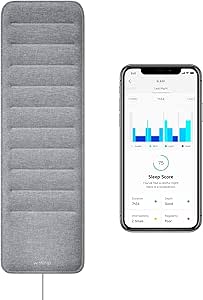
Withings Sleep Under-Mattress Sleep Tracking Pad

Therabody TheraFace Cordless LED Light Therapy Mask
As an affiliate, we earn on qualifying purchases.
Use these four adjustments to get a better fit
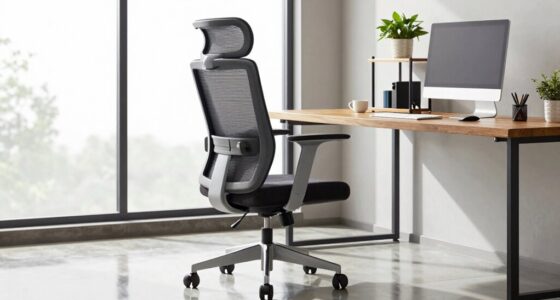
To adjust an office chair, start with the seat height, then set seat depth, backrest, and armrests. Make one change at a time and check how it feels at your actual desk; a quick showroom sit may not reveal a problem that appears after an hour.- Set seat height: Keep your feet supported on the floor or a footrest, with knees roughly level with or slightly lower than your hips. If your desk forces you to raise the seat, add foot support rather than letting your legs hang.
- Check seat depth: Support most of your thighs while leaving a small gap behind your knees. If the front edge presses into your legs, slide the seat back or look for a shorter seat.
- Fit the backrest: Adjust it so your lower back feels comfortably supported. A movable lumbar pad can help some people; a fixed shape may suit others.
- Set the armrests: Let your shoulders relax while your hands reach the keyboard. Move the armrests out of the way if they stop the chair from getting close to the desk.
Compare mesh, padding, and recline before you buy
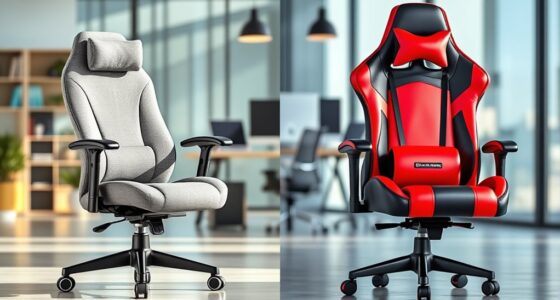
The best chair material or recline mechanism depends on what feels comfortable in your room and during your workday. Mesh may feel cooler, while padded seats can feel softer or warmer, depending on the foam and cover. Neither material is automatically better for everyone, so use an in-person tryout or a clear return policy when you can.| Feature | May suit you if… | Check before buying |
|---|---|---|
| Mesh back | You prefer airflow or work in a warm room. | Whether the tension and frame feel comfortable against your back. |
| Padded seat | You like a cushioned surface for longer desk sessions. | Whether the cushion feels supportive rather than too soft or warm. |
| Recline or tilt | You shift between upright work and leaning back. | Whether you can set the tension and reach the controls easily. |
| Headrest | You often recline or want support during breaks. | Whether it fits your body; it may get in the way during upright work. |