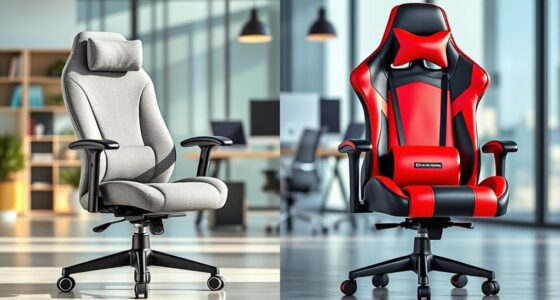
When working, avoid reclining beyond 100 to 110 degrees, as too much tilt can disrupt your natural spinal curve and cause discomfort. Excessive recline can make your back and neck muscles work harder, leading to poor posture and long-term issues. Staying within the recommended range helps maintain proper lumbar support and keeps your body aligned. If you’d like to discover more ways to improve your ergonomic setup, keep exploring the best practices for comfort and productivity.
Key Takeaways
- Recline beyond 110 degrees can misalign the spine and reduce lumbar support effectiveness.
- Excessive recline may cause slouching, leading to discomfort and poor posture over time.
- Reclining too far diminishes ergonomic benefits, increasing neck, shoulder, and back strain.
- Ideal recline for work is approximately 100 to 110 degrees to balance support and comfort.
- Regularly adjusting your chair to maintain proper recline prevents fatigue and promotes better posture.

Finding the right recline angle when working is essential for maintaining comfort and productivity throughout the day. When your chair is set at the proper recline, you support your back better, which directly influences your ergonomic posture. An ideal recline allows you to sit comfortably without straining your neck, shoulders, or lower back. If you lean too far back, you risk losing the natural curve of your spine, which can cause discomfort and long-term issues. Conversely, sitting too upright might lead to tension in your upper body. Striking the right balance is key, and a slight recline—around 100 to 110 degrees—often provides ideal support.
A slight recline of 100 to 110 degrees supports comfort and maintains proper ergonomic posture during work.
The angle of your chair’s recline impacts your lumbar support, which is vital for preventing lower back pain. When you tilt back just enough, your lumbar region can maintain its natural inward curve, reducing pressure on your vertebrae and discs. If you recline too much, your lumbar support may no longer align with your lower back, leading to slouching or discomfort. Many ergonomic chairs have adjustable lumbar support, so you can fine-tune it to match your recline angle. This adjustment helps keep your spine properly aligned, minimizing fatigue and promoting better posture over long periods. Proper ergonomic support is crucial for maintaining comfort and avoiding strain during extended work sessions.
You should also consider how much your upper body leans back when you recline. A recline that’s too steep can cause you to stretch your neck forward or upward to see your screen clearly, which adds strain to your neck and shoulders. This can lead to poor ergonomic posture, especially if you’re working at a computer for hours. To avoid this, keep your monitor at eye level and maintain a neutral head position. A moderate recline encourages a relaxed, natural posture that keeps your head aligned with your spine, reducing unnecessary tension. Incorporating proper chair adjustments can further enhance your comfort and prevent postural strain. Additionally, being aware of ergonomic principles can help you make better adjustments to your workspace for long-term health benefits. Regularly changing your position throughout the day can also help prevent stiffness and promote circulation.

Ergonomic Office Chair with Footrest – Adjustable Lumbar Support & Headrest, 90-160° Reclining Mesh Back Computer Chair – Home Office/Gaming, 350lbs Capacity
This is more than a chair; it's a personalized comfort zone for work, rest, and play. We've meticulously…
As an affiliate, we earn on qualifying purchases.
As an affiliate, we earn on qualifying purchases.
Frequently Asked Questions
Does Recline Angle Vary Based on Different Work Tasks?
Yes, recline angle varies based on your work tasks. For tasks requiring focus and precision, a more upright posture with less recline offers better posture comfort and reduces strain. When reading or taking breaks, you might recline more comfortably. Adjust your desk height and chair to maintain good posture, ensuring your recline supports your activity without causing discomfort or strain. Always listen to your body to find the most suitable recline.
Can Too Much Recline Cause Neck Strain?
Yes, too much recline can cause neck strain because it disrupts your posture alignment. When you lean back excessively, your head may shift forward or downward, straining your neck muscles. To prevent this, make sure your chair offers proper head support and maintains a neutral spine position. Adjust the recline angle so your head remains aligned over your shoulders, reducing tension and promoting comfort during work.
Is There an Ideal Recline Angle for Laptop Use?
Aim for a recline angle between 90 and 110 degrees to support proper posture alignment and reduce eye strain. When you lean back slightly, you promote better spinal health, decrease neck tension, and keep your eyes level with your screen. Maintaining this balance helps prevent discomfort, enhances focus, and allows you to work comfortably. Find your ideal angle within this range to optimize your workspace ergonomics.
How Does Recline Affect Blood Circulation During Work?
Reclining too far can hinder your blood circulation, leading to discomfort or fatigue. By making posture adjustments and maintaining a moderate recline, you enhance circulation benefits, ensuring blood flows smoothly through your body. A slight recline encourages relaxation without compromising circulation. Keep your back supported and avoid extreme angles, as this balance helps you stay comfortable and focused during work, reducing strain and promoting better overall circulation.
Should Ergonomic Experts Recommend Specific Recline Positions?
Yes, ergonomic experts should recommend specific recline positions to improve posture stability and reduce strain. They suggest adjusting your chair to maintain a slight recline—around 100-110 degrees—while ensuring your back stays supported. Using ergonomic accessories like lumbar supports can enhance stability. Following these guidelines helps you stay comfortable and focused, preventing poor posture habits that could lead to discomfort or long-term health issues during work.

TRALT Office Chair – Ergonomic Desk Chair with Adjustable Lumbar Support, Mesh Computer Chair, Executive Chairs for Home Office Comfortable Lumbar Support (Black)
Ergonomic Office Chair: Experience unparalleled support with our ergonomic office chair, designed to provide comprehensive assistance for your…
As an affiliate, we earn on qualifying purchases.
As an affiliate, we earn on qualifying purchases.
Conclusion
Remember, your chair’s recline is like a sail catching the wind—too much, and you risk losing control; too little, and you stay anchored. Find that perfect tilt where your comfort becomes your steady ship, guiding you smoothly through your workday. Keep adjusting until your posture feels like a gentle breeze—supportive yet freeing. When you strike that balance, you’re not just working—you’re sailing confidently towards success.

CAPOT Ergonomic Mesh Office Chair, Adjustable Lumbar High Back Desk Chair 400lbs, 4D Flip-up Arms, 3-Level Tilt Backrest, 3D Headrest, PU Wheels, Swivel Rolling Computer Seating for Long Desk Work
【STURDY, SNUG WORK CHAIR】Made for long sits over 8 hours of desk work. Micro-adjust lumbar support, flip-up arms,…
As an affiliate, we earn on qualifying purchases.
As an affiliate, we earn on qualifying purchases.

Ergonomic Office Chair for Long Hours – Molded Foam Seat, Adjustable Lumbar Support for Back Pain Relief, Flip-Up Armrests, Comfortable Desk Chair for Home Office, Black
【Ideal for Long Hours, Back Pain, and Focused Work】Whether you're working, studying, or creating, this ergonomic chair is…
As an affiliate, we earn on qualifying purchases.
As an affiliate, we earn on qualifying purchases.